
Gooseboy
Запускай игры и приложения прямо внутри Minecraft!
- Загрузчики
- Fabric
- Скачиваний на Modrinth
- 227
- Подписчиков на Modrinth
- 8
- версии
- 4
- Обновлён
- 4 июня 20264 июн.
- Опубликован
- в 2025
Коротко о моде
Ставится только в игру; на сервер ставить не нужно
Gooseboy
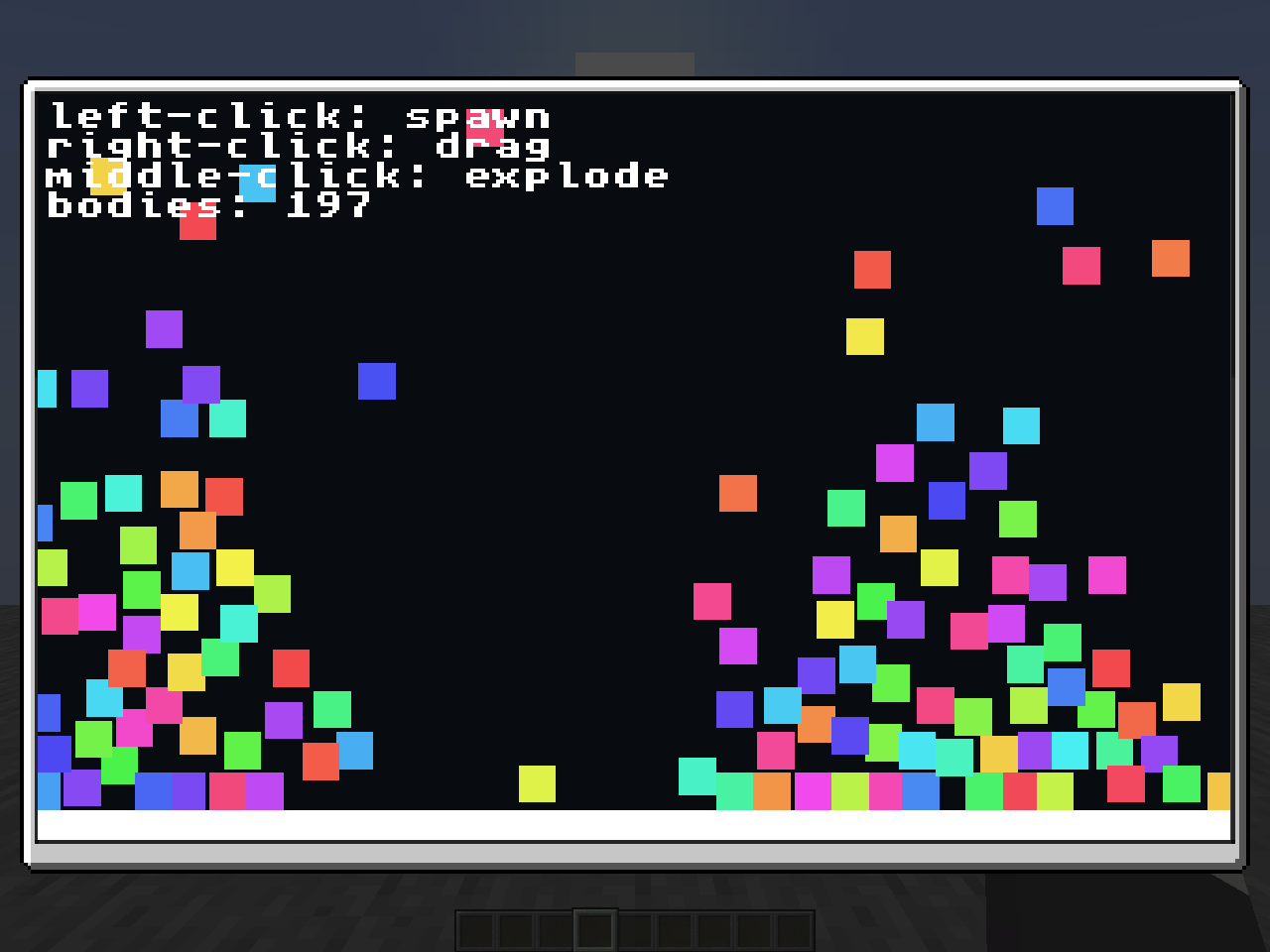
Крошечная игровая консоль внутри Minecraft

M. (при желании вы можете изменить привязку клавиши в настройках управления!) ## Где найти крейты Официальные примеры крейтов можно найти здесь ## Как добавить крейт Вы можете добавить крейты, переместив их в папку crates. Открыть папку crates можно из меню, нажав кнопку " Open crates folder location" внизу. ## Как создавать крейты Вы можете создавать крейты на любом языке, компилируемом в WebAssembly (WASI не поддерживается из соображений безопасности). Рекомендуемый язык — Rust, поэтому стандартная библиотека тоже написана на Rust. Пример крейта: ```rs #![no_main]use gooseboy::framebuffer::{get_framebuffer_width, init_fb}; use gooseboy::text::{draw_text, get_text_width}; use gooseboy::{color::Color, framebuffer::clear_framebuffer};
// Every crate has to have a main function, make sure to decorate it // with gooseboy::main though, or else the crate won't start #[gooseboy::main] fn main() { // Initializes the framebuffer, you are required to initialize this // here if you plan to draw to the screen (which is very likely) init_fb(); }
// This is also required in every crate, the gooseboy::update is required // here too, this function runs X times per second where X is equal to your // maximum framerate in the options #[gooseboy::update] fn update(nano_time: i64) { // Clear out the screen, erasing everything that was there previously clear_framebuffer(Color::BLACK);
// Initialize the string we want to draw to the screen, You can also use Rust's // String type here, with the caveat of having to clone it at draw_text let text = "Hello, world!"; // Convert the time from nanoseconds to seconds let time_sec = nano_time as f64 / 1_000_000_000.0; // Get the position of the right corner and subtract the width of the text // to make the text fit into the screen, You can also use draw_text_wrapped // to automatically wrap text if it passes the end of the framebuffer let right_corner = (get_framebuffer_width() - get_text_width(text)) as f64; // Gets us an X position that smoothly moves from the left to the right using sine let x_pos = ((time_sec.sin() * 0.5 + 0.5) * (right_corner - 1.0)) as usize;
// Finally, draw the text with the red color (or use Color::new(r, g, b, a) or Color::new_opaque(r, g, b)) draw_text(x_pos, 0, text, Color::RED); }
## Участие в разработке
Хотите помочь улучшить Gooseboy? Мы рады вкладу! Стандартную библиотеку можно найти [здесь](https://github.com/awildergoose/gooseboy-rs), CLI — [здесь](https://github.com/awildergoose/cargo-gooseboy), а Java-мод — [здесь](https://github.com/awildergoose/gooseboy)!
<!--
whose a goose boy
:clueless:
-->
Частые вопросы
Как установить Gooseboy?
Установите Fabric под свою версию Minecraft, скачайте Gooseboy под ту же версию и загрузчик, положите файл в папку mods и запустите игру с профилем загрузчика.
Для каких версий Minecraft есть Gooseboy?
У Gooseboy есть сборки для Minecraft 1.21.10.
Нужен ли Gooseboy на сервере?
Ставится только в игру; на сервер ставить не нужно


