- Loaders
- Fabric
- Downloads on Modrinth
- 14.3K
- Followers on Modrinth
- 5
- versions
- 30
- Updated
- September 21, 2026Sep 21
- Published
- in 2024
At a glance
Needed both in the game and on the server
Area Lib
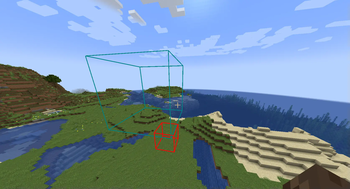
Creating areas
Create areas using /area create
For example `/area create box ~ ~ ~ ~5 ~5 ~5` creates a 5x5x5 box area
Modifying area properties
Built-In
Some built-in properties, such as color and priority can be changed using `/area modify `
Components
Components can be set and removed using `/area modify components (set|remove|get|copy_from) ...`
Union areas
You can create union areas using
`/area create union <...areas>`
Adding additional sub-areas can be done using
`/area modify_composite add <sub_area>`
Similarly, ub-areas can be removed by running
`/area modify_composite remove <sub_area>`
Deleting areas
To completely delete an area use `/area delete `
Querying areas
To check which area you are currently in, use /area query
Functionality Note
Note that these areas don't do anything by themselves, but require additional mods that can implement specific functionality for them. For example area-tools adds various area related tools using this library
Documentation
Partial documentation is available here
FAQ
How to install Area Lib?
Install Fabric for your Minecraft version, download Area Lib for the same version and loader, put the file into the mods folder and launch the game with the loader profile.
Which Minecraft versions does Area Lib support?
Area Lib has builds for Minecraft 1.21.1, 1.21.7–1.21.8, 1.21.10–26.1.2, 26.3 ….
Is Area Lib needed on the server?
Needed in the game and on the server
Similar mods
All library mods →


More mods by this author
 Boids↓ 3.6M
 Birds | Boids Addon↓ 1.3M
 Zipline↓ 785K
Often needed together
 Fabric API↓ 286M
 Meret↓ 3.6K