
Baston's Coordinates
A modern, minimalist coordinates HUD for Fabric — inspired by Batty's Coordinates PLUS, the beloved 1.12.2 mod that never got updated.
- Loaders
- Fabric
- Downloads on Modrinth
- 191
- Followers on Modrinth
- 2
- version
- 1
- Updated
- June 9, 2026Jun 9
- Published
- in 2026
At a glance
Install in the game only; not needed on the server
Baston's Coordinates
A modern, minimalist coordinates HUD for Fabric — inspired by Batty's Coordinates PLUS, the beloved 1.12.2 mod that never got updated.
Rebuilt from scratch for Minecraft 26.1.2 and entirely configurable through Mod Menu — no keybinds to memorize, no clutter, just the information you actually want on screen.
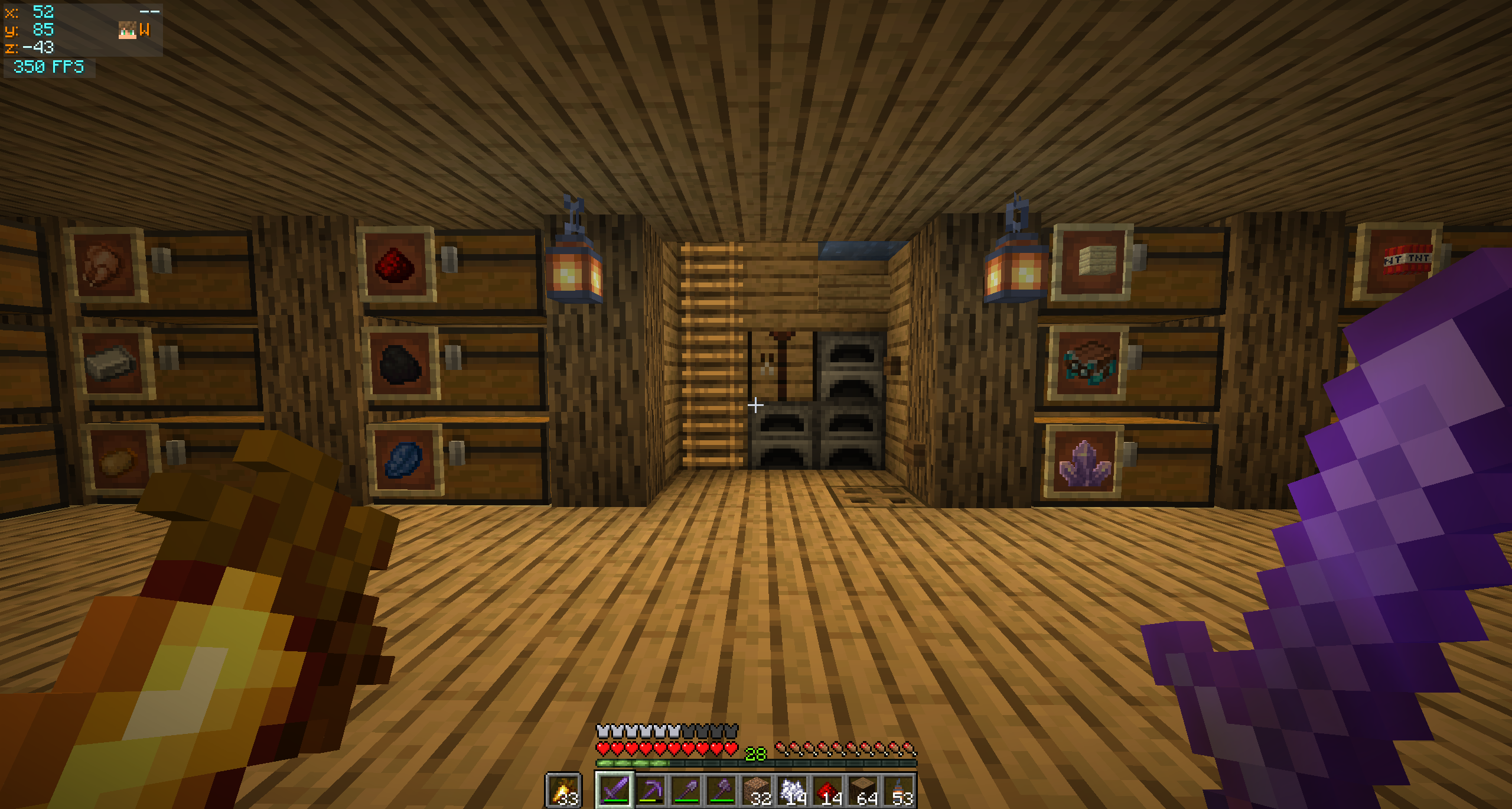
✨ Features
- XYZ coordinates with separate colours for positive and negative values
- Compass cardinal — N / NE / E / SE / S / SW / W / NW
- Movement arrows — chevrons (
+/-) on the X and Z lines indicate which way the coords are changing as you walk - Player head rendered next to the compass — face and hat overlay, using the same helper Minecraft uses for the multiplayer tab list
- Local time — real-world clock on its own row,
HH:mmorHH:mm:ss - Independent FPS panel that auto-stacks below the coords when both share a corner
- Auto-hides when the F3 debug overlay is open — no double-up of info
- Dynamic panel width that only grows as wide as the active features need (with a configurable floor)
🎨 Customization
Open Mod Menu → click the gear next to Baston's Coordinates.
Coordinates Panel
- Toggle every individual feature (compass, arrows, time, player head…)
- Choose a screen corner (Top Left / Top Right / Bottom Right)
- Fine-tune position with X / Y offset sliders
- Set a minimum panel width floor
FPS Panel
- Independent on/off and screen corner
- When in the same corner as the coords panel, the FPS auto-stacks below (or above for bottom corners) with a configurable gap
Colours
- R / G / B sliders with a live preview swatch for every text element
- RGBA for the background — full transparency control
The HUD renders on top of the config screen so you can preview your changes immediately after clicking Save & Quit.
📦 Requirements
| Requirement | Version |
|---|---|
| Minecraft | 26.1.2 |
| Fabric Loader | 0.19.3+ |
| Fabric API | any matching build |
| Java | 25+ |
Optional but strongly recommended
- Mod Menu — entry point for the config screen
- Cloth Config — provides the config UI widgets
Without these the mod still works, just with defaults. You can edit the file at config/bastons_coordinates.properties manually.
FAQ
How to install Baston's Coordinates?
Install Fabric for your Minecraft version, download Baston's Coordinates for the same version and loader, put the file into the mods folder and launch the game with the loader profile.
Which Minecraft versions does Baston's Coordinates support?
Baston's Coordinates has builds for Minecraft 26.1.2.
Is Baston's Coordinates needed on the server?
Client only — no need to install it on the server
Similar mods
All utility mods →


More mods by this author
 Baston's Tweaks↓ 174
Often needed together
 Fabric API↓ 285M