
- Loaders
- Fabric
- Downloads on Modrinth
- 29.6K
- Followers on Modrinth
- 50
- versions
- 19
- Updated
- October 11, 2026Oct 11
- Published
- in 2024
At a glance
Install in the game only; not needed on the server
A client side mod I created to project reference images and schematics into the minecraft world.
- Images can be positioned, scaled, rotated and made transparent.
You need to be holding an ItemFrame in either your hand or your offhand to see the images.
Main Config Screen
The default key "O" will launch the config which will create folders for you to upload images in your filesystem:
{Minecraft}/config/blueprints/{world name}/{dimension name}![Main config screen] 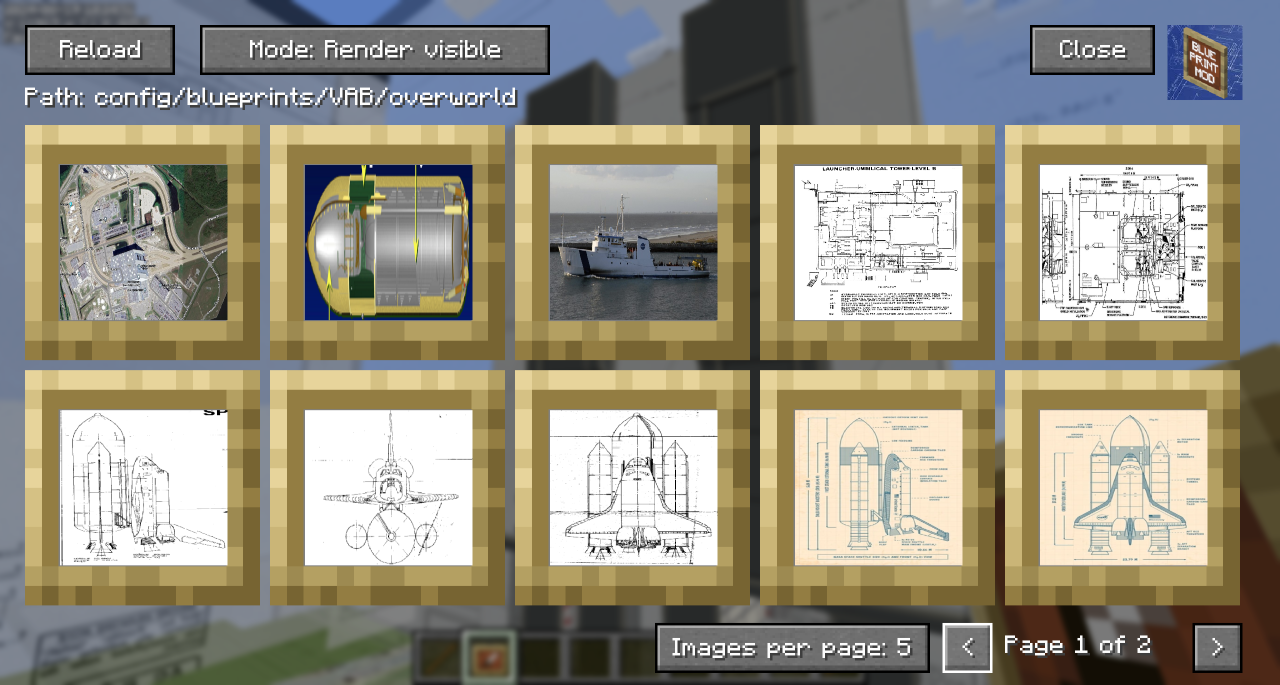
- The Reload button will rescan the filesystem for any files you have uploaded.
- The 'Path' shows the relative position of the filesystem you'll need to work with outside of Minecraft
- You can toggle the Render mode to hide behind blocks or always show through them.
- Blueprints that are hidden show with a dark overlay.
- You can use Control-Click as a shortcut to show/hide the blueprint in the world.
- You can click on a blueprint to get to the moving and positioning screen.
- In the bottom right, you can change the number of images per page to zoom in/out on the selection screen and navigate pages with the left and right chevrons.
Blueprint Moving and Positioning
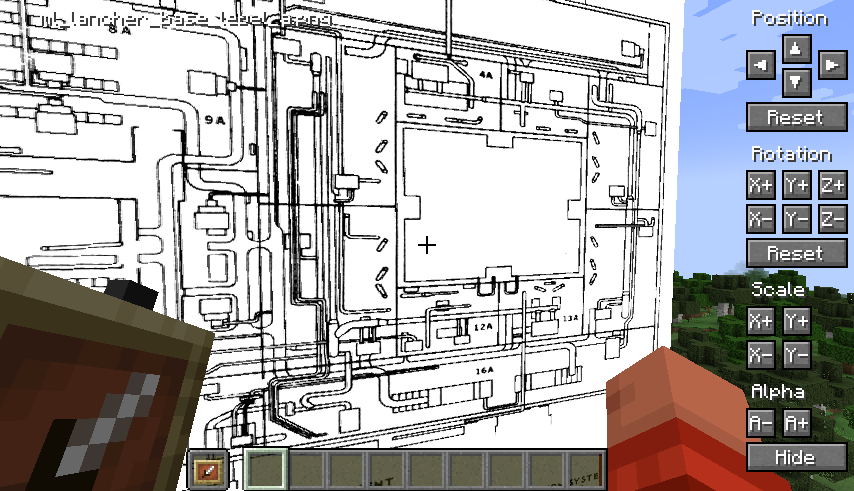
Position tweaking is player-facing aware: e.g. left is always left
- You can hold down Shift to increase the amount of change each button applies for bigger tweaks.
- You can hold down Ctrl to reduce the amount of change each button applies for small tweaks.
- You can hold down both Shift and Ctrl to make big changes to settings on each click.
Demo
A quick overview can be seen in this video which was the reason I created the mod:
FAQ
How to install Blueprints?
Install Fabric for your Minecraft version, download Blueprints for the same version and loader, put the file into the mods folder and launch the game with the loader profile.
Which Minecraft versions does Blueprints support?
Blueprints has builds for Minecraft 1.20.1–1.20.4, 1.21–1.21.1, 1.21.4–1.21.11, 26.1.2–26.3.
Is Blueprints needed on the server?
Client only — no need to install it on the server
Similar mods
All utility mods →


Often needed together
 Fabric API↓ 284M