
Compresso
Compress your screenshots into smaller PNG, WebP, JPEG & AVIF files
- Loaders
- FabricNeoForge
- Downloads on Modrinth
- 780
- Followers on Modrinth
- 3
- versions
- 33
- Updated
- October 25, 2026Oct 25
- Published
- in 2026
At a glance
Install in the game only; not needed on the server
Compresso adds a configurable optimization step to Minecraft's screenshot saving. Every screenshot you take is encoded into a smaller file in the format that you choose, with control over quality, compression effort, and resolution.
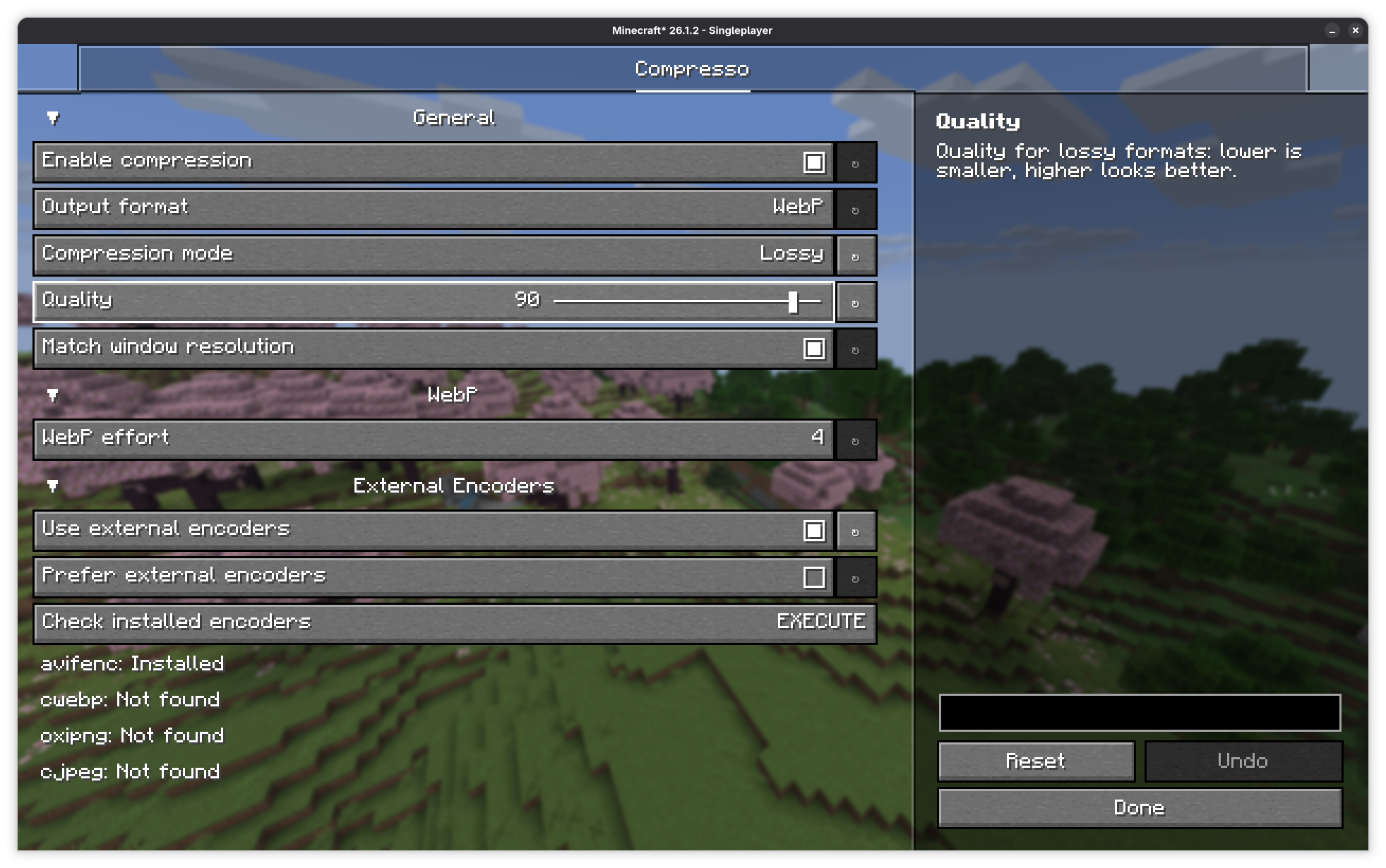
Supported formats
- PNG: lossless
- JPEG: lossy
- WebP: lossless/lossy
- AVIF: lossless/lossy
For users who want maximum compression or to use the AVIF format, this mod can call command-line encoders if it detects that you have them installed on your system. This includes avifenc, cwebp, oxipng, and cjpeg.
FAQ
How to install Compresso?
Install Fabric for your Minecraft version, download Compresso for the same version and loader, put the file into the mods folder and launch the game with the loader profile.
Which Minecraft versions does Compresso support?
Compresso has builds for Minecraft 1.21.1, 1.21.10–26.3.
Is Compresso needed on the server?
Client only — no need to install it on the server


