
- Loaders
- Fabric
- Downloads on Modrinth
- 2.2K
- Followers on Modrinth
- 11
- versions
- 4
- Updated
- July 6, 2026Jul 6
- Published
- in 2023
At a glance
Install in the game only; not needed on the server
Coordinated Command Blocks
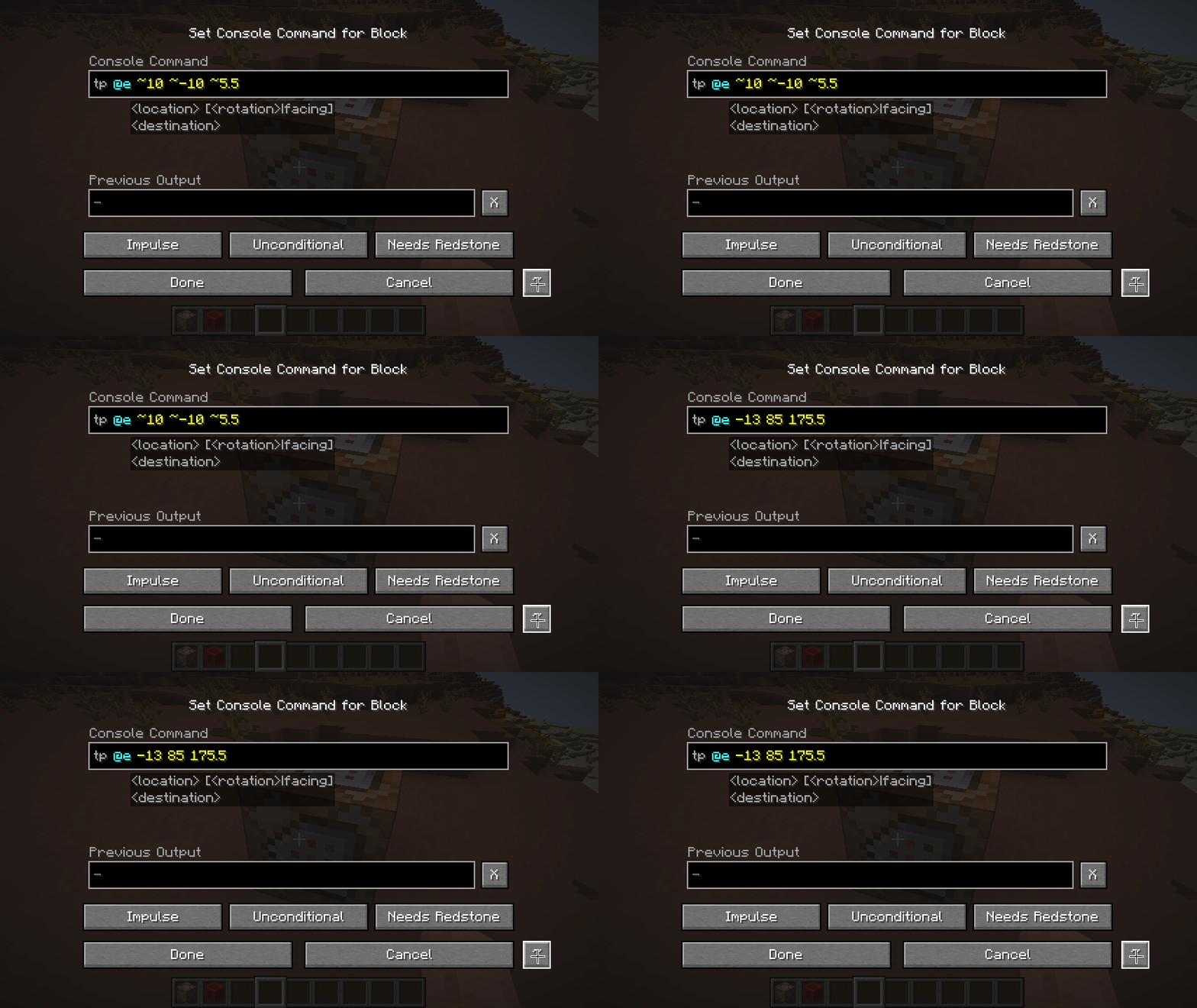
Adds a button to convert between Relative and Absolute coordinates in Command Blocks
for instance a command block at 10, 10, 10 with setblock ~1 ~2 ~3 stone would convert into setblock 11 12 13 stone, then clicking it again would turn the coords back into ~1 ~2 ~3
coordinate conversions are always relative to the position of the command block, so it may have unintended consequences when doing execute positioned or execute at, likewise parameters for the particle command might be interpreted as coordinates (as well as anything else "coordinatey" like text in nbt data might be)
FAQ
How to install Coordinated Command Blocks?
Install Fabric for your Minecraft version, download Coordinated Command Blocks for the same version and loader, put the file into the mods folder and launch the game with the loader profile.
Which Minecraft versions does Coordinated Command Blocks support?
Coordinated Command Blocks has builds for Minecraft 1.20–1.20.4, 1.21–1.21.8, 1.21.11–26.3.
Is Coordinated Command Blocks needed on the server?
Client only — no need to install it on the server


