
Create: Rock & Stone
Adds generation of underground resource deposits that can be mined with a customizable mining contraption. Inspired by Create: Molten Vents and Create Ore Excavation.
- Loaders
- NeoForgeForge
- Downloads on Modrinth
- 44.1K
- Followers on Modrinth
- 73
- versions
- 29
- Updated
- August 25, 2026Aug 25
- Published
- in 2025
At a glance
Needed both in the game and on the server
Create: Rock & Stone (Now with Create Aeronautics support!)
Adds generation of underground resource deposits that can be mined with a customizable mining contraption. Inspired by Create: Molten Vents and Create Ore Excavation.
If you find issues or have suggestions, please let me know by opening an issue here.


Features
Miner Bearing 
A replacement for old miners that lets you build massive miner contraptions and augment them with attachments!
Mine Head 
The core component of every miner. A single block by default, but can be upgraded to a 3x3 when placed in a special formation!
Deposit Scanner 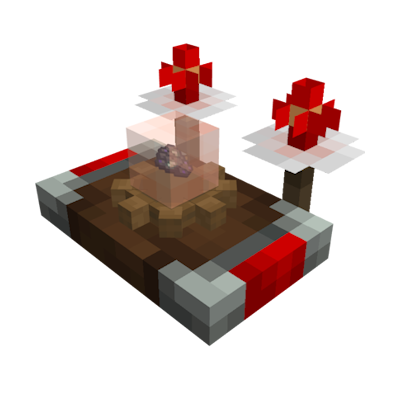
Used to scan for underground ore deposits. Once tuned onto a deposit, its antennas will periodically flash. If both antennas flash together, you are looking in the right direction. The faster they flash, the closer you are!
Modded Deposits

Vanilla Deposits
Compatibility
- JEI - Mining recipes and catalyst info.
- Jade - Shows remaining resources if finite deposits are enabled (1.21.1 only).
- Xaero's World Map or Journey Map - Shows found deposits as icons on the map.
- Create Aeronautics - Mining from physics contraptions
Deposits are too rare or too frequent?
Create: Rock & Stone provides 4 datapack flavors that let you control how often the deposits spawn in the world. There are two ways to enable them:
- When starting a new world, go to the
Datapackssection and select the deisred flavor. - In existing worlds, use command: `/datapack enable "create_rns:"` and restart the world.
Everything is tweakable!
This mod includes a dedicated KubeJS plugin. Click here for more info and working examples.
For example, to select which deposits should be added and how often they should spawn, put this in `/kubejs/startup_scripts/main.js`:
StartupEvents.rnsEnableDeposits(event => {
  event.overworld()
    // Keep the deposits you want. Setting the second argument to false will disable worldgen, but keep the deposit enabled.
    .deposit('create_rns:deposit_coal', true)
    .deposit('create_rns:deposit_iron', true)
    .deposit('create_rns:deposit_copper', true)
    .deposit('create_rns:deposit_zinc', true)
    .deposit('create_rns:deposit_gold', true)
    .deposit('create_rns:deposit_lapis', true)
    .deposit('create_rns:deposit_redstone', true)
    .deposit('create_rns:deposit_tin', true)
    .deposit('create_rns:deposit_osmium', true)
    .deposit('create_rns:deposit_lead', true)
    .deposit('create_rns:deposit_nickel', true)
    .deposit('create_rns:deposit_silver', true)
    .deposit('create_rns:deposit_platinum', true)
    .deposit('create_rns:deposit_uranium', true)
    .deposit('create_rns:deposit_thorium', true)
    // Average distance between deposits in chunks
    .spacing(24)
    // Minimum distance between deposits in chunks
    .separation(4)

  event.nether()
    .deposit('create_rns:deposit_nether_gold', true)
    .deposit('create_rns:deposit_nether_quartz', true)
    .deposit('create_rns:deposit_nether_cobalt', true)
    .deposit('create_rns:deposit_nether_wolframite', true)
    .spacing(8)
    .separation(2)
})
Credits
Some models and textures in this mod make partial use of Create assets. All used Create assets are licensed under the MIT license.
FAQ
How to install Create: Rock & Stone?
Install NeoForge for your Minecraft version, download Create: Rock & Stone for the same version and loader, put the file into the mods folder and launch the game with the loader profile.
Which Minecraft versions does Create: Rock & Stone support?
Create: Rock & Stone has builds for Minecraft 1.20.1, 1.21.1.
Is Create: Rock & Stone needed on the server?
Needed in the game and on the server


