
Disable Cheats
Restores the old "no cheats after world creation" rule by locking the pause-menu "Allow Cheats" toggle introduced in 26.2.
- Loaders
- FabricNeoForge
- Downloads on Modrinth
- 1.4K
- Followers on Modrinth
- 1
- versions
- 5
- Updated
- September 26, 2026Sep 26
- Published
- in 2026
At a glance
Install in the game only; not needed on the server
Since Minecraft 26.1, Mojang moved the "Allow Cheats" option from a one-time world-creation setting into a pause-menu toggle that can be flipped at any time (only Hardcore mode locks it). This breaks the pure survival experience — a single misclick can enable cheats.
This Fabric mod locks that toggle so it can no longer be turned on after the world is created, restoring the classic 1.20.1 behavior.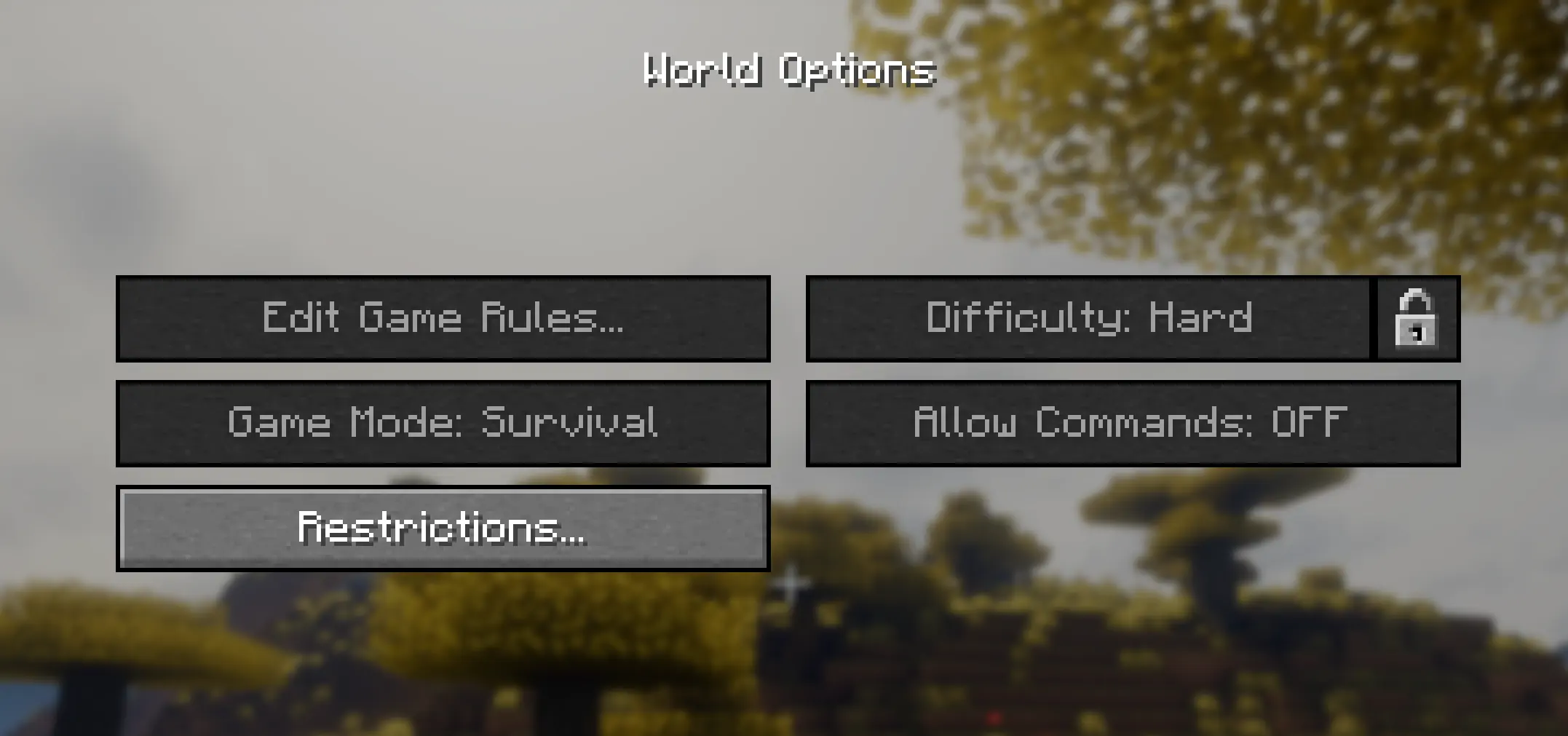
FAQ
How to install Disable Cheats?
Install Fabric for your Minecraft version, download Disable Cheats for the same version and loader, put the file into the mods folder and launch the game with the loader profile.
Which Minecraft versions does Disable Cheats support?
Disable Cheats has builds for Minecraft 26.2–26.3.
Is Disable Cheats needed on the server?
Client only — no need to install it on the server
More mods by this author
 Improved Bundles↓ 362
 Trade Peek↓ 1.9K
 The weeping rift↓ 206