
PVP Essentials
Essential client side PvP features, including armor, potion, damage indicators, low fire & shield, no explosion particles and much more!
Fabric
- Loaders
- Fabric
- Downloads on Modrinth
- 162K
- Followers on Modrinth
- 79
- versions
- 12
- Updated
- July 14, 2026Jul 14
- Published
- in 2024
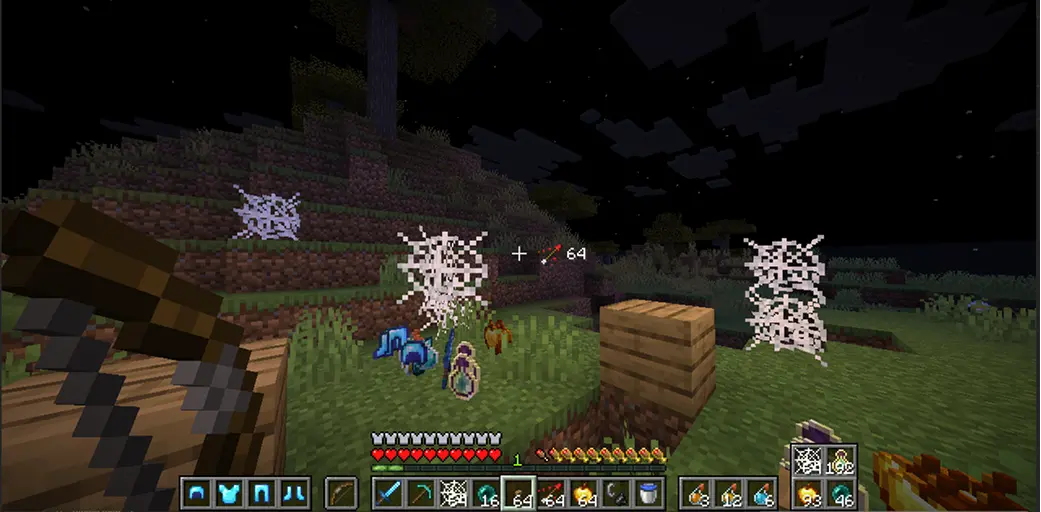
Mod Showcase # 1 — Shows: Armor, Arrow, Potion, Misc HUD, and damage indicators. · swipe
At a glance
Runs on Fabric
For Minecraft 1.21.11, 26.1.2–26.2 …
Client only — no need to install it on the server
Latest version — v2.2.1.1+mc-1.21.11 from July 14, 2026
Requires Fabric API and DLib
License MIT — free
Where it's neededGame versions1.21.4, 1.21.11, 26.1.2–26.2 …
In gamerequiredOn servernot needed
Install in the game only; not needed on the server
 Essential client-side PvP features, including armor, potion, and arrow HUDs, damage indicators, and much more!
Version Compatability:
- 26.2 (Fabric) -- [WILL NOT WORK WITHOUT DLIB]
- 1.21.11 (Fabric) -- [WILL NOT WORK WITHOUT DLIB]



| Feature | Description |
|---|---|
| Armor HUD | Displays equipped armor and it's durability |
| Arrow HUD | Shows your remaining arrows. |
| Potion HUD | Displays all the potions available in your inventory. |
| Misc HUD | Displays total number of golden apples, ender pearls, cobwebs, and any item you want to be tracked from your inventory. |
| Damage Indicator | Shows how much damage you took, or gave to the enemy. |
| Low Fire | Change the Y position of fire overlay |
| No Potion Particles | Disable potion particles from your screen. |
| No Explosion Particles | Disable explosion particles, making playing crystal pvp less obstructive. |
| Shield Controls | Change the Y position of idle shield & blocking shield, rotate shield (side shield). |
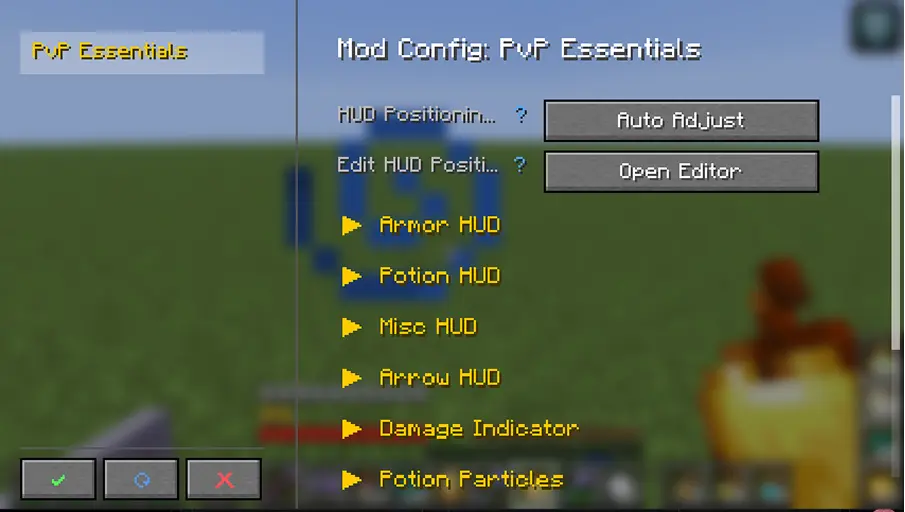
Planned Features for future releases:
- Totem counter
- Kit system (will include the ability to share your kits with other players)
- Elytra pitch angle
- Mod menu support
- and much more
FAQ
How to install PVP Essentials?
Install Fabric for your Minecraft version, download PVP Essentials for the same version and loader, put the file into the mods folder and launch the game with the loader profile.
Which Minecraft versions does PVP Essentials support?
PVP Essentials has builds for Minecraft 1.21–1.21.1, 1.21.4, 1.21.11, 26.1.2–26.2.
Is PVP Essentials needed on the server?
Client only — no need to install it on the server
License and source
MIT Licensefree to use and share with credit to the author
Similar mods
All equipment mods →


More mods by this author
 Lifesteal↓ 36.4K
 Highlight 'em all↓ 204
 DLib↓ 78.4K
Often needed together
 Fabric API↓ 293MDLib↓ 78.4K