
- Loaders
- FabricNeoForgeForge
- Downloads on Modrinth
- 14.2M
- Followers on Modrinth
- 2.5K
- versions
- 77
- Updated
- September 24, 2026Sep 24
- Published
- in 2022
At a glance
Needed both in the game and on the server









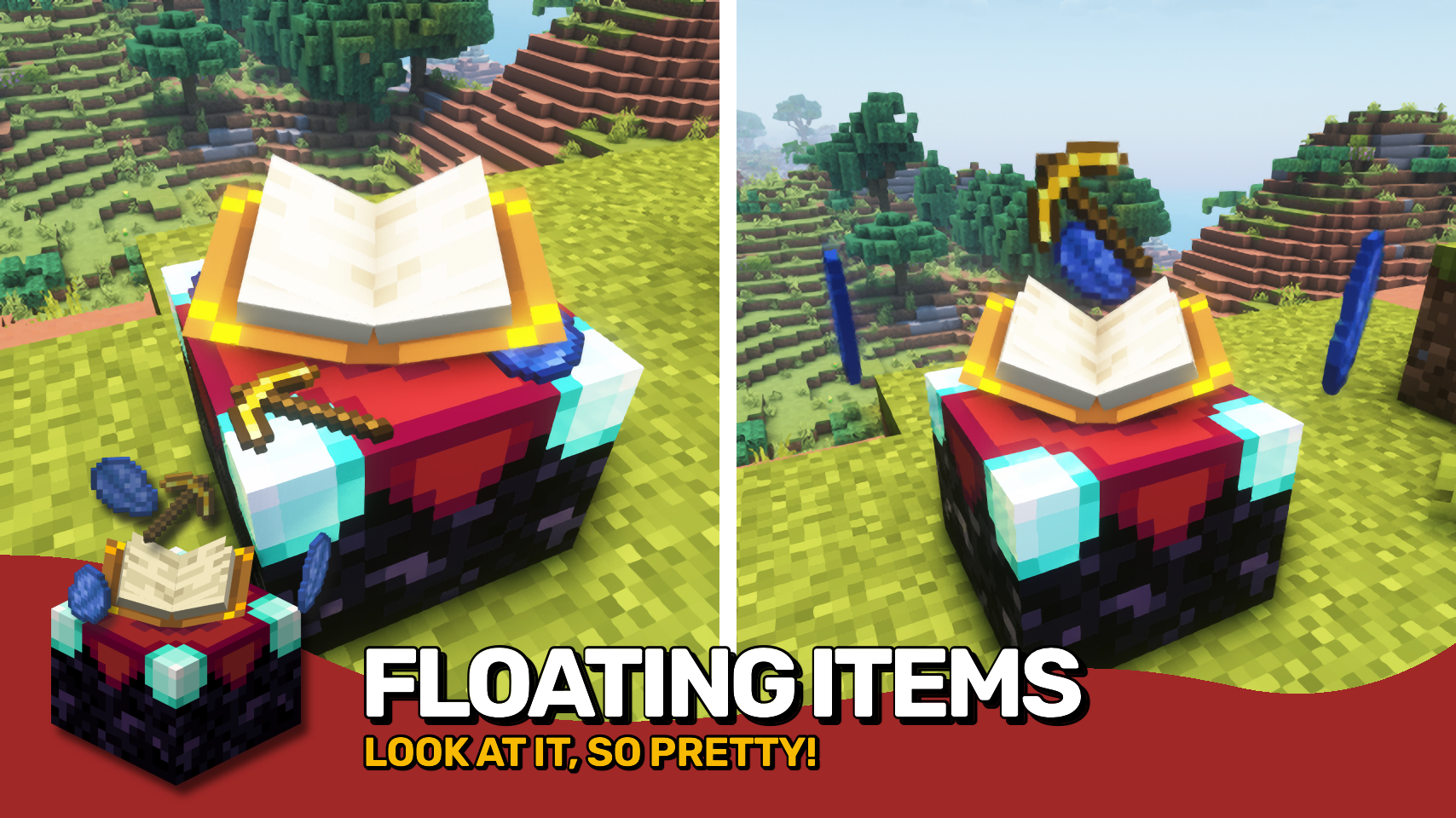
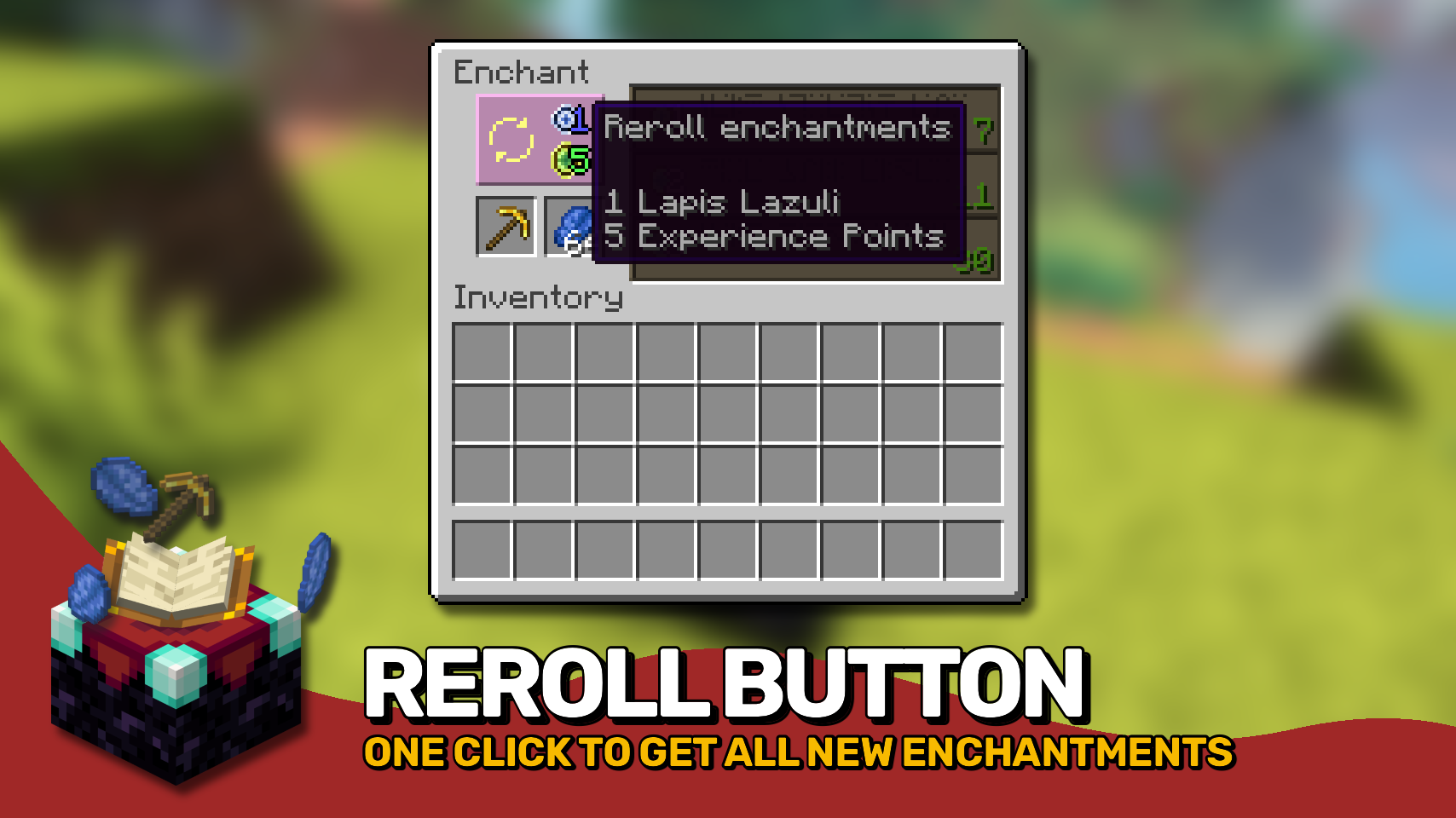
Easy Magic makes it so that items stay in an enchanting table after you close the interface. The items are also rendered floating around the table block. Additionally the enchanting interface includes a button for rerolling the currently offered enchantments for a very low cost.

- Leave both lapis and your to-be-enchanted item simply in the enchanting interface: It'll be beautifully rendered floating around the block!
- Reroll currently offered enchantments for the cost of just a bit of lapis and a few experience points (not levels!).
- Choose how many enchantments you will receive on an item should be preview in the enchanting interface. By default this remains at one.
- Blocks between a bookshelf and an enchanting table are no longer forced to be air, anything without a collision box will work now such a torches or tall grass.
- The number of bookshelves required for a maximum level enchantments is configurable down from 15.
- Simply break and replace your enchanting table after adding this mod to an existing world!
- Disable the reroll button in the config if it conflicts with your resource pack. All functionality will remain regardless!
- Not compatible with Apotheosis and the matrix enchanter from Quark.


⏩ INSTALLATION REQUIRED ON CLIENT & REQUIRED ON SERVER
⏩ REQUIRES PUZZLES LIB TO BE INSTALLED (FABRIC & NEOFORGE)
⏩ REQUIRES FABRIC API TO BE INSTALLED (FABRIC)
⏩ REQUIRES FORGE CONFIG API PORT TO BE INSTALLED (FABRIC)

If available for a mod, configuration is possible directly from in-game using the mod menu (requires Mod Menu by Prospector to be installed on Fabric).
For manual configuration using an external text editor all files are found at .minecraft/config, named as MOD_ID-client.toml, MOD_ID-common.toml, or MOD_ID-server.toml, depending on the type of config. Not all types might exist for a mod, if any at all.

🌟 Thanks to csb987 for the idea of storing items in the enchantment table from their Lapis Stays in the Enchanting Table mod.
🌟 Thanks to Vazkii for the floating inventory contents rendering code taken from the runic alter renderer in their Botania mod.
🌟 Thanks to Draylar for the idea of locking enchantment rerolls behind a certain cost from their Reroll mod.
🌟 Thanks to JohnSmith_474 for inspiring the design of the reroll button from their awesome Enchanting Overhauled mod.
 |  | |
 |  | |
 |  | |
 |  | |
 |  |

© 2026 @heyitsfuzs. All rights reserved. This page was last edited on 11 September 2026, at 06:44 (UTC).
FAQ
How to install Easy Magic?
Install Fabric for your Minecraft version, download Easy Magic for the same version and loader, put the file into the mods folder and launch the game with the loader profile.
Which Minecraft versions does Easy Magic support?
Easy Magic has builds for Minecraft 1.19–1.20.1, 1.20.4, 1.21–1.21.1, 1.21.3–26.3.
Is Easy Magic needed on the server?
Needed in the game and on the server
Similar mods
All utility mods →


More mods by this author
 Forge Config API Port↓ 69.8M
 Puzzles Lib↓ 65.4M
 Pick Up Notifier↓ 16.3M
Often needed together
Puzzles Lib↓ 65.4M Easy Unlimited Magic↓ 367