
- Loaders
- FabricNeoForgeForge
- Downloads on Modrinth
- 3.2K
- Followers on Modrinth
- 3
- versions
- 14
- Updated
- June 1, 2026Jun 1
- Published
- in 2025
In-game statistics screen · swipe
At a glance
Runs on Fabric, NeoForge and Forge
For Minecraft 1.20–1.20.1, 1.21–26.2
Latest version — 1.3.0-beta.2+26.2-pre-2 from June 1, 2026
License Apache-2.0 — free
Where it's neededGame versions1.20–1.20.1, 1.21–26.2
In gameunknownOn serverunknown
The author didn't say where the mod is needed

ExportStats
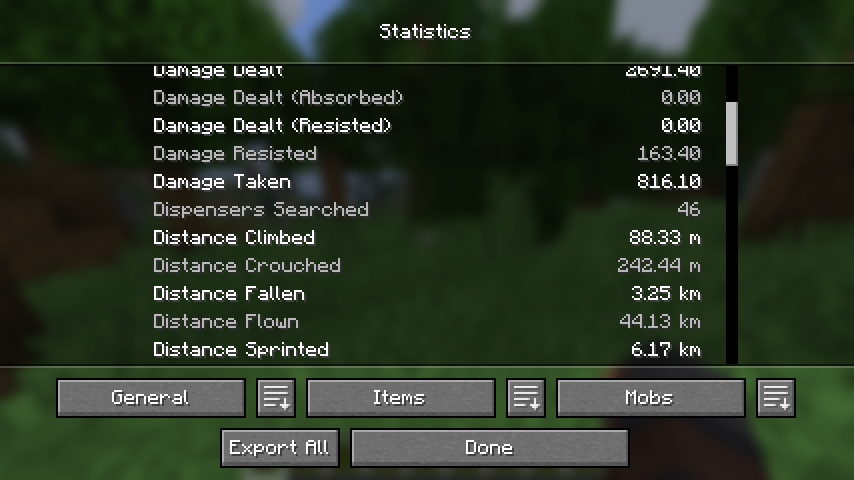
Adds a button to the statistics screen to export data to a text file.








About
Simply click the relevant button and your statistics will be exported to a file for later viewing.
 | 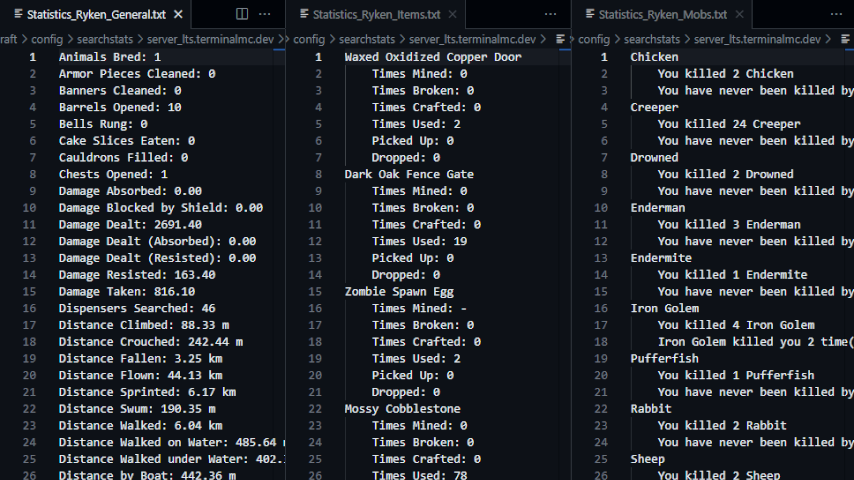 |
- File contents are translated according to your in-game language.
- When you click the export button, a new folder (named for the world or server that you are currently in) is created in the
.minecraft/config/exportstatsfolder, and the data files are placed in the created folder. - If you click the export button again while in the same world or server, the old files will be replaced with new ones.
Related
SearchStats by TerminalMC
- Adds a search bar to the statistics screen to quickly find specific entries.
Better Statistics Screen by TheCSDev
- Completely overhauls the statistics screen and makes it more useful.
Contact



FAQ
How to install Export Stats?
Install Fabric for your Minecraft version, download Export Stats for the same version and loader, put the file into the mods folder and launch the game with the loader profile.
Which Minecraft versions does Export Stats support?
Export Stats has builds for Minecraft 1.20–1.20.1, 1.21–26.2.
License and source
Apache License 2.0free to use and share with credit to the author
Similar mods
All utility mods →


More mods by this author
 Client Sort↓ 6.3M
 Effect Timer Plus↓ 2.1M
 Xaero Zoomout↓ 9.3M