
EZ Timer
Very easy to use timer. Start, pause and reset is all you really need. | Using FuseBox API
- Loaders
- FabricNeoForgeForgeQuilt
- Downloads on Modrinth
- 352
- Followers on Modrinth
- 1
- versions
- 2
- Updated
- July 4, 2026Jul 4
- Published
- in 2026
At a glance
Needed on the server; optional in the game
EZ Timer




 )
) )
)
As FuseBox still is in early development, it currently is directly implemented into this pack. This may change in the future. FuseBox serves as the backend for this pack.
This is the easiest-to-use timer available. When opening the world with this pack enabled for the first time, a paused timer will appear in everyones actionbar. There are 3 actions you can take:
To start the timer:
/trigger startTo pause the timer:
/trigger pauseTo reset the timer:
/trigger resetIt's as easy as that!
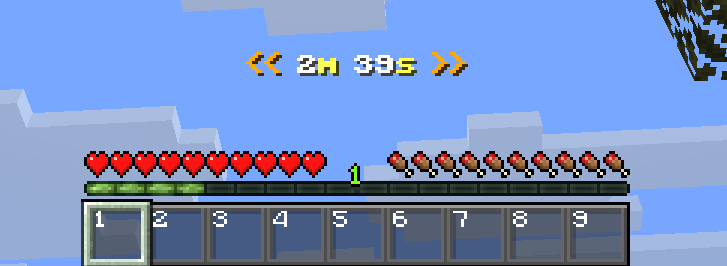
Example of how it would look ingame:
FAQ
How to install EZ Timer?
Install Fabric for your Minecraft version, download EZ Timer for the same version and loader, put the file into the mods folder and launch the game with the loader profile.
Which Minecraft versions does EZ Timer support?
EZ Timer has builds for Minecraft 1.21.8–26.3.
Is EZ Timer needed on the server?
Needed on the server; optional in the game


