
Flat Items
Renders items and blocks as flat, like in older versions of the game
- Loaders
- FabricNeoForge
- Downloads on Modrinth
- 3.6K
- Followers on Modrinth
- 5
- versions
- 10
- Updated
- August 8, 2026Aug 8
- Published
- in 2026
At a glance
Install in the game only; not needed on the server
Flat Items
This mod renders items as flat, like in older versions of the game. It's a rewrite of Noryea's mod Fast Items.
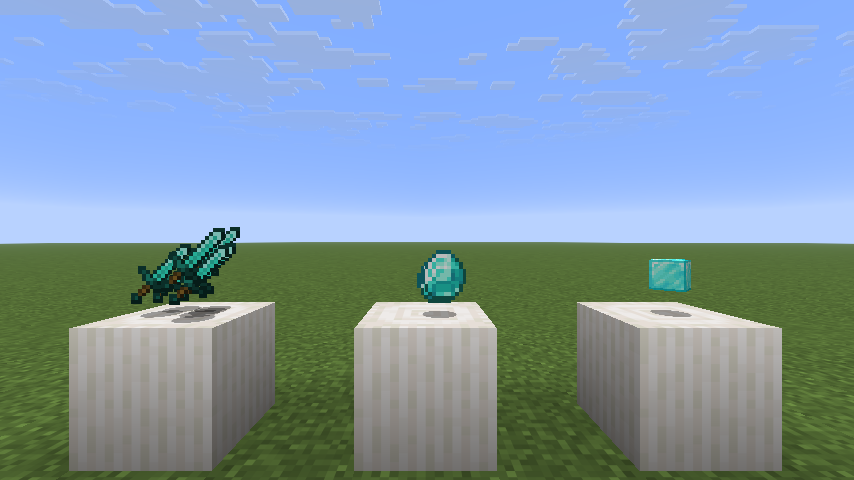
Settings
These settings can be changed in-game with NeoForge's config screen or with Mod Menu in Fabric.
enabled / Render Items as Flat: Enables/disables the mod.
affect_3d / Affect 3D Models: Determines whether 3D models like blocks will also be display as flat.
render_sides / Render Sides of Items: Renders the sides of items whilst still making them face the player. Makes for a nice, subtle 3D effect!
enlarge_3d / Enlarge 3D Models: Matches the size of flattened 3D models to 2D ones.
facing / Billboard: Determines whether flattened items will face the player's eyes or the screen.
FAQ
How to install Flat Items?
Install Fabric for your Minecraft version, download Flat Items for the same version and loader, put the file into the mods folder and launch the game with the loader profile.
Which Minecraft versions does Flat Items support?
Flat Items has builds for Minecraft 1.21.9–1.21.11, 26.2.
Is Flat Items needed on the server?
Client only — no need to install it on the server


