
- Loaders
- FabricQuilt
- Downloads on Modrinth
- 7K
- Followers on Modrinth
- 94
- versions
- 21
- Updated
- March 5, 2026Mar 5
- Published
- in 2022
At a glance
Works both in the game and on the server — install where you need it
Debugger's Delight
Gadget is a collection of tools to debug and inspect certain game elements from in-game - think Chrome's developer tools, or Firefoxes' Firebug.
Gadget's inspection tools work both in single player and on a remote server - if it also has Gadget installed.
Entity Inspector
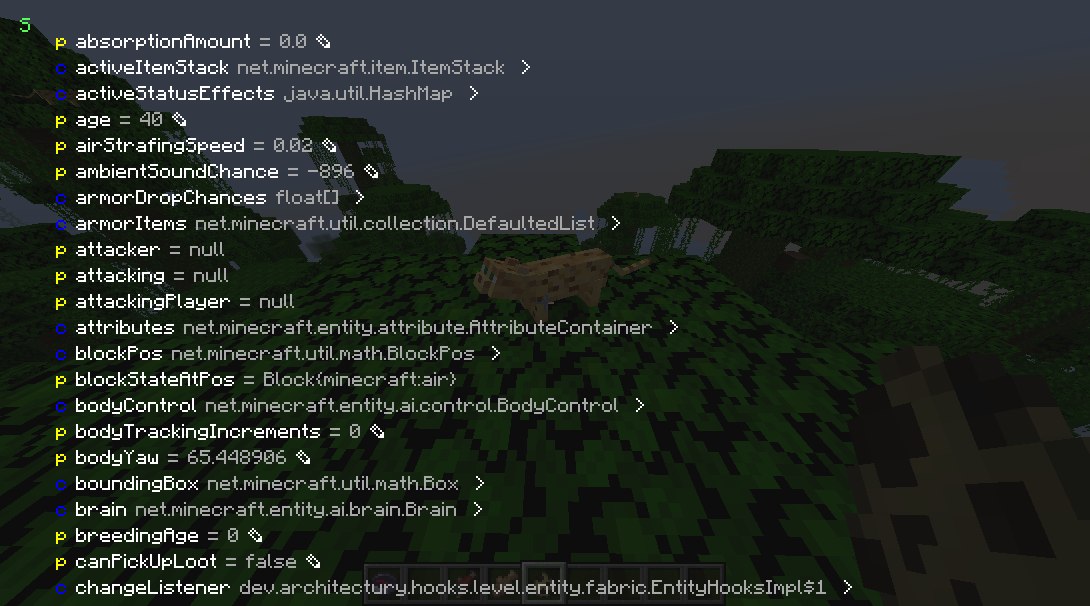
Press the Inspect (default: I) key when targeting a entity or block entity to view and edit its internal Java fields. You can inspect both the client and server Java object.
NBT Inspector
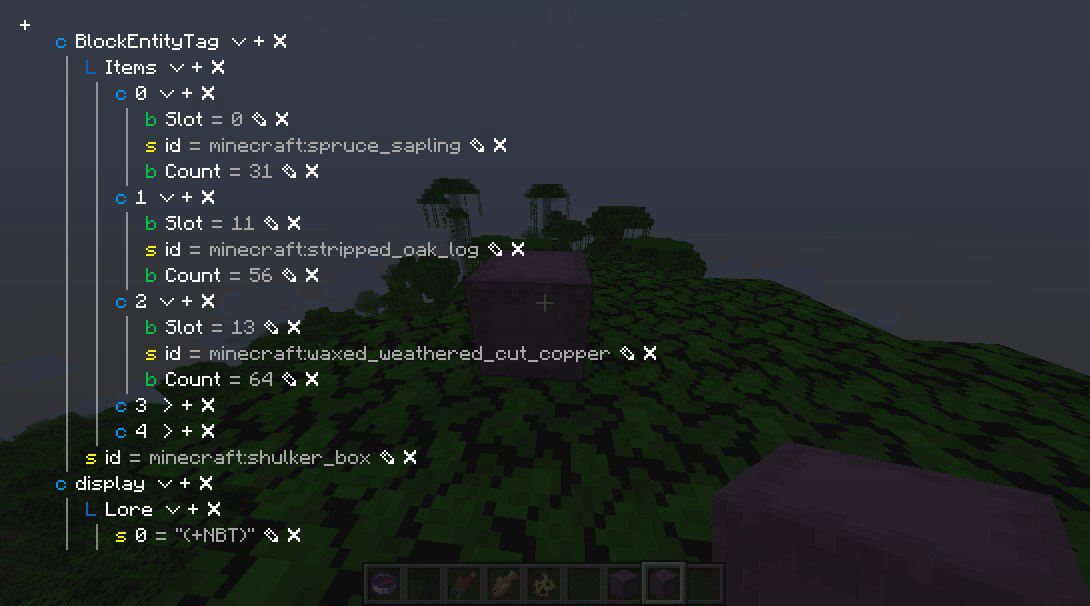
Press the Inspect (default: I) key when hovering over an item stack with NBT to view and edit its NBT.
Packet Dumper
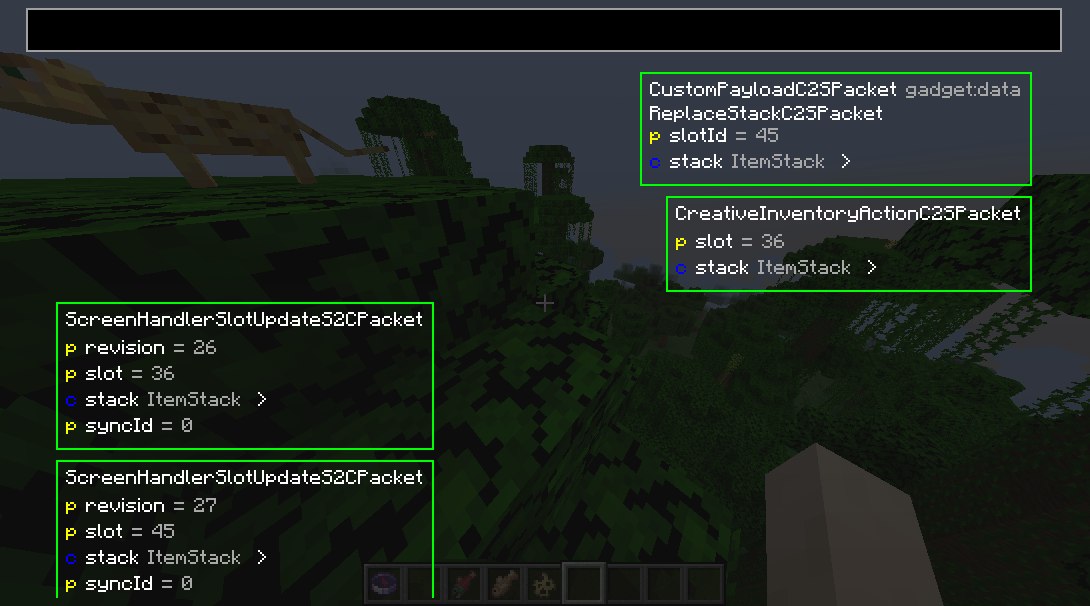
Press the Dump Packets (default: K) key to toggle dumping network traffic on. You can also join with the packet dumper engaged by right-clicking the server or world and selecting Join and start dumping packets.
Press Dump Packets again to stop recording and save the dump.
You can review it from the Gadget's menu.
Server owners and operators
Gadget supports the Fabric Permissions API.
If not present, it defaults to requiring OP status.
Gadget uses the following permissions:
gadget.inspect - entity inspector usage permissiongadget.replaceStack - NBT viewer write permission
Class Inspector
(the class inspector is broken in the latest version :P)
Look through all classes touched by mixin (or all classes, if you hold shift) by looking in the class inspector.
N.B.: This will automatically download Quiltflower from the QuiltMC maven the first time you press Inspect Exported Classes.
FAQ
How to install gadget?
Install Fabric for your Minecraft version, download gadget for the same version and loader, put the file into the mods folder and launch the game with the loader profile.
Which Minecraft versions does gadget support?
gadget has builds for Minecraft 1.19.2–1.20.4, 1.21, 1.21.9, 1.21.11 ….
Is gadget needed on the server?
Works on either side — install it in the game, on the server, or both
Similar mods
All utility mods →


More mods by this author
 oωo (owo-lib)↓ 50.4M
 World Specific View Distance↓ 13.1K
Often needed together
 Fabric API↓ 280Moωo (owo-lib)↓ 50.4M