
GraphWaypoints
Adds a waypoint system for easy navigation.
Fabric
- Loaders
- Fabric
- Downloads on Modrinth
- 70K
- Followers on Modrinth
- 62
- versions
- 33
- Updated
- July 2, 2026Jul 2
- Published
- in 2025
Waypoints · swipe
At a glance
Runs on Fabric
For Minecraft 1.21–26.2
Works on either side — install it in the game, on the server, or both
Latest version — 1.0.7 from July 2, 2026
Requires Fabric API
License MIT — free
Where it's neededGame versions1.21–26.2
In gameoptionalOn serveroptional
Works both in the game and on the server — install where you need it
GraphWaypoints adds a powerful waypoint system to enhance your navigation in Minecraft. Mark important locations, track them across all dimensions, and share coordinates with ease. It’s a simple and effective tool for any explorer.
🛠️ Features
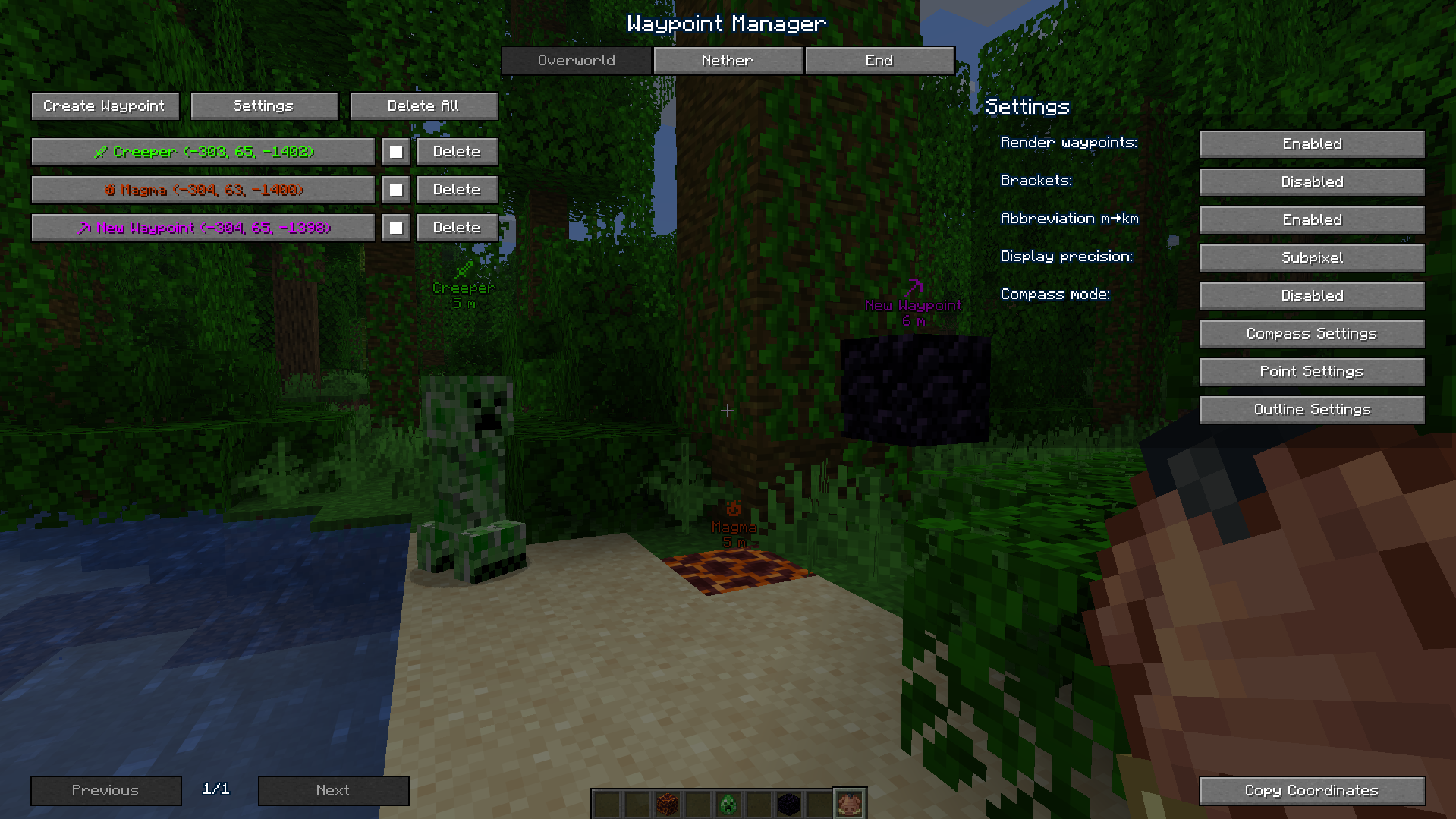
- Waypoint Management: Create, customize (name, color), and organize waypoints for all dimensions through an intuitive interface.
- Compass Navigation: A compass bar at the top of your screen displays all active waypoints for easy tracking over long distances.
- Hotkeys & Sharing: Use configurable hotkeys to open the waypoint manager (default:
B) or toggle their visibility if they get in the way (default:K). You can also instantly share coordinates with a button or a server command (/c).
📸 Screenshots
Waypoints in Action

Waypoint Manager
📋 Installation
- Install Fabric and Fabric API.
- Place the
graph_waypoints.jarfile in yourmodsfolder. - Launch Minecraft and configure hotkeys in the Controls menu (default:
Bfor manager,Kto toggle visibility). - For servers: Install on the server to enable the
/ccommand.
🔧 Compatibility
- Minecraft Version: 1.21.x 26.1.x
- Mod Loader: Fabric
- Dependencies: Fabric API
FAQ
How to install GraphWaypoints?
Install Fabric for your Minecraft version, download GraphWaypoints for the same version and loader, put the file into the mods folder and launch the game with the loader profile.
Which Minecraft versions does GraphWaypoints support?
GraphWaypoints has builds for Minecraft 1.21–26.2.
Is GraphWaypoints needed on the server?
Works on either side — install it in the game, on the server, or both
License and source
MIT Licensefree to use and share with credit to the author


