
KeyDisable
allows you to disable and free up any key you don't like, with a nice visual.
- Loaders
- Fabric
- Downloads on Modrinth
- 238
- Followers on Modrinth
- 2
- versions
- 2
- Updated
- September 28, 2026Sep 28
- Published
- in 2026
At a glance
Install in the game only; not needed on the server
Some keybinds don't deserve to live.
That's why KeyDisable exists!
Disable any keybind you don't want with the click of a button. Simple.
All you have to do is click the no entry symbol next to the keybind you want to remove, and BOOM, no more keybind.
To undo it, simply press "reset" or change it to a different key.
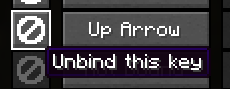
It's also compatible with almost all mods, and it even frees up the key for a different keybind!
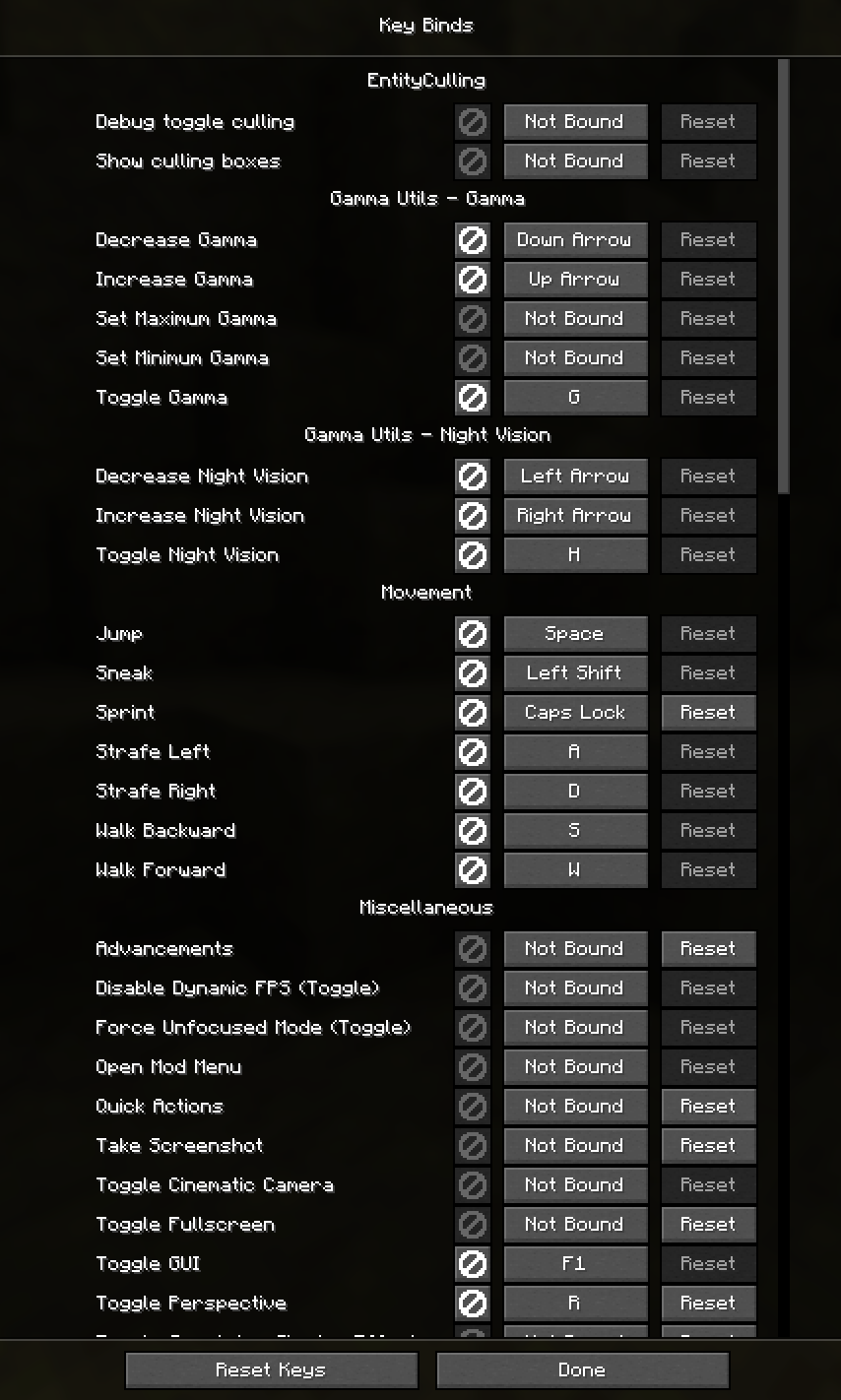
Q: Artificial Intelligence disclosure
A: This mod's core design, icon, description, and gallery images are not ai. For example, the logo is a screenshot of the mod in action combined with a giant white no entry sign. However, I am a primitive coder, and I do use ai for tasks I do not know how to do. It simply cannot be helped (well it can, and I'm learning java, don't get me wrong, but not that fast.) I am also actively learning from ai, not plainly using it to build mods. It's taught me a lot, but not enough. AI is also used for help with naming, blocking (my term for creating the blocks of code) and other parts of the code. All testing is completed extensively with human brain cells and knowledge, and so are all ideas of modification and changes, and the idea of the mod itself.
FAQ
How to install KeyDisable?
Install Fabric for your Minecraft version, download KeyDisable for the same version and loader, put the file into the mods folder and launch the game with the loader profile.
Which Minecraft versions does KeyDisable support?
KeyDisable has builds for Minecraft 26.2–26.3.
Is KeyDisable needed on the server?
Client only — no need to install it on the server
Similar mods
All management mods →


More mods by this author
 Lead Break Indicator↓ 351
 No Invalid Session ID↓ 1.6K
 Cleanshot, No F1.↓ 188
Often needed together
 Fabric API↓ 284M