
!lag
Client-side Fabric optimization mod for Minecraft 1.21+–26.3 with integrated Video Settings controls, safe culling, particle limits, and an FPS HUD.
- Loaders
- Fabric
- Downloads on Modrinth
- 18.1K
- Followers on Modrinth
- 10
- versions
- 13
- Updated
- October 11, 2026Oct 11
- Published
- in 2026
At a glance
Install in the game only; not needed on the server
!lag™
!lag™ is a client-side Fabric optimization mod for Minecraft 1.21+ through 26.3. It brings performance-focused graphics tuning, searchable settings, safe culling, particle limits, smooth zoom, and a lightweight FPS HUD into one clean client mod.
The goal is simple: make Minecraft easier to tune and smoother to play without changing gameplay logic or requiring anything on the server.
Highlights
- Combined
Video + !lagsettings screen - Searchable settings with organized tabs
- Safe entity and block entity culling
- Distance and frustum culling controls
- Particle budget limiter
- Optional fullbright
- Built-in FPS HUD
- Smooth hold-to-zoom with scroll adjustment
- Menu, overlay, unfocused, minimized, AFK, and deep-AFK FPS caps
- Custom
!lagstartup loading screen
Performance Tools
!lag focuses on practical client-side tuning. You can limit expensive visuals, reduce unnecessary rendering, and quickly apply recommended settings from one place.
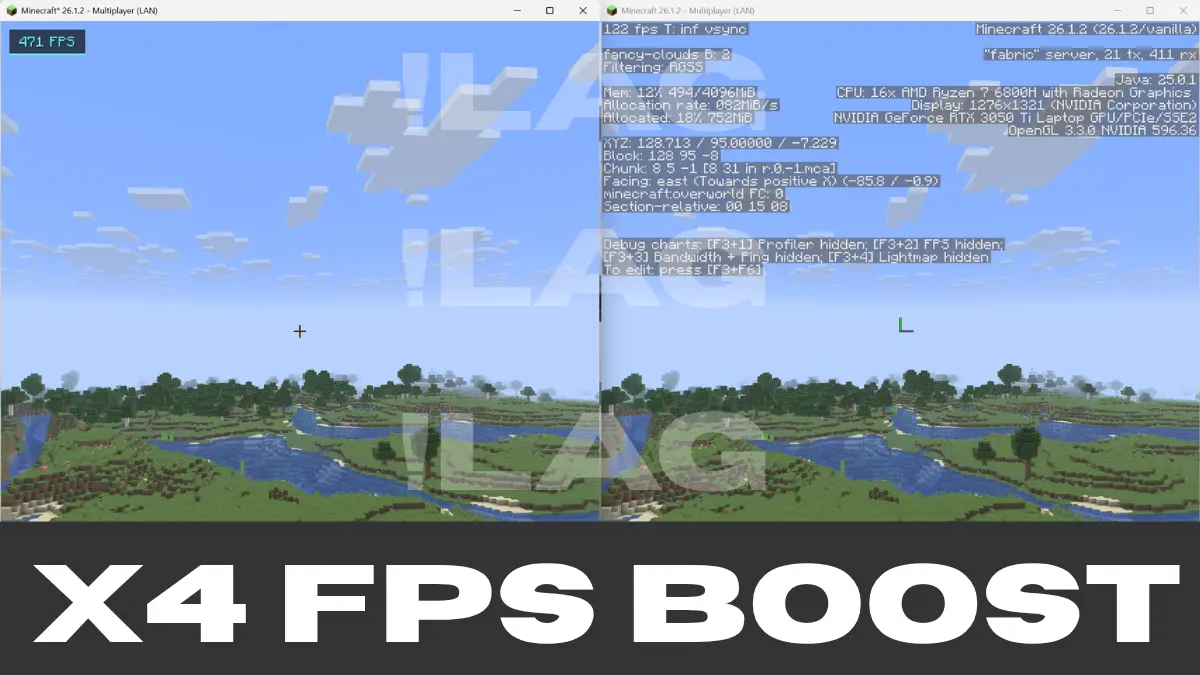
X4 BOOSTED FPS!
Included tuning options:
- Entity cull distance
- Block entity cull distance
- Visibility cache interval
- Async visibility worker count
- Particle budget per tick
- Weather effects toggle
- Entity shadows toggle
- Leaf render mode
- FPS HUD scale
- Multiple background FPS caps
Better Settings
Vanilla video settings and !lag settings live together in a merged options screen. Search helps you find the option you need quickly, while tabs keep performance, safety, visuals, distance, and FPS controls easy to browse.
Zoom
!lag includes a smooth zoom keybind.
- Default key:
V - Hold the key to zoom
- Scroll while zooming to adjust zoom strength
Compatibility
- Minecraft:
1.21+through26.3(download the build for your version) - Mod loader: Fabric
- Java:
21for 1.21.x builds ·25for Minecraft 26.x builds - Environment: client-side only
- Server required: no
Beta Note
This is an early release, so some features may continue to change as the mod is tuned and polished. Please report issues with your Minecraft version, Fabric Loader version, Fabric API version, and a short description of what happened.
License
MIT
Thanks for reading!
Buy me a coffee. Ko-Fi
FAQ
How to install !lag?
Install Fabric for your Minecraft version, download !lag for the same version and loader, put the file into the mods folder and launch the game with the loader profile.
Which Minecraft versions does !lag support?
!lag has builds for Minecraft 1.21.4, 1.21.10–1.21.11, 26.1.2–26.3.
Is !lag needed on the server?
Client only — no need to install it on the server
Similar mods
All optimization mods →


Often needed together
 Fabric API↓ 280M