
- Loaders
- Fabric
- Downloads on Modrinth
- 440
- Followers on Modrinth
- 3
- versions
- 20
- Updated
- September 18, 2026Sep 18
- Published
- in 2026
At a glance
Install in the game only; not needed on the server
ListMore
Provides some small utilities
Features
Copy Target ID
Copy the ID of the block or entity pointed by the cursor
Entity Highlight Outline
Render selected entity types with a glowing outline
Selective Entity Highlight Outline
One entity ID per line

Entity Highlight Outline Color
Set the outline color for selected entities
Entity Rendering Blacklist
Skip client-side rendering for entity types in the blacklist
Entity Rendering Blacklist Entries
One entity ID per line
Entity Rendering Blacklist Range
Blacklisted entities render again inside this three-dimensional range; 0 always hides them
Invalid Furnace Input Highlighter
Highlights furnaces whose input slot contains an item with no smelting recipe
Invalid Furnace Input Highlighter Range
Scan radius in chunks, centered on the player's current chunk
TNT Explosion Preview
Preview nearby TNT block destruction with red and yellow markers
TNT Explosion Preview - Display Mode
Choose whether to display possible destruction blocks
Projectile Landing Prediction
Show the predicted landing point for supported projectiles
- Schematic Dynamic Preview
Replace Litematica's static schematic thumbnail with a real-time 3D preview 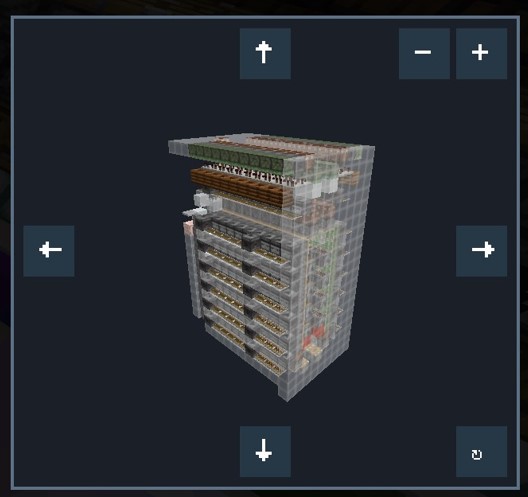
FAQ
How to install ListMore?
Install Fabric for your Minecraft version, download ListMore for the same version and loader, put the file into the mods folder and launch the game with the loader profile.
Which Minecraft versions does ListMore support?
ListMore has builds for Minecraft 1.21.6–26.2.
Is ListMore needed on the server?
Client only — no need to install it on the server


