
MCLLM
MCLLM is a fork of MCChatGPT for players who want to use non-OpenAI LLM servers. You are not locked into OpenAI's service and can use alternatives like DeepSeek, Claude, Gemini, among others.
- Loaders
- FabricNeoForgeForge
- Downloads on Modrinth
- 2.3K
- Followers on Modrinth
- 2
- versions
- 13
- Updated
- June 4, 2026Jun 4
- Published
- in 2025
At a glance
Install in the game only; not needed on the server
MCLLM
If you like this project, please consider giving it a ⭐ on GitHub!
This is a fork of MCChatGPT.
Unlike the original, the base URI is no longer hardcoded—you can now configure it via a file, making it compatible with nearly any LLM service, not just OpenAI.
How to Use
Download the JAR file compatible with your Minecraft version from Modrinth or GitHub, and place it in your
modsfolder.
(Make sure the appropriate mod loader is installed.)Download the required dependencies from the same source and also place them in the
modsfolder.
(They are usually listed on the Modrinth.)- Supported platforms: Fabric (>= 1.20.1), Forge (1.19.4–1.20.1), and NeoForge (>= 1.21.1)
Launch the game once to generate the configuration file.
Open
config/mcllm.jsonand edit the following fields:baseurl: Set this to the endpoint of your preferred LLM service, e.g.https://api.deepseek.com/v1model: Specify the model name, e.g.deepseek-chat
Re-launch the game, then run:
/mcllm-auth YourToken
This securely stores your token (it will be encrypted in the config file).- Use
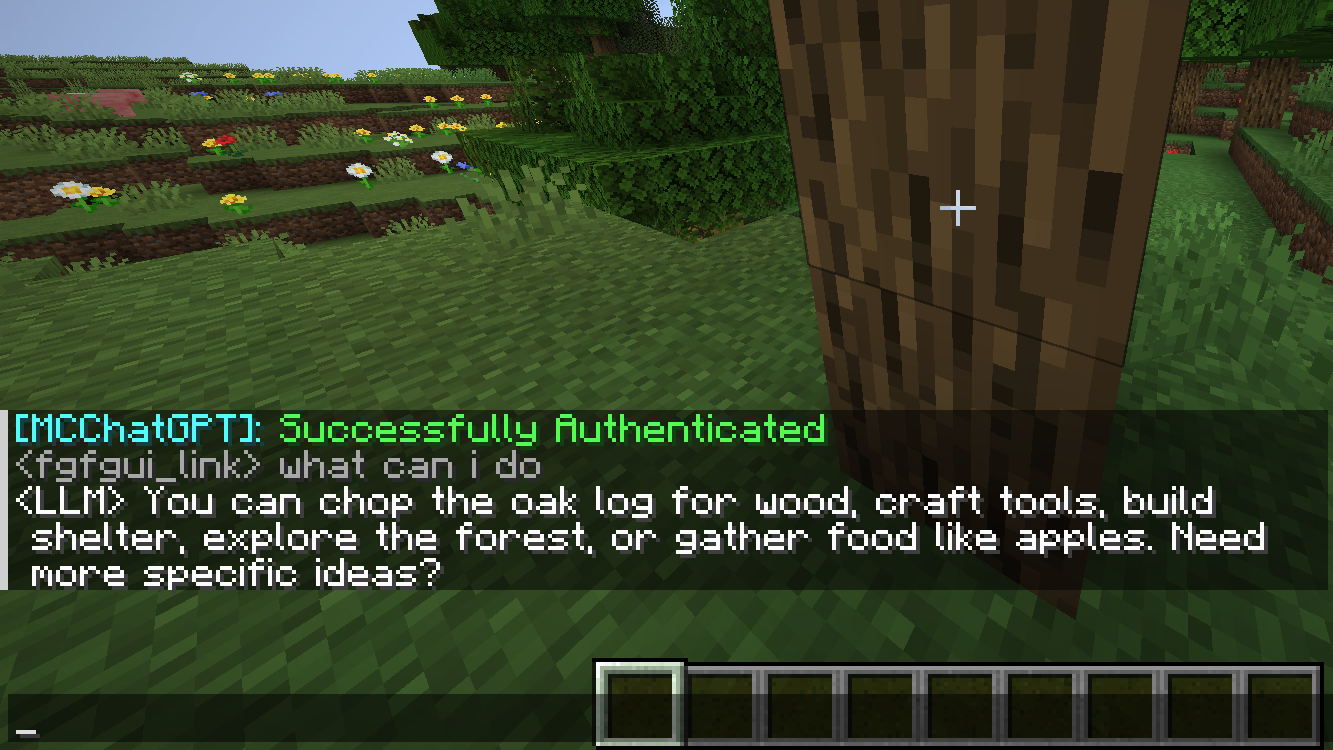
/ask YourQuestionto send a message to the LLM.
The LLM’s reply will appear in your local chat—only you can see it.
FAQ
How to install MCLLM?
Install Fabric for your Minecraft version, download MCLLM for the same version and loader, put the file into the mods folder and launch the game with the loader profile.
Which Minecraft versions does MCLLM support?
MCLLM has builds for Minecraft 1.21.1, 1.21.5, 1.21.11, 26.1.2 ….
Is MCLLM needed on the server?
Client only — no need to install it on the server
Similar mods
All utility mods →


More mods by this author
 EMI Patternizer↓ 9.2KJEI++--↓ 2.8K
 Pattern Uploader↓ 660
Often needed together
 Architectury API↓ 106M
 Kotlin for Forge↓ 54.1M