
Mod Menu Pro
A polished in-game Fabric mod manager with search, favorites, notes, dependency insights, update checks, and Modrinth discovery.
- Loaders
- Fabric
- Downloads on Modrinth
- 717
- Followers on Modrinth
- 3
- versions
- 3
- Updated
- August 26, 2026Aug 26
- Published
- in 2026
At a glance
Install in the game only; not needed on the server
Mod Menu Pro
Manage, discover, and keep track of your mods without leaving Minecraft.
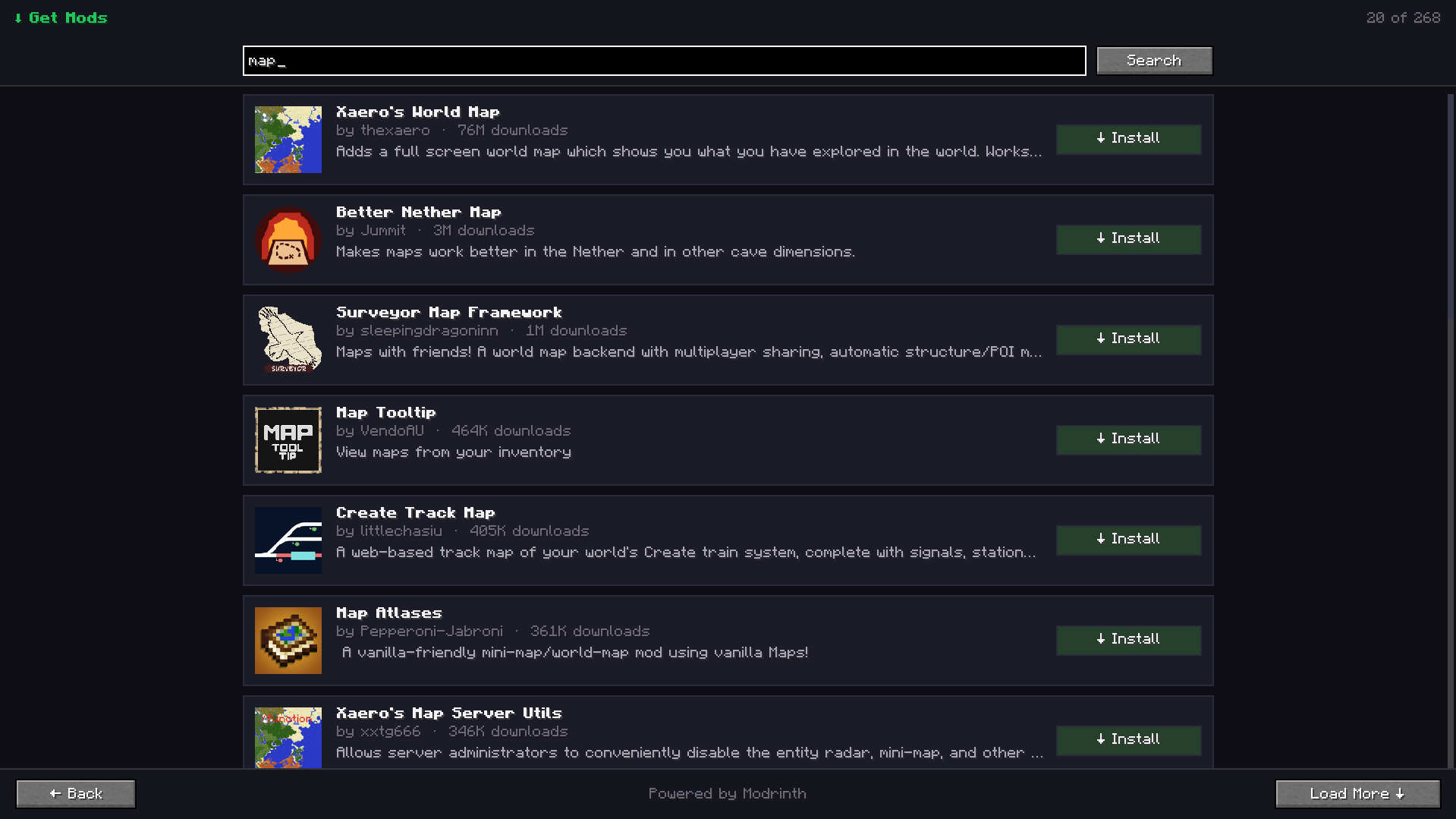
Mod Menu Pro is a clean, modern mod management screen for Fabric. Browse installed mods, find important details, organize favorites, add personal notes, check for updates, and discover new projects from Modrinth—all from inside the game.
Build Minecraft Mods with AI
CubeWright AI is coming soon—describe your mod idea and turn it into a buildable Minecraft project.
Features
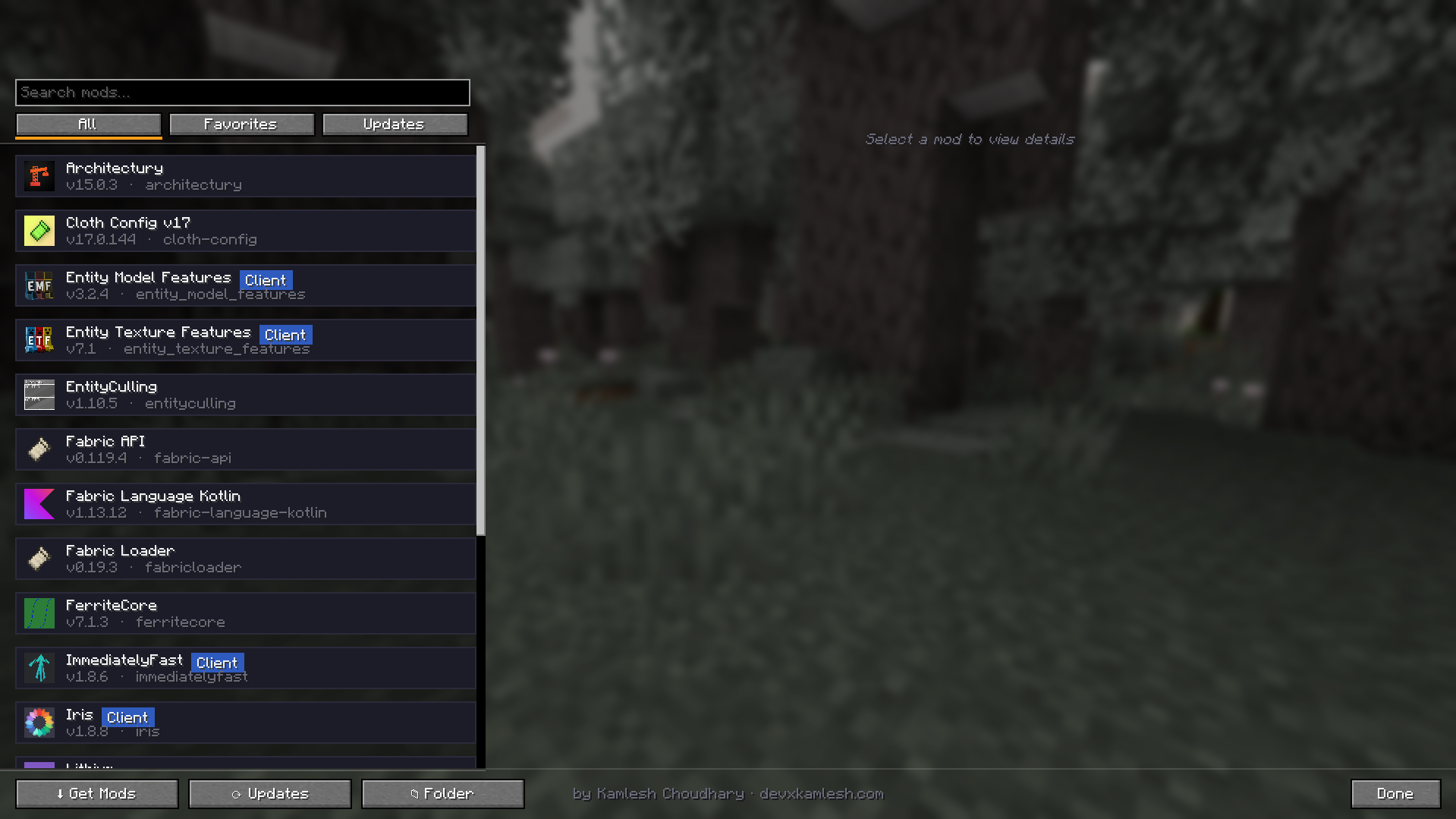
- Modern mod list — quickly search installed mods and filter by All, Favorites, or Updates.
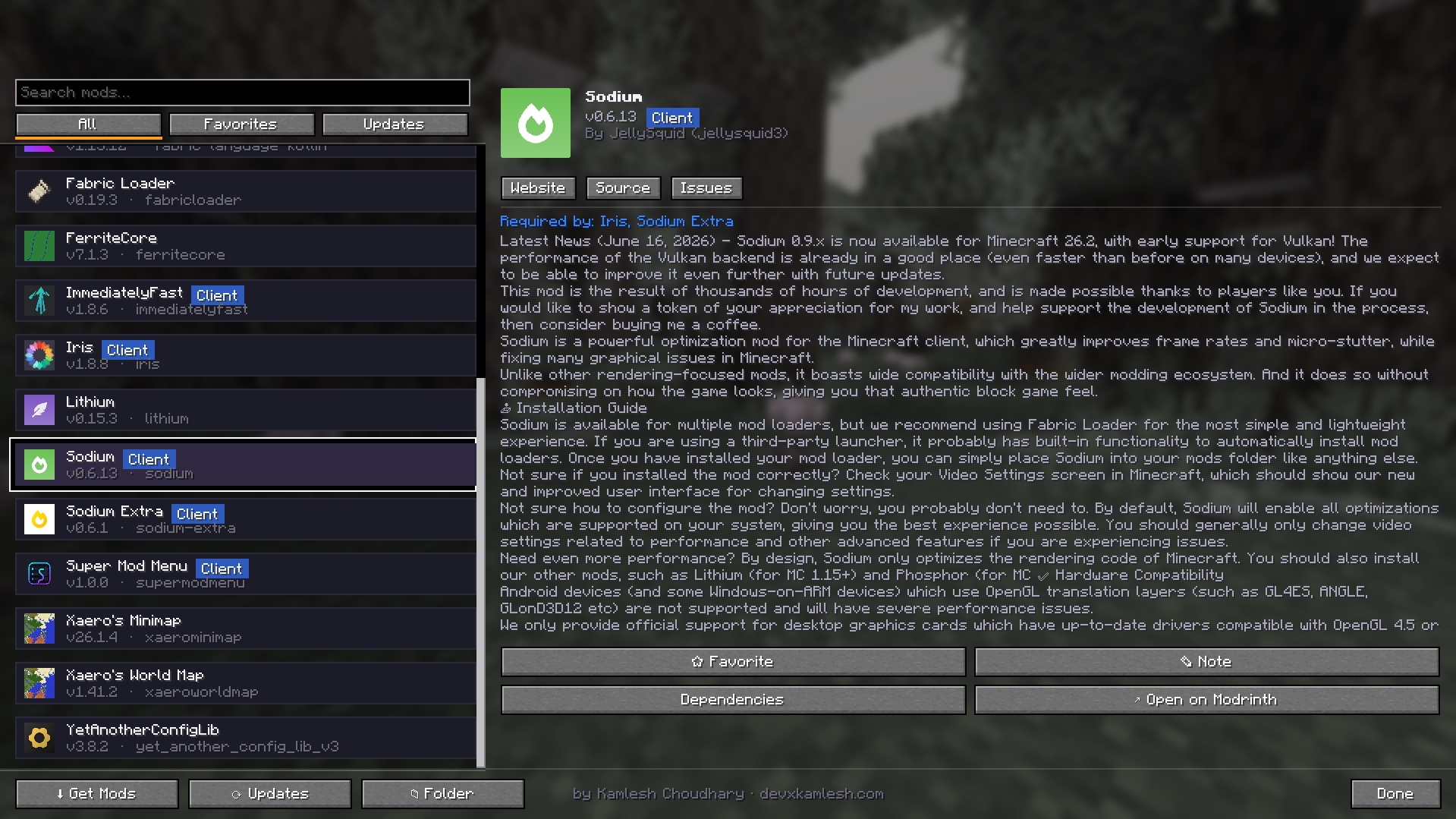
- Rich mod details — view the icon, version, authors, description, environment, and Website, Source, and Issues links.
- Favorites — pin frequently used mods to the top of the list.
- Personal notes — attach a private note to any installed mod.
- Update checker — detect newer compatible releases through Modrinth and open the correct update page.
- In-game mod browser — search Modrinth and install compatible Fabric mods directly into the mods folder.
- Dependency insights — inspect dependencies and see which installed mods require a selected project.
- Config integration — open a mod's configuration screen when Mod Menu provides one.
- Quick folder access — open the Minecraft mods folder with one click.
- Client-side utility — no server installation is required.
Usage
- Open Mods from the title screen or pause menu.
- Left-click a mod to inspect its details.
- Right-click a mod to add or edit a note.
- Use Updates to scan installed files for newer compatible releases.
- Use Get Mods to search for and install Fabric mods from Modrinth.
- Restart Minecraft after installing a new mod.
Requirements
- Minecraft: 26.2
- Fabric Loader: 0.19.3 or newer
- Fabric API: Required
- Java: 25
- Mod Menu: Optional, for third-party configuration-screen integration
Network access
Mod Menu Pro connects to Modrinth to search for projects, retrieve descriptions and icons, check installed files for updates, and download mods chosen by the user. No personal data is collected or transmitted. Downloads happen only after the user selects an install action.
Notes
- New mod installations take effect after Minecraft is restarted.
- Updates are identified through Modrinth; the update action opens the relevant Modrinth project page for safe manual installation.
- Mod Menu Pro is a client-side mod and is not required on servers.
- Existing Super Mod Menu settings remain compatible because the internal mod ID is intentionally unchanged.
Version information
| Field | Value |
|---|---|
| Version number | 1.2.0 |
| Version title | Mod Menu Pro 1.2.0 — Minecraft 26.2 Upgrade |
| Release channel | Release |
| Game version | Minecraft 26.2 |
| Loader | Fabric |
| Required dependency | Fabric API |
| Optional dependency | Mod Menu |
| Java version | Java 25 |
| File | supermodmenu-1.2.0.jar |
Version description / changelog
Mod Menu Pro 1.2.0
This release introduces the Mod Menu Pro name and fully upgrades the mod to Minecraft 26.2 while retaining every existing feature and existing user data.
Changes
- Renamed the user-facing mod from Super Mod Menu to Mod Menu Pro.
- Fully migrated the interface to Minecraft 26.2's unobfuscated GUI, rendering, input, and texture APIs.
- Updated to Fabric Loader 0.19.3 and Fabric API 0.158.0+26.2.
- Updated the build system to Fabric Loom 1.17, Gradle 9.5.1, and Java 25.
- Preserved search, filters, favorites, personal notes, dependency views, update checking, Modrinth browsing, mod installation, icons, links, and config integration.
- Preserved the internal mod ID and config location so existing favorites and notes continue to work.
- Restricted compatibility metadata to Minecraft 26.2 instead of using an unsafe wildcard.
FAQ
How to install Mod Menu Pro?
Install Fabric for your Minecraft version, download Mod Menu Pro for the same version and loader, put the file into the mods folder and launch the game with the loader profile.
Which Minecraft versions does Mod Menu Pro support?
Mod Menu Pro has builds for Minecraft 1.21.4–1.21.5, 26.2.
Is Mod Menu Pro needed on the server?
Client only — no need to install it on the server
Similar mods
All utility mods →


More mods by this author
 AutoInventorySorter↓ 901
Often needed together
 Fabric API↓ 288M