
- Loaders
- Fabric
- Downloads on Modrinth
- 1.9K
- Followers on Modrinth
- 3
- version
- 1
- Updated
- August 7, 2026Aug 7
- Published
- in 2026
At a glance
Install in the game only; not needed on the server
#MyServer
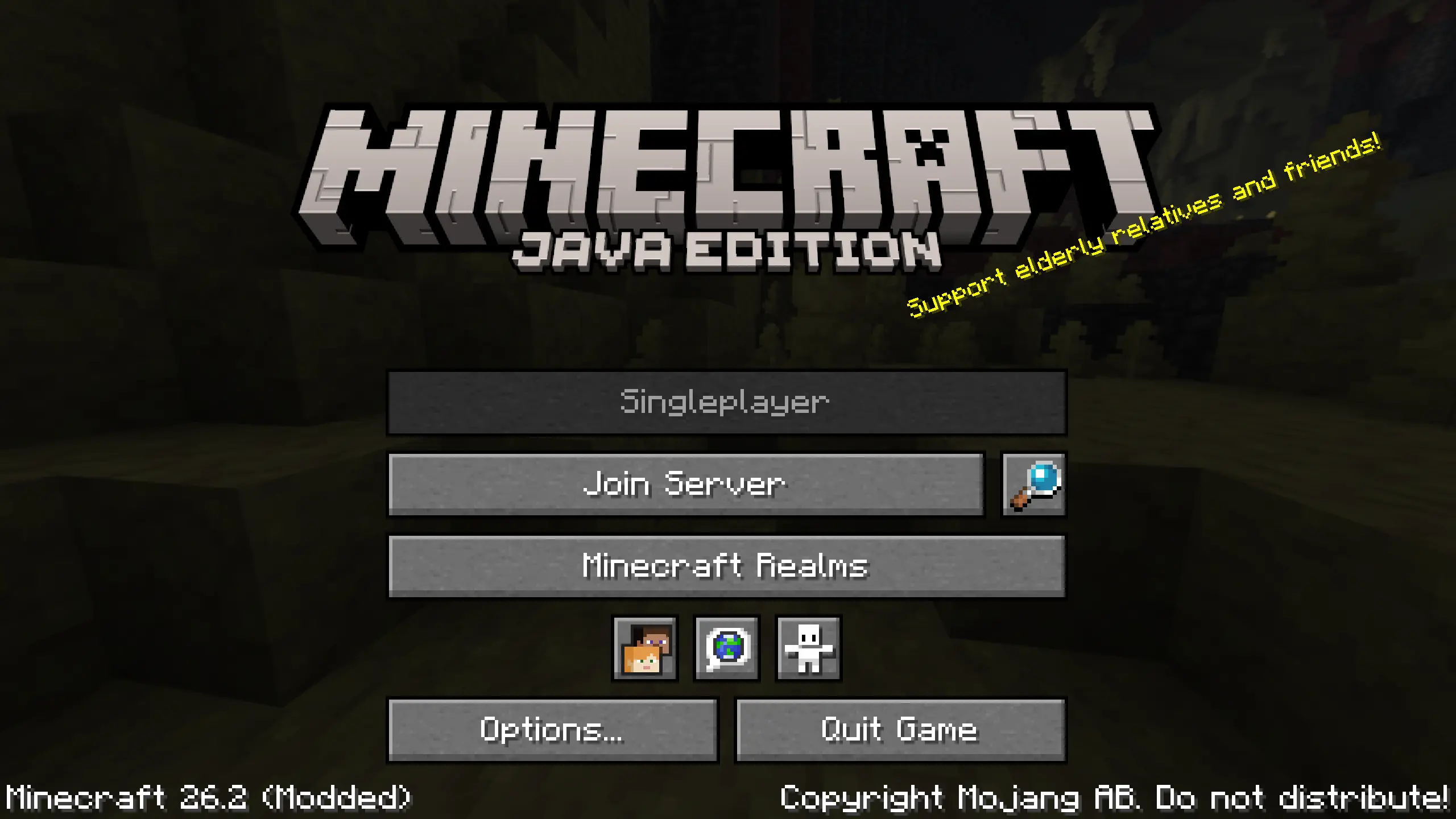
Shrinks the "Multiplayer" button, and replaces it with one to connect to a configured server, front-and-center. Inspired by Auto Connect To Multiplayer Server, but does things a bit different!

What?
The "Join Server" button connects directly to the configured server (configurable through Mod Menu, or by editing myserver.json). Disconnecting from this server will return to the title screen.
Server resource packs can be configured to automatically be accepted (default) or prompt on join. This mod is designed for mod packs tied to a specific server, where its behavior is entirely known.
To connect to a different server, the regular multi-player menu can still be accessed via the magnifying glass button.
Additionally, for servers that intend only for players to connect to a server, the "Singleplayer" button can be disabled temporarily through the configuration file.
How?
This is a two-mixin mod that reduces the width and positioning of the "Multiplayer" button, then creates a new one in its place. If configured to, it disables the "Singleplayer" button as well. Simple as that!
Why?
For mod packs that are designed for use with a specific server in mind, access to the entire multi-player menu might not be desirable. Similarly, shipping a brittle servers.dat file can easily cause issues, either user-facing (servers list getting overwritten every update) or developer-facing (server not getting added to the list).
This mod provides a separate way to configure a server without finangling with the server list itself. Overwriting the config file is safe, as no player should be modifying it themselves.
FAQ
Will this be ported to more mod loaders?
In the future, probably.
Will this be ported to more Minecraft versions?
In the future, probably.
FAQ
How to install #MyServer?
Install Fabric for your Minecraft version, download #MyServer for the same version and loader, put the file into the mods folder and launch the game with the loader profile.
Which Minecraft versions does #MyServer support?
#MyServer has builds for Minecraft 26.2.
Is #MyServer needed on the server?
Client only — no need to install it on the server
Similar mods
All utility mods →


More mods by this author
 Estrogen↓ 2.4M
 MEOWS↓ 2K