
NetGraph
Clean, configurable HUD graphs of your connection quality - ping, jitter and bandwidth on any server, plus real TPS, MSPT and server load with the optional server companion
- Loaders
- Fabric
- Downloads on Modrinth
- 401
- Followers on Modrinth
- 4
- versions
- 6
- Updated
- July 1, 2026Jul 1
- Published
- in 2026
At a glance
Needed in the game; optional on the server
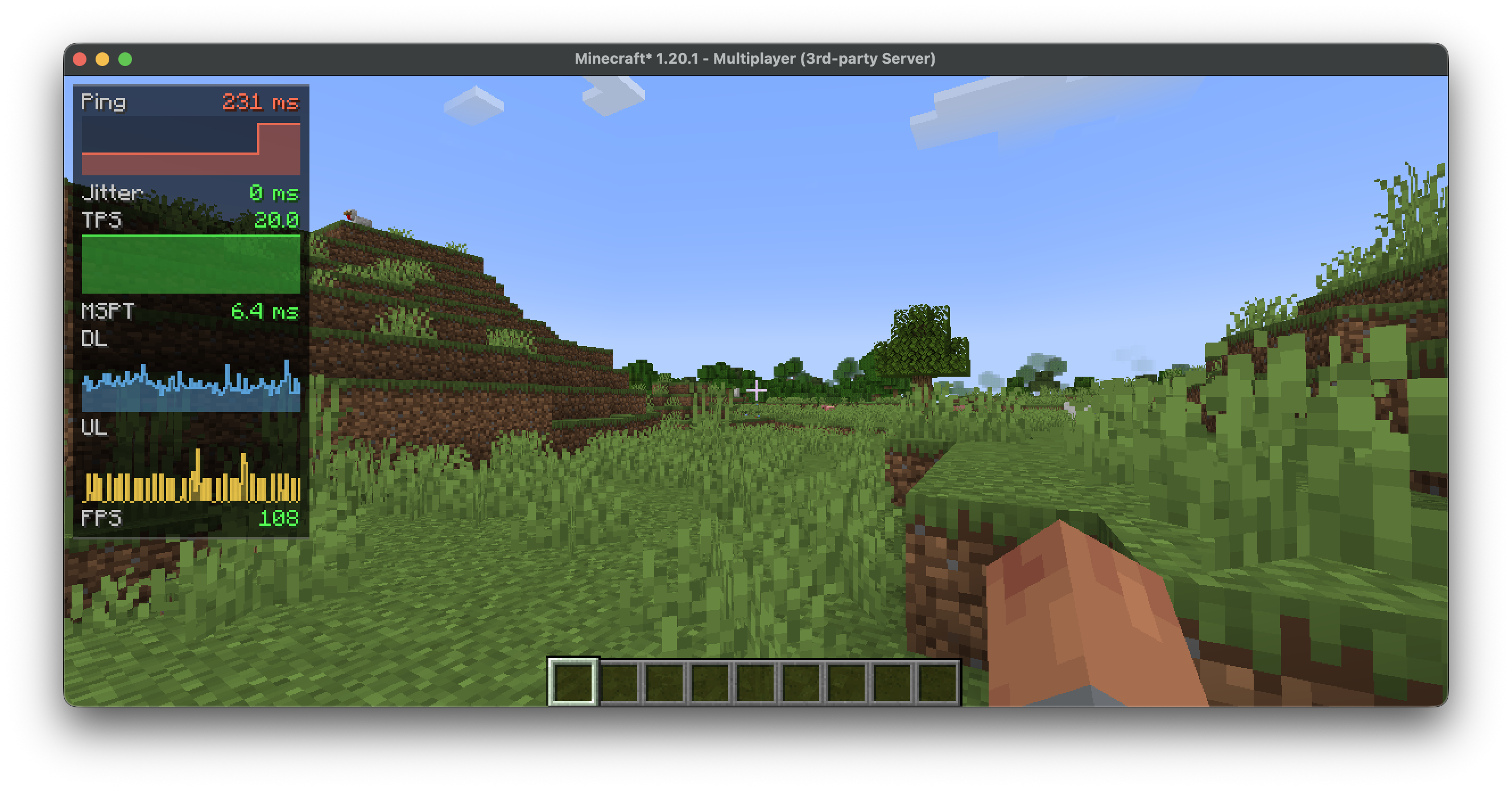


NetGraph
A network monitor for the corner of your screen. It turns ping, bandwidth and the server's tick rate into small, readable graphs, so you can tell at a glance whether the lag is on your end or the server's.
Runs on the client and works on any server. Add the optional companion and the graphs gain real server-side numbers.
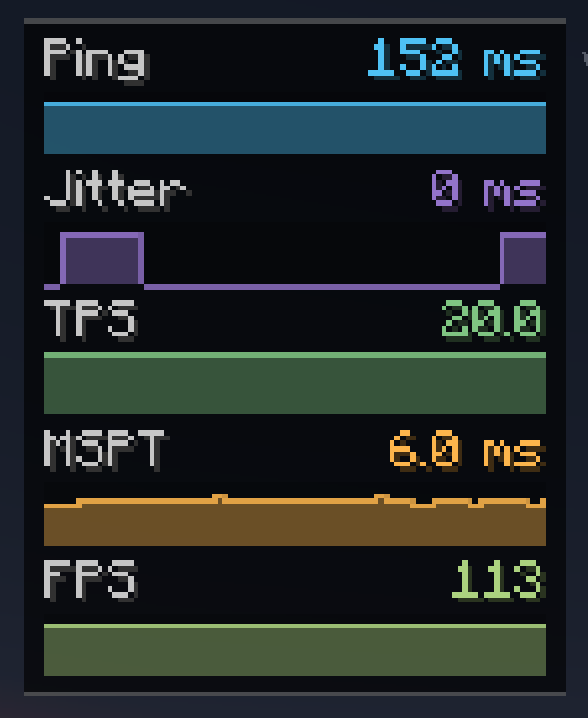
📡 Measured on the client — any server
Ping, jitter, download/upload (KB/s), packets per second, FPS, and a TPS estimate. No server mod required.
🖥️ Added by the server companion
Real server TPS and MSPT, loaded chunks, entity count, players online, and the server's own ping reading. When the server stops answering — a freeze or a lag spike — the affected graph turns red and reads TIMEOUT instead of vanishing.
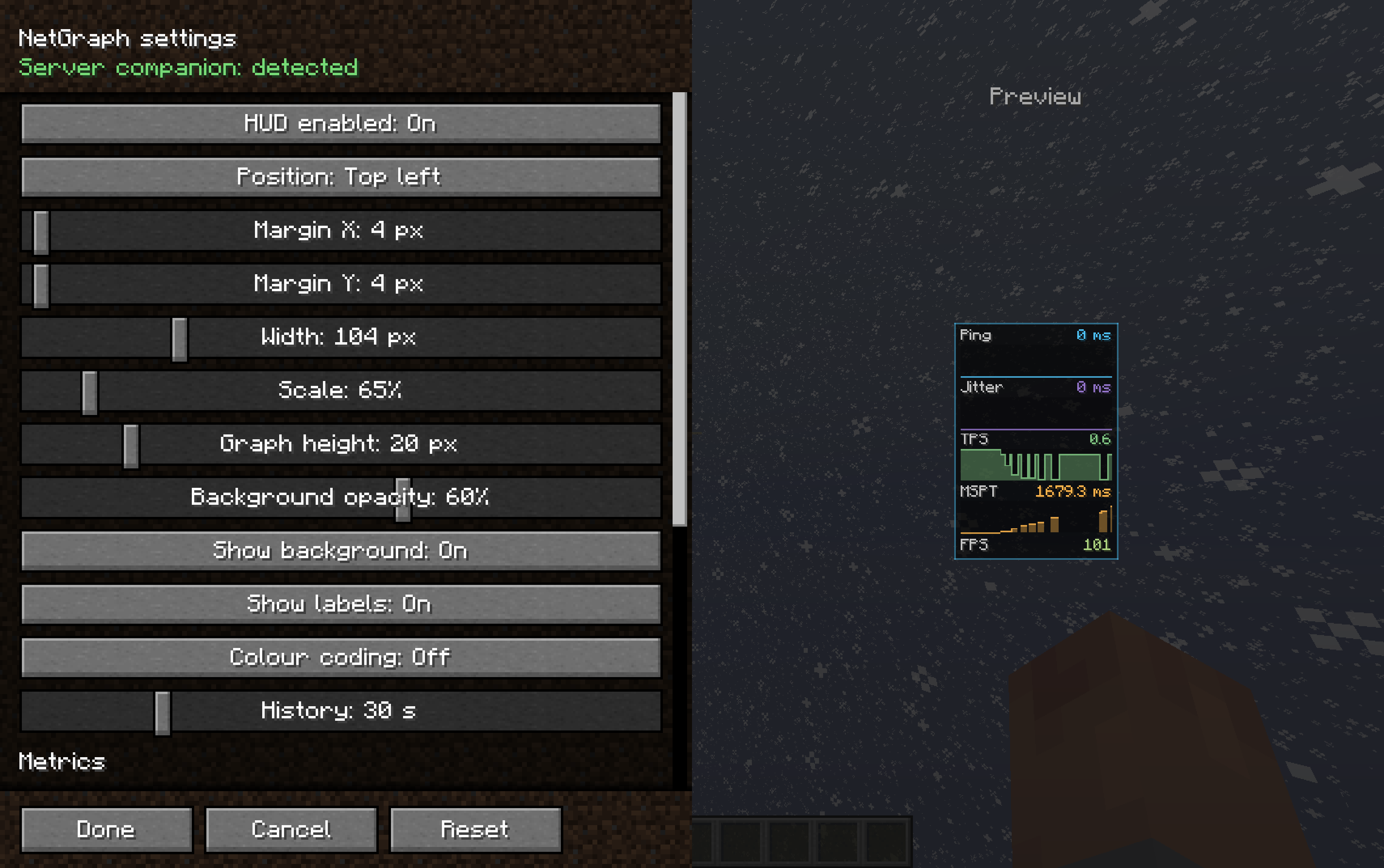
⚙️ Fits your HUD, not the other way around
- 13 metrics, each toggled on or off on its own
- Show any metric as text, a graph, or both
- Six anchor points, plus margins, scale, width, graph height, opacity and history
- Quality colouring from green to red
- A settings screen that previews the HUD live while you drag the sliders, with a frame that flashes the real position when you move it
- Reset to defaults in one click
⌨️ Controls
N shows or hides the HUD (rebindable). Open settings from Mod Menu, or bind a key.
🛡️ Server command
Operators can switch fields off: /netgraph <tps|mspt|ping|chunks|entities|players|all> <true|false> — and /netgraph status to check the current state.
📦 Install
Client — put NetGraph in mods. Requires Cloth Config API; Mod Menu recommended. Server (optional) — put NetGraph Server in the server's mods for real TPS/MSPT. Singleplayer? Add it to your own mods folder too.
FAQ
How to install NetGraph?
Install Fabric for your Minecraft version, download NetGraph for the same version and loader, put the file into the mods folder and launch the game with the loader profile.
Which Minecraft versions does NetGraph support?
NetGraph has builds for Minecraft 1.20.6, 1.21.1, 1.21.4, 1.21.8 ….
Is NetGraph needed on the server?
Needed in the game; optional on the server
Similar mods
All management mods →


Often needed together
 Cloth Config API↓ 186M