
- Loaders
- FabricNeoForgeForge
- Downloads on Modrinth
- 8.6K
- Followers on Modrinth
- 5
- versions
- 79
- Updated
- July 8, 2026Jul 8
- Published
- in 2026
At a glance
Install in the game only; not needed on the server
Optimized Day Counter
Optimized Day Counter is a lightweight, client-side HUD mod that shows the current in-game day and optional 12‑hour clock, letting you track your world's progress at a glance.




🎬 How It Works
The mod adds a small, unobtrusive HUD element that displays the current world day and, optionally, the time of day in a 12‑hour format. It updates automatically as the world progresses and can be fully customized through a config file.
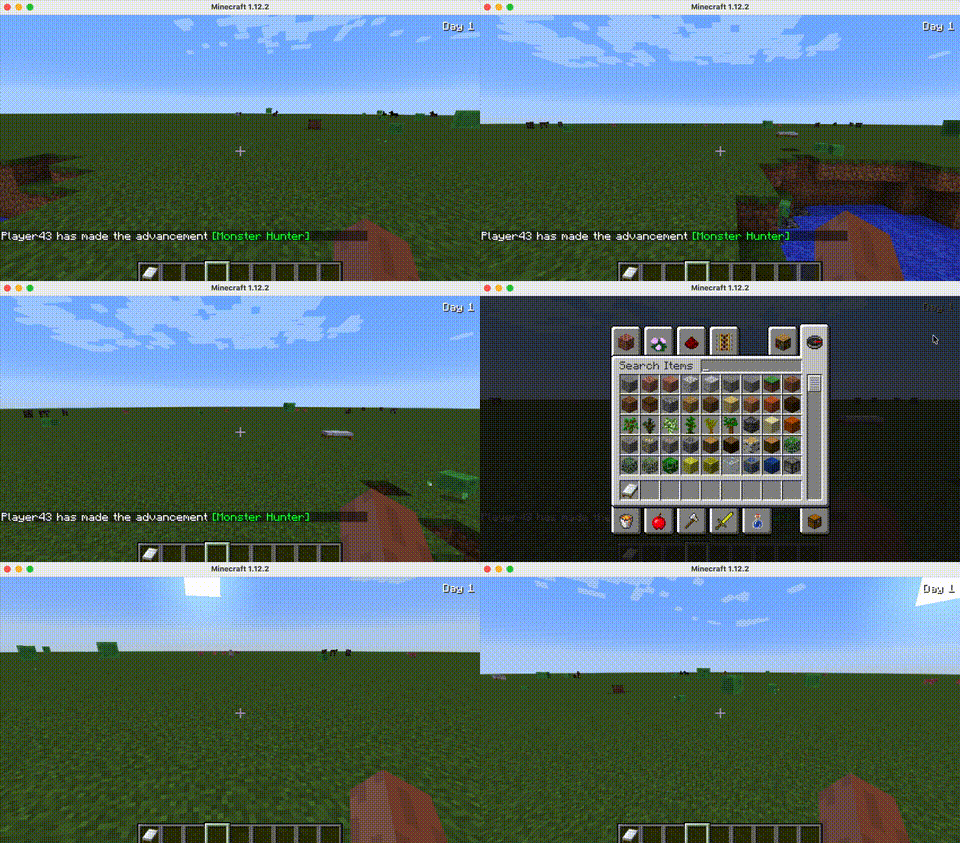

✨ Features
- Day Number Display — Shows “Day X” where X is the current day number based on world time.
- Optional 12‑Hour Clock — Displays the current time of day with AM/PM (e.g., “Day 3 | 2 PM” or “Day 3 | 2:30 PM”).
- Configurable Anchor Position — Choose from 6 positions:
top_left,top_right,bottom_left,bottom_right,center_top,center_bottom. - Pixel‑Perfect Offsets — Fine‑tune the HUD placement with
offset_xandoffset_yfrom the selected anchor. - Three Display Modes — Choose between days only, days + hour, or days + hour + minute.
- Hot‑Reload Config — Edit the config file while the game is running; changes appear after a short delay (config checks every 500ms).
- Info Card — Prints a stylish author and contributor info card on launch.
📦 Installation
- Install the mod loader of your choice (Fabric, Forge, or NeoForge).
- Download `optimizeddaycounter-.jar
and place it into your.minecraft/mods` folder. - Launch the game — the mod will create the config file on first run.
This mod is client‑side only and does not need to be installed on the server.
🧩 Compatibility
| Minecraft | Loader | Status | Version |
|---|---|---|---|
| 1.21.1 | NeoForge | ✅ Supported | Latest |
| 1.21.1 | Fabric | ✅ Supported | Latest |
| 1.21.11 | Fabric | ✅ Supported | Latest |
| 26.1.2 | Fabric | ✅ Supported | Latest |
| 1.20.1 | Forge | ✅ Supported | Latest |
| 1.20.1 | Fabric | ✅ Supported | Latest |
| 1.12.2 | Forge | ✅ Supported | Latest |
Required dependencies: None.
Known incompatibilities: None known.
Works alongside: Any other client‑side mods, including Sodium, Iris, and OptiFine.
❓ FAQ
Does this need to be installed on the server?
No. The mod is purely client‑side and reads directly from the local world state. You can safely use it on any server.
How do I configure the HUD?
Open ./config/optimizeddaycounter.txt (created automatically on first launch). Edit the settings, save the file, and the mod will reload the config within a few seconds.
Can I move the HUD to a different corner?
Yes! Set anchor to one of: top_left, top_right, bottom_left, bottom_right, center_top, or center_bottom. Adjust offset_x and offset_y to fine‑tune the position.
Does this mod add any commands, items, or blocks?
No. It’s a simple HUD overlay with no extra mechanics to learn.
I found a bug, where do I report it?
Please report issues on the GitHub issue tracker. Include your Minecraft version, mod loader, and a log file.
💖 Support the Project
If you find this mod useful, consider supporting development!
📝 Modpacks & License
Licensed under the MIT License. You are free to include this mod in any Modrinth or CurseForge‑hosted modpack with attribution. Do not redistribute the jar file elsewhere.
Credits
- Author: Itamio
- Contributor: Asd1281yss
Port Notes
This mod is a modern port of the original "Day Counter" mod, expanded to support multiple Minecraft versions and loaders. The port retains the original core logic while adapting to each platform’s rendering and configuration APIs.
FAQ
How to install Optimized Day Counter?
Install Fabric for your Minecraft version, download Optimized Day Counter for the same version and loader, put the file into the mods folder and launch the game with the loader profile.
Which Minecraft versions does Optimized Day Counter support?
Optimized Day Counter has builds for Minecraft 1.12.2, 1.16.5, 1.17.1–1.19.4, 1.20.1–26.1.2 ….
Is Optimized Day Counter needed on the server?
Client only — no need to install it on the server


