
- Loaders
- Fabric
- Downloads on Modrinth
- 351
- Followers on Modrinth
- 2
- versions
- 2
- Updated
- July 11, 2026Jul 11
- Published
- in 2026
Windows Support — Users on Windows can have their system media show on the HUD (browser audio, Spotify, etc.) · swipe
At a glance
Runs on Fabric
For Minecraft 26.1–26.2
Client only — no need to install it on the server
Latest version — 1.0.1 from July 11, 2026
Requires Fabric API and YetAnotherConfigLib (YACL)
License MIT — free
Where it's neededGame versions26.1–26.2
In gamerequiredOn servernot needed
Install in the game only; not needed on the server
Overture
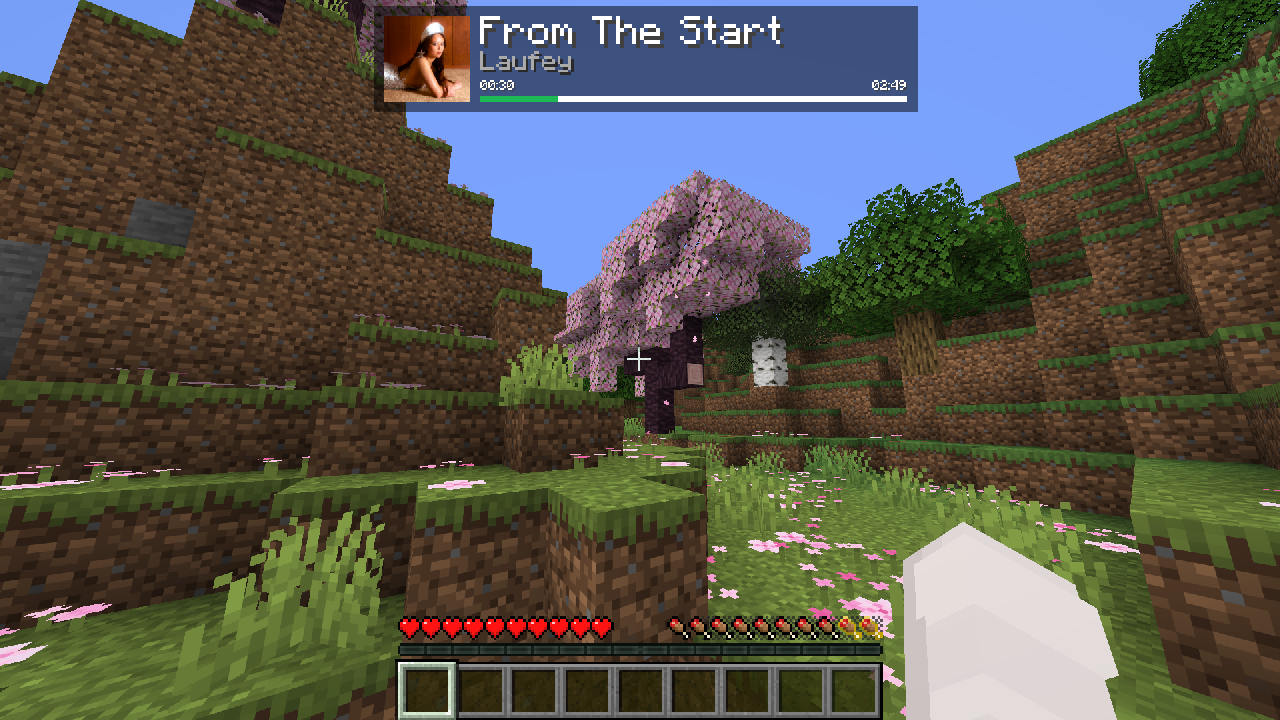
Overly customizable playing media overlay
Features
System API fetching
- Other sources can be added in the future
- Currently Windows & Linux support
- Tons of visual customization
Configurable polling intervals & modes
- Includes "smart checking", which means Overture will only check for new songs after the current one is supposed to be over, or on the default interval if tabbed out.
- Off-thread fetching (so lag spikes shouldn't be an issue)
Notes
Direct Spotify integration has been omitted due to recent changes requiring Premium for access to the Web API
- Feel free to ask for any further integrations
- macOS is not supported at the moment; I don't have access to a device that runs it
FAQ
How to install Overture?
Install Fabric for your Minecraft version, download Overture for the same version and loader, put the file into the mods folder and launch the game with the loader profile.
Which Minecraft versions does Overture support?
Overture has builds for Minecraft 26.1–26.2.
Is Overture needed on the server?
Client only — no need to install it on the server
License and source
MIT Licensefree to use and share with credit to the author
Similar mods
All utility mods →


More mods by this author
 PetProtect↓ 185K
 Server-Side Waystones↓ 36.2K
 noglow↓ 37.8K
Often needed together
 Fabric API↓ 288M
 YetAnotherConfigLib (YACL)↓ 135M