
- Loaders
- Fabric
- Downloads on Modrinth
- 95
- Followers on Modrinth
- 1
- version
- 1
- Updated
- March 23, 2026Mar 23
- Published
- in 2026
At a glance
Install in the game only; not needed on the server
PacketDebug — A lightweight in-game network traffic analyzer for Minecraft.
Press F6 to open a real-time GUI showing packet traffic statistics for the last 30 seconds. Packets are sorted by KiB/s and separated into S2C (Server → Client) and C2S (Client → Server) views, making it easy to identify which packet types consume the most bandwidth.
Perfect for debugging high-traffic issues, optimizing mod configurations, or just satisfying your curiosity about Minecraft's network protocol.
PacketDebug — 轻量级的 Minecraft 网络流量分析工具。
按 F6 打开实时 GUI,显示过去 30 秒内各数据包类型的流量统计。按 KiB/s 从大到小排序,分为 S2C(服务端→客户端) 和 C2S(客户端→服务端) 两栏显示,一目了然找出哪些数据包最占带宽。
适合排查高流量问题、优化模组配置,或单纯满足对 Minecraft 网络协议的好奇心。 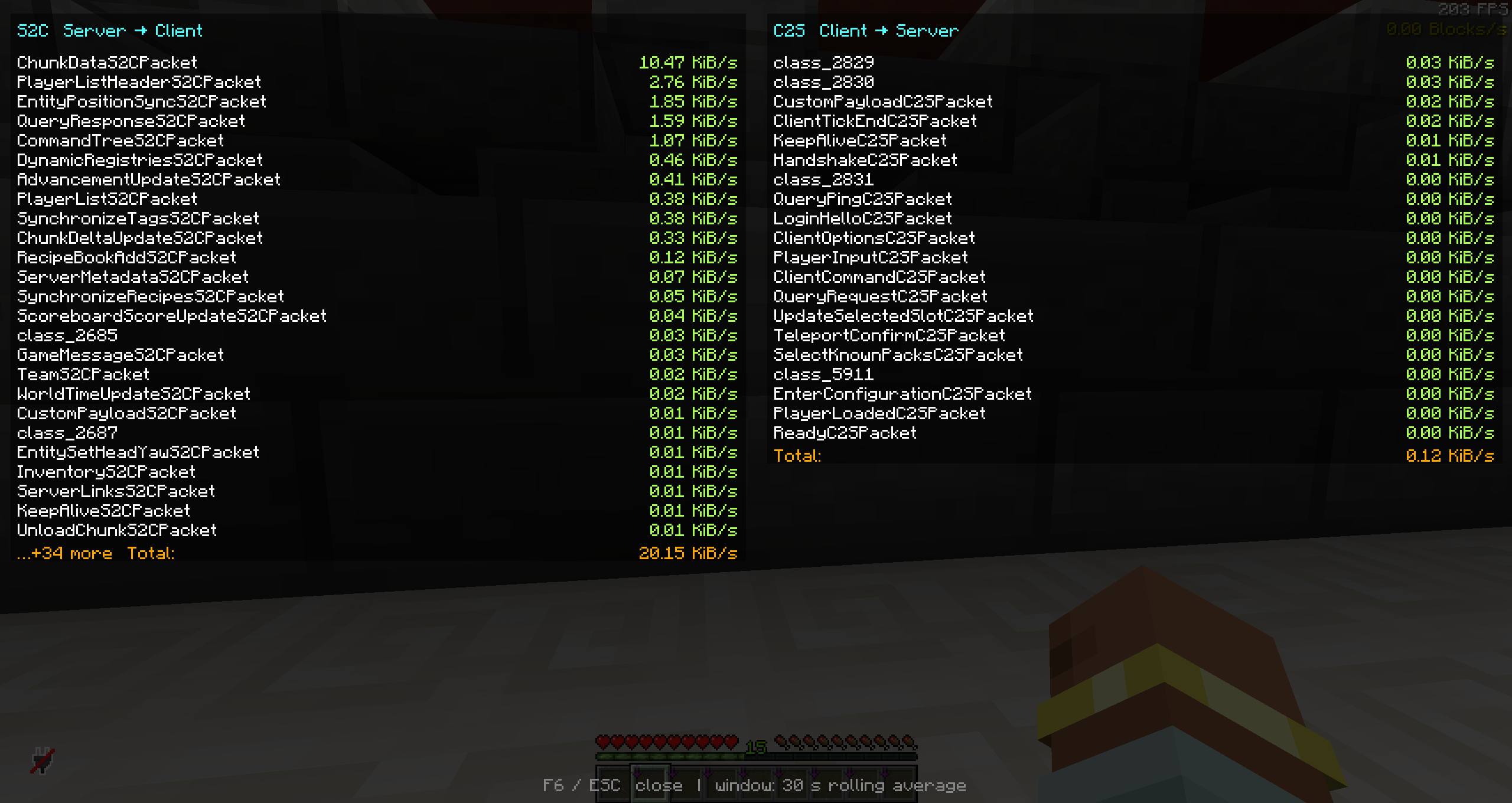
FAQ
How to install PacketDebug?
Install Fabric for your Minecraft version, download PacketDebug for the same version and loader, put the file into the mods folder and launch the game with the loader profile.
Which Minecraft versions does PacketDebug support?
PacketDebug has builds for Minecraft 1.21.6.
Is PacketDebug needed on the server?
Client only — no need to install it on the server


