
Paper Plane
Turn FTB Essentials /tpa and /back teleports into origami paper planes — scrollable player picker with avatars & search, zero-loss settlement.
- Loaders
- FabricNeoForgeForge
- Downloads on Modrinth
- 1.5K
- Followers on Modrinth
- 3
- versions
- 105
- Updated
- November 21, 2026Nov 21
- Published
- in 2026
At a glance
Needed both in the game and on the server
Paper Plane

Paper Plane turns FTB Essentials /tpa and /back teleports into craftable 3D origami paper plane items — even on servers where public /tpa or /back commands are disabled.
Requirements
- Minecraft
1.20.1:>=2001.2.4 <2002 - Minecraft
1.21.1:>=2101.1.10 <2102 - Minecraft
26.1.2:>=26.1.2.1 <27
- Minecraft
- Minecraft
1.20.1:>=2001.2.13 <2002 - Minecraft
1.21.1:>=2101.1.31 <2102 - Minecraft
26.1.2:>=26.1.1.1 <27
- Minecraft
Supported Matrix
| Minecraft | Loaders | Java |
|---|---|---|
1.20.1 | Fabric, Forge | 17 |
1.21.1 | Fabric, NeoForge | 21 |
26.1.2 | Fabric, NeoForge | 25 |
Items & Recipes
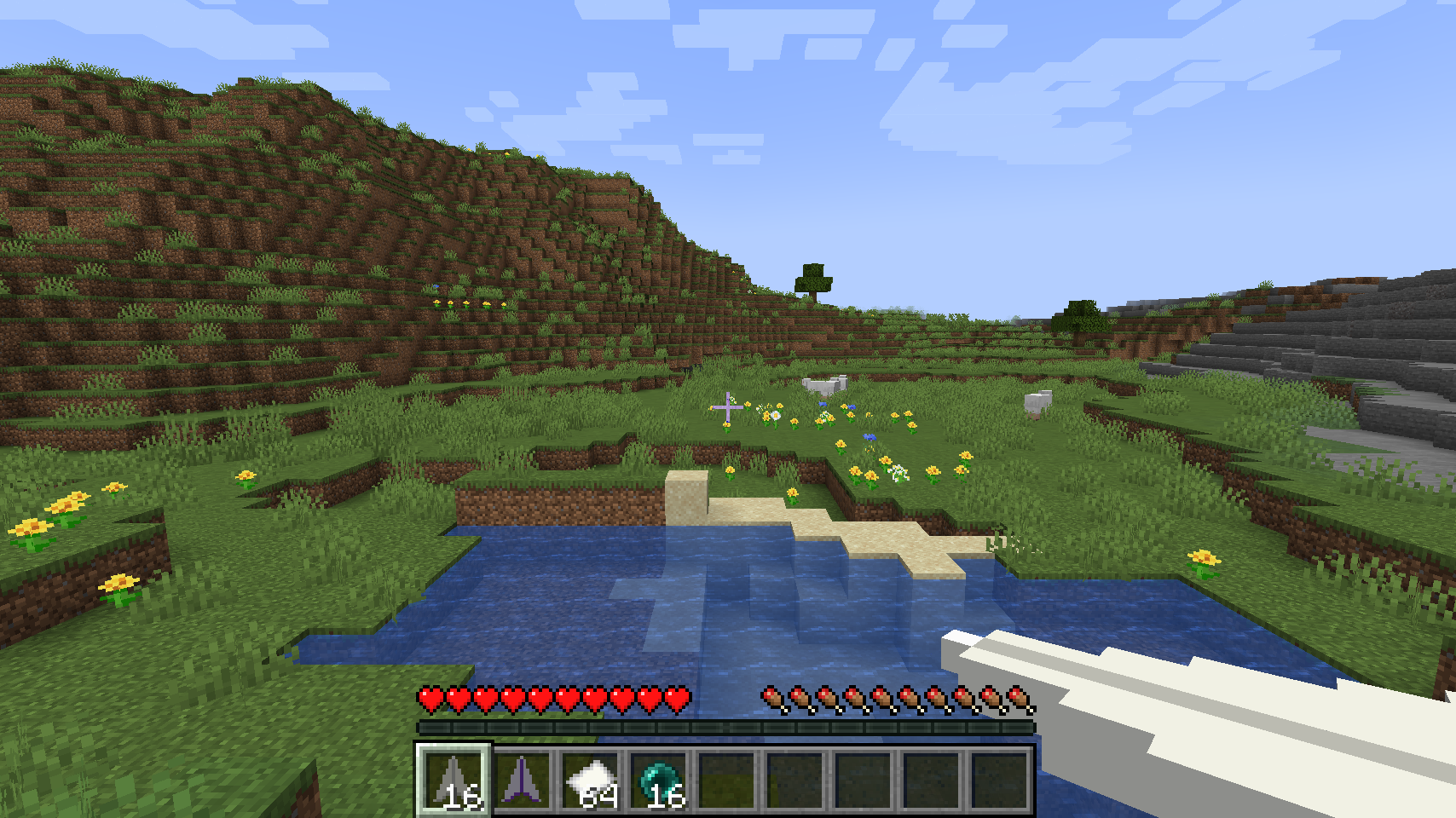
All planes are activated directly with a right-click (they are not throwable). Single-use planes are consumed only after a teleport actually completes — canceled, denied, or failed teleports never consume an item.
TPA Paper Planes
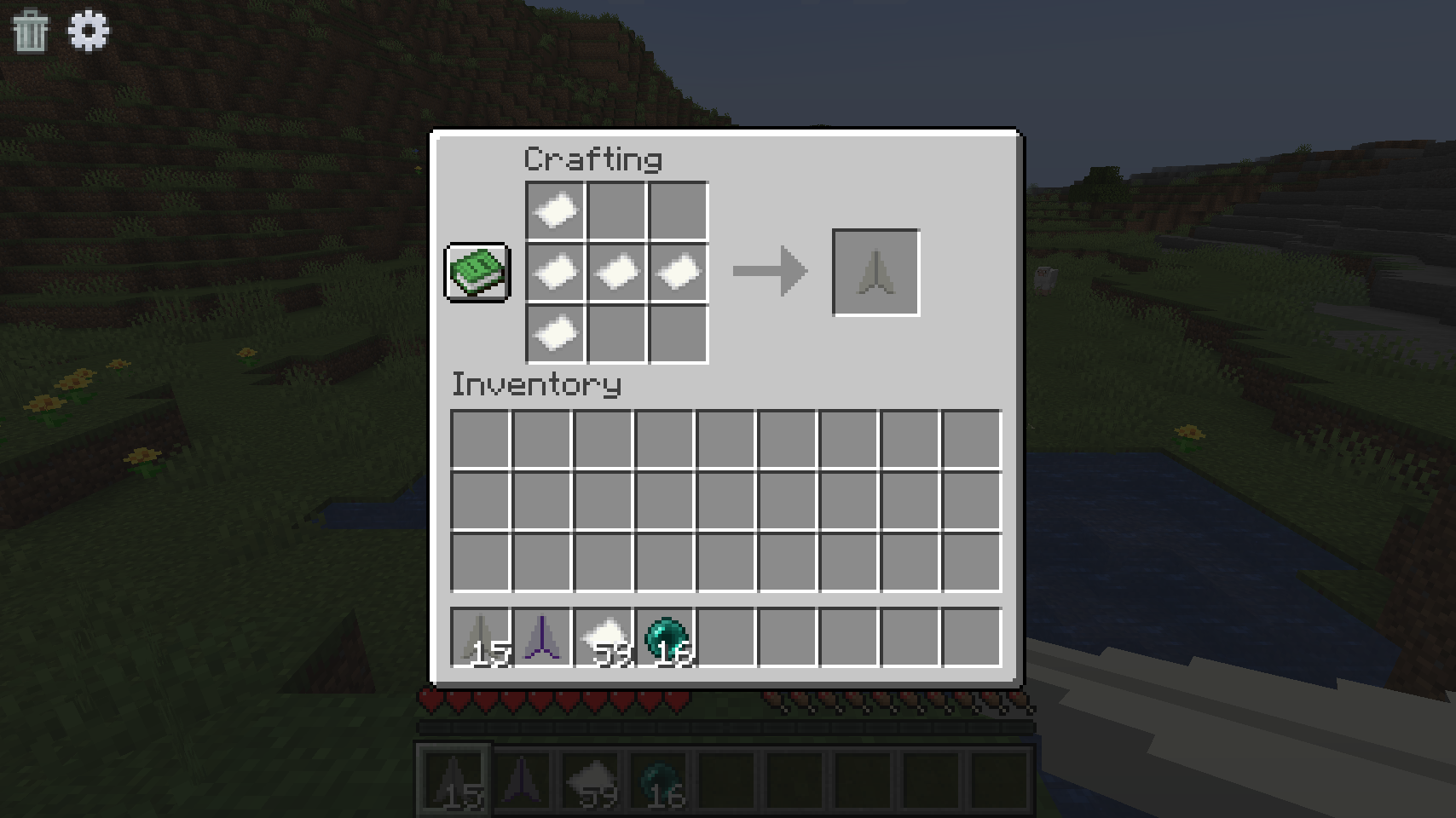
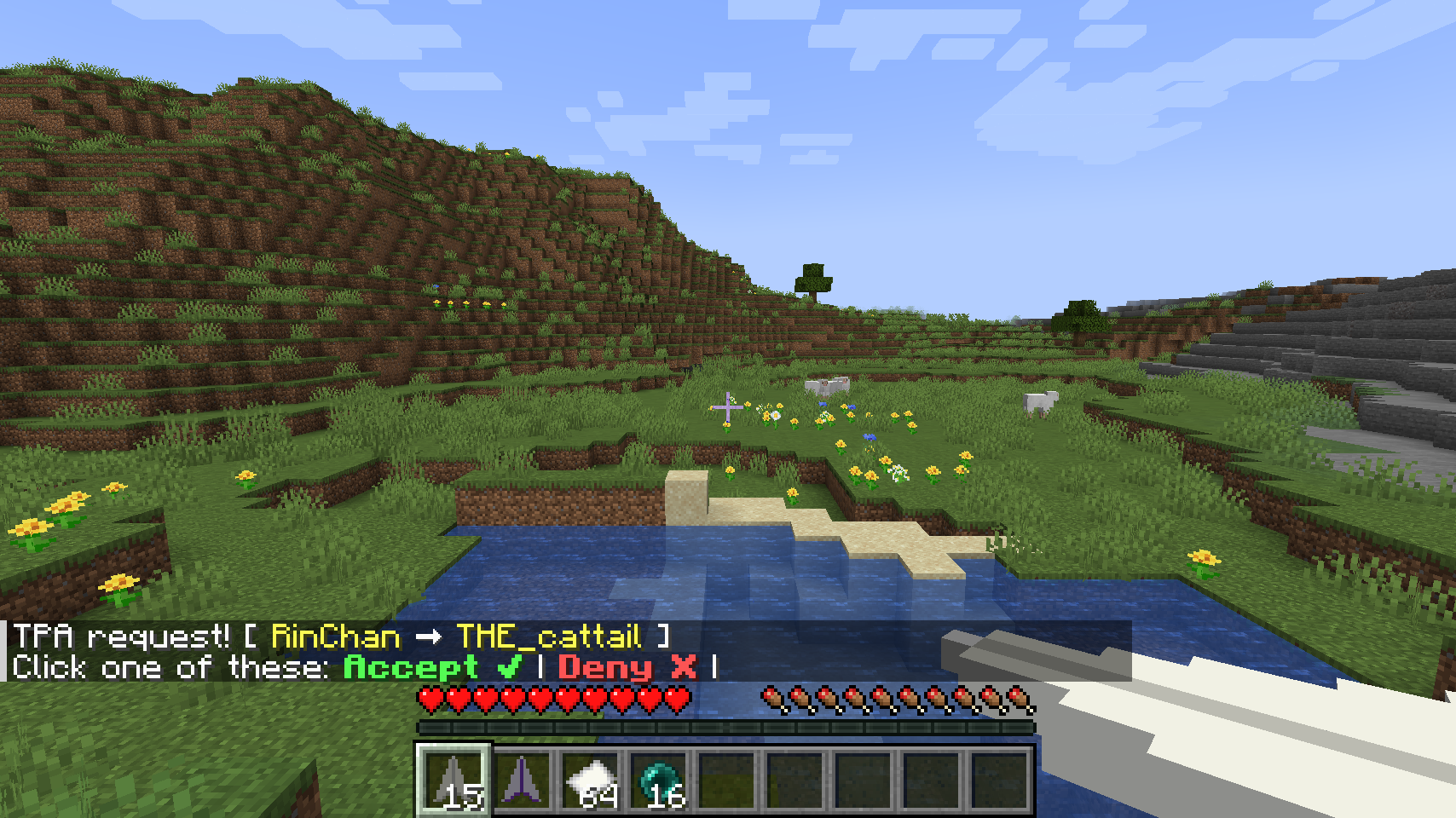
Paper Plane (single-use): Right-click to open the online player picker and send an FTB Essentials
/tparequest.- Recipe: 5 Paper (
P/PPP/P).
- Recipe: 5 Paper (
Ender Paper Plane (reusable): Same player picker and native
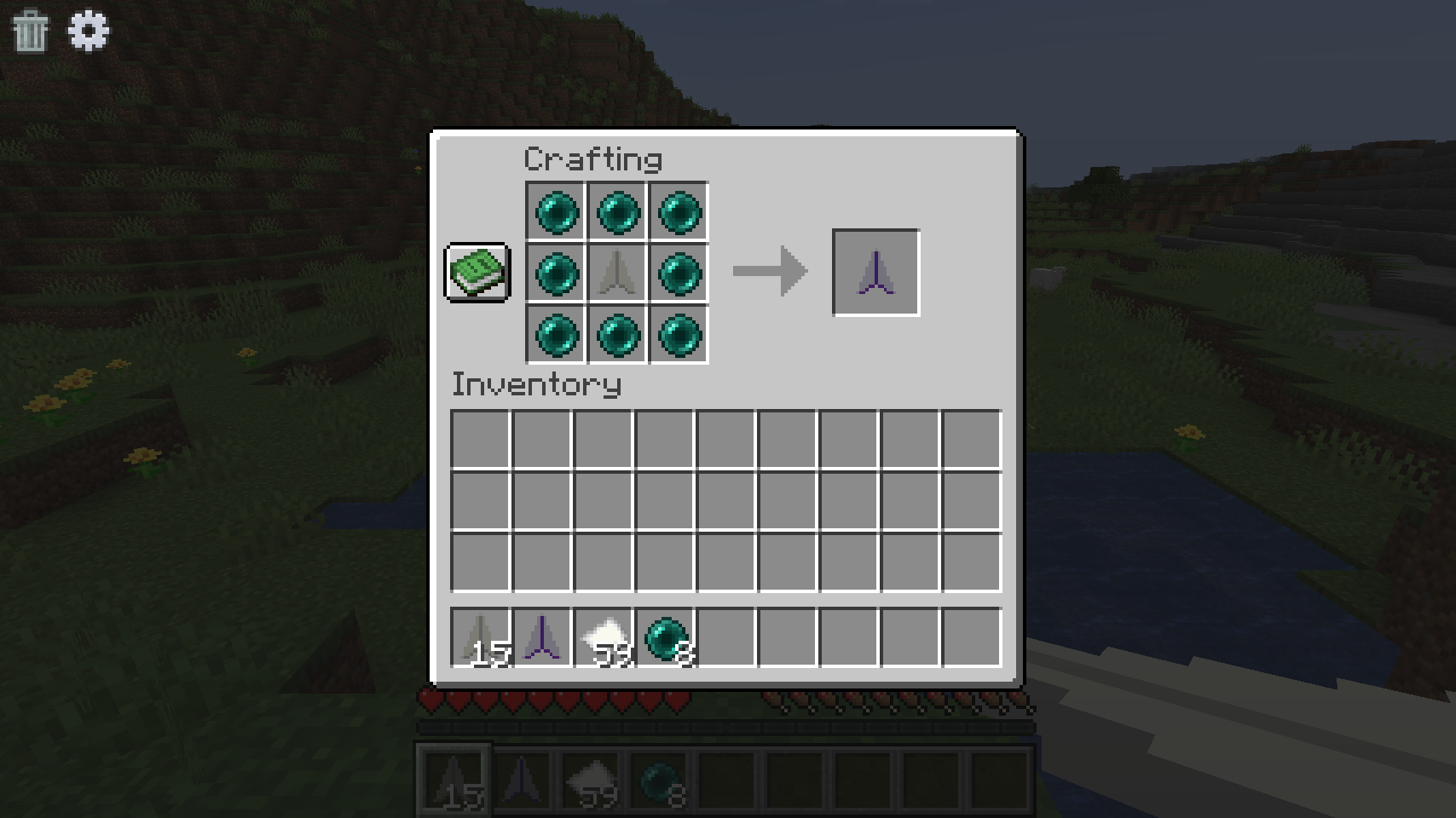
/tparequest flow, never consumed.- Recipe: 8 Ender Pearls surrounding 1 Paper Plane.
Back Paper Planes
Back Paper Plane (single-use): Right-click to return to your previous location using native FTB Essentials teleport history.
- Recipe: 4 Bone Meal in a cross around 1 Paper Plane.
Ender Back Paper Plane (reusable): Right-click to return to your previous location, never consumed.
- Recipe: 8 Ender Pearls surrounding 1 Back Paper Plane.
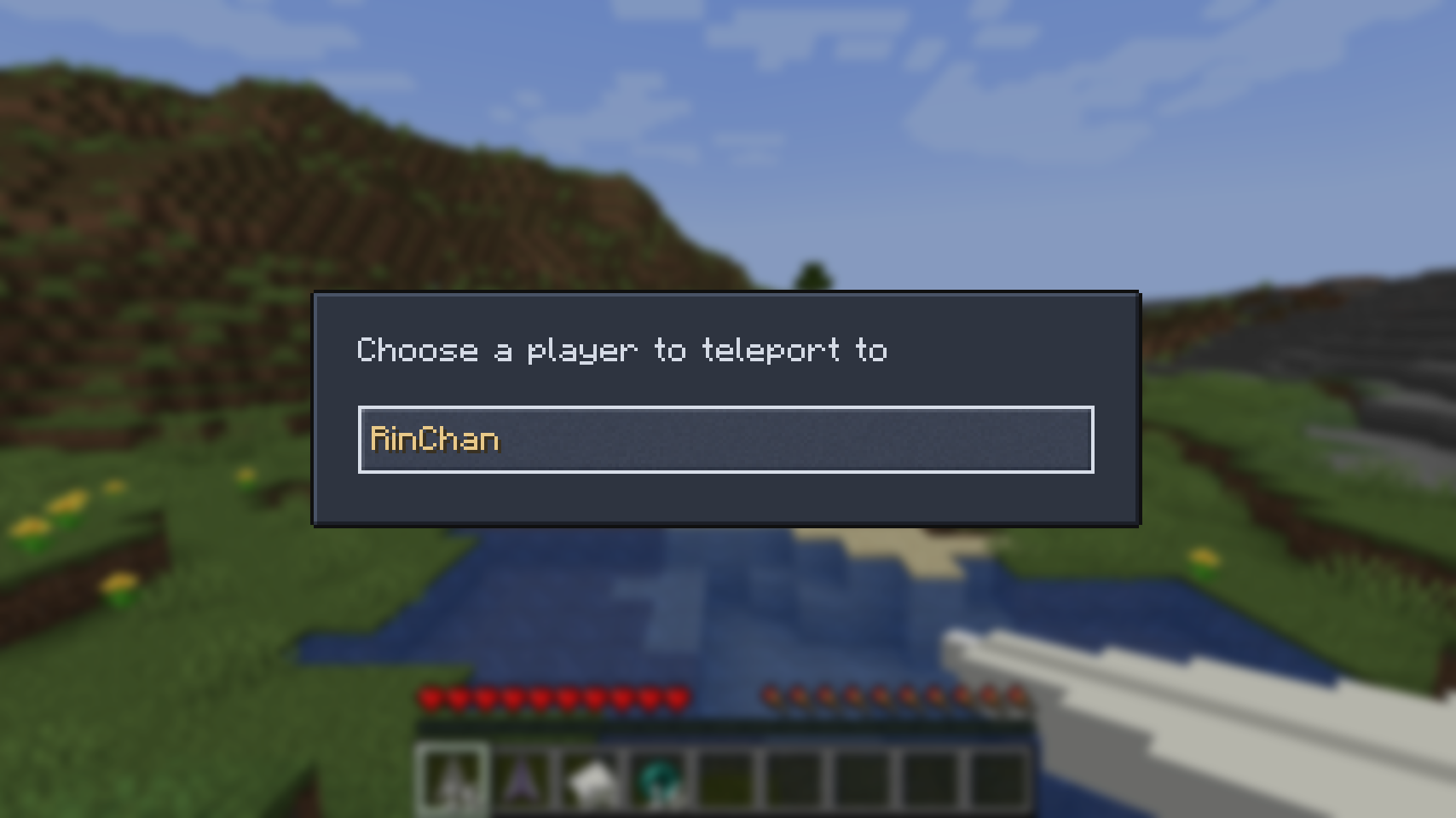
Player Picker UI
- Scrollable player list that cleanly handles servers of any size.
- Player skin head avatars rendered beside each name.
- Live case-insensitive search bar at the top — press Enter when narrowed to a single player to send immediately.
Screenshots
Configuration
Settings live in config/paper_plane.toml (hot-reloaded automatically on edit — no restart required) and can also be edited in-game via the native Config Screen (Mod Menu on Fabric, Mods menu on Forge / NeoForge).
| Key | Default | Effect |
|---|---|---|
enableTpa | true | Enables Paper Plane and Ender Paper Plane. |
enableBack | true | Enables Back Paper Plane and Ender Back Paper Plane. |
These switches operate independently of whether public /tpa or /back commands are enabled in FTB Essentials.
FTB Essentials Teleport Settings
Paper Plane defines no second cooldown or warmup. All cooldowns, warmups, dimension restrictions, and teleport history rules remain native to FTB Essentials (config/ftbessentials.snbt).
Localization
Includes built-in translations for:
- English (
en_us) - Simplified Chinese (
zh_cn) - Traditional Chinese (
zh_tw) - Japanese (
ja_jp)
License
GPL-3.0-only — see LICENSE.
FAQ
How to install Paper Plane?
Install Fabric for your Minecraft version, download Paper Plane for the same version and loader, put the file into the mods folder and launch the game with the loader profile.
Which Minecraft versions does Paper Plane support?
Paper Plane has builds for Minecraft 1.20.4, 1.20.6–1.21.1, 1.21.11, 26.1.2 ….
Is Paper Plane needed on the server?
Needed in the game and on the server


