
Pickup Notifications
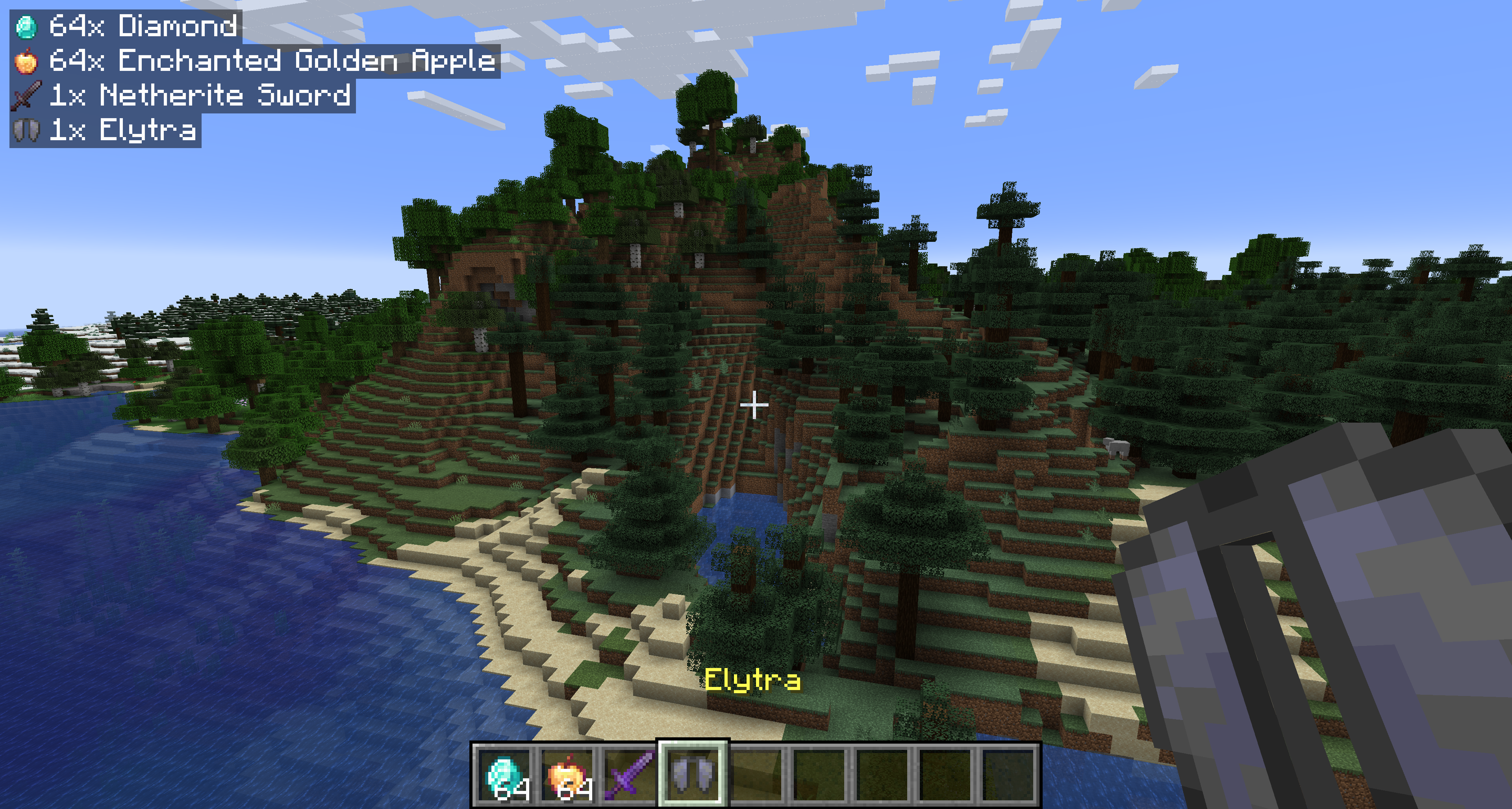
Show popup notifications when you pick up items.
- Loaders
- FabricNeoForgeForgeQuilt
- Downloads on Modrinth
- 2M
- Followers on Modrinth
- 437
- versions
- 44
- Updated
- September 20, 2026Sep 20
- Published
- in 2022
At a glance
Needed both in the game and on the server

Show popup notifications when you pick up items. Shows the items stripped of all unique data (enchantments, name, condition) and shows the raw item icon and name. As of 2.0.0, notifications will also be shown for experience orbs!
Starting with 1.1.0, the mod is required on both the server and client for multiplayer servers.
Configuration — pickupnotifications.toml
You can configure the behavior of the mod from the pickupnotifications.toml file within your config folder. If you have ModMenu installed, you can also access the configuration through the UI in ModMenu's mod list!
modEnabled: true|false - Simple toggle for the mod! Set to false to disable.
trackExperience: true|false - Whether to show notifications for experience orb pickups. Set to false to disable. (2.0.0+ only)
guiAlignment: "top_left"|"top_right"|"bottom_left"|"bottom_right" - Where to position the notifications.
guiOffset: `"(,)"` - The amount to offset the notifications from the edge of the screen.
guiScale: Decimal - Scale to render notifications at.
maxNotifications: Integer - How many notifications can be on the screen at a time. Additional notifications will be queued up and shown once there is room.
iconAlignment: "outside"|"inside"|"left"|"right" - Whether the item icons should appear on the 'left' or 'right' of notifications, always on the 'outside' (left for left-aligned, right for right-aligned), or always on the 'inside' of notifications.
showUniqueInfo: true|false - Whether to show custom names, rarity, and enchantments in the notifications.
renderBackground: true|false - Whether to render the background behind notifications.
backgroundOpacity: Decimal - Opacity of the notification background color.
renderShadow: true|false - Whether to render text shadow in notifications.
Version 1.2.4
guiOffsetX: Integer - The amount to offset the notifications from the side of the screen.
guiOffsetY: Integer - The amount to offset the notifications from the top or bottom of the screen.
Links
Also on CurseForge · Source on GitHub · Report an issue

FAQ
How to install Pickup Notifications?
Install Fabric for your Minecraft version, download Pickup Notifications for the same version and loader, put the file into the mods folder and launch the game with the loader profile.
Which Minecraft versions does Pickup Notifications support?
Pickup Notifications has builds for Minecraft 1.18.2–26.3.
Is Pickup Notifications needed on the server?
Needed in the game and on the server


