
- Loaders
- Fabric
- Downloads on Modrinth
- 957
- Followers on Modrinth
- 6
- versions
- 5
- Updated
- October 11, 2026Oct 11
- Published
- in 2026
At a glance
Install in the game only; not needed on the server

Tutorial
Quick Widgets
38 HUD widgets you can switch on, drag anywhere, resize and restyle — without touching a config file.
Press Right Shift, click a switch, and it's on your screen. Press Edit Layout and drag it wherever you like. That's the whole learning curve.
Quick Widgets is client-side only, uses no mixins, and runs on 1.20.1, 1.21.11, 26.1 and 26.2 from one codebase.
## Screenshot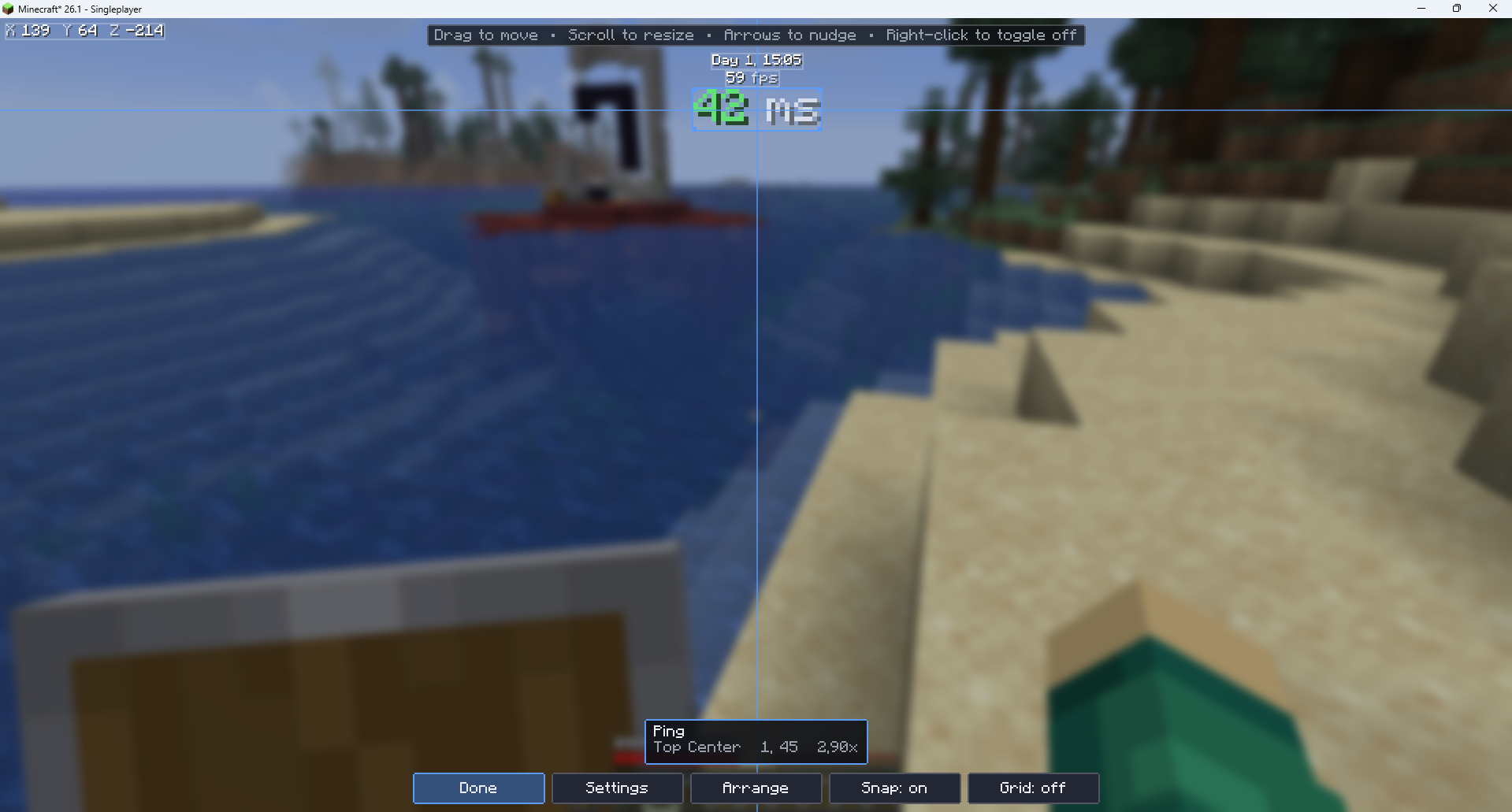
The widgets
Performance
- FPS Counter — frame rate, optionally with min/max/average over the last 5 seconds
- Memory Usage — Java heap in use against the maximum, with an optional bar
- Ping — round-trip latency, colour-coded
- TPS Indicator — server tick rate
- Chunk Updates — sections rebuilt per frame and the size of the pending queue
- GPU Memory — video memory in use, where the driver reports it
Player
- Coordinates — X, Y, Z, with optional facing and chunk position
- Biome — the biome you're standing in
- Speed — blocks per second
- Armor Status — equipped pieces as icons, with durability
- Held Item Durability — what's left on the thing in your hand
- Potion Effects — active effects with level and time remaining
- Saturation — the hidden value behind the hunger bar
- Health Indicator — exact HP instead of counting hearts
- Attack Cooldown — how charged your next swing is
- XP Info — level, exact points, and points to the next level
World
- In-Game Time — "Day 4, 14:30"
- Day Counter — days survived
- Real-Time Clock — your system clock, so you know when to stop
- Weather — clear, rain or thunder
- Light Level — block light, with a mob-spawning verdict
- Moon Phase — with a drawn moon
- Slime Chunk — whether slimes can spawn where you're standing
PvP / Combat
- CPS Counter — left and right clicks per second
- Reach Display — distance to the last entity you hit
- Combo Counter — hits landed without being hit back
- Hit Detection — flashes whether your swing connected
- Keystrokes — WASD and mouse buttons, with a Badlion-style press animation
- Sprint / Sneak Indicator — including whether they're set to toggle
Server
- Server IP — with an option to censor it for streaming
- Player Count — online out of the maximum
- Server Name / MOTD
Misc
- Stopwatch — start, stop and reset on a keybind
- Inventory Alerts — warns you before you run out of room
- Item Counter — track arrows, pearls, blocks, anything
- Pack Display — which resource packs are loaded
- Screenshot Indicator — confirms the shot was saved
- Direction Compass — a compass strip across the top of the screen
On by default: FPS Counter, Ping, Coordinates and In-Game Time. Ping hides itself in singleplayer, so it costs nothing.
Getting started
- Install Fabric Loader and Fabric API.
- Drop Quick Widgets in your
modsfolder. - Launch, then press Right Shift.
- Turn on what you want, then hit Edit Layout and drag it into place.
There's a How to use page in the settings screen if you'd rather read it in-game. The mod also says hello once in chat when you join, naming the key you have bound.
Keybinds live under Options → Controls → Quick Widgets, where you can rebind the settings key and set optional keys for the stopwatch and for hiding the overlay.
Compatibility
| Minecraft | Loader | Requires |
|---|---|---|
| 1.20.1 | Fabric | Fabric API |
| 1.21.11 | Fabric | Fabric API |
| 26.1 | Fabric | Fabric API |
| 26.2 | Fabric | Fabric API |
No mixins. Quick Widgets patches nothing — every widget gets what it needs from public client API. That makes it unusually well-behaved in a large modpack, and it's why one codebase covers both an obfuscated 1.20.1 and an unobfuscated 26.2.
Works in singleplayer and multiplayer. Suggestions? Issues? Join my server: https://discord.gg/sy8mjQgm3W
FAQ
How to install Quick Widgets?
Install Fabric for your Minecraft version, download Quick Widgets for the same version and loader, put the file into the mods folder and launch the game with the loader profile.
Which Minecraft versions does Quick Widgets support?
Quick Widgets has builds for Minecraft 1.20.1, 1.21.11–26.3.
Is Quick Widgets needed on the server?
Client only — no need to install it on the server


