
QuickCmds
A radial command wheel — bind commands, chat messages and hotkeys to a quick-access ring and fire them with a single click.
- Loaders
- Fabric
- Downloads on Modrinth
- 77
- Followers on Modrinth
- 1
- versions
- 2
- Updated
- July 15, 2026Jul 15
- Published
- in 2026
At a glance
Install in the game only; not needed on the server
QuickCmds


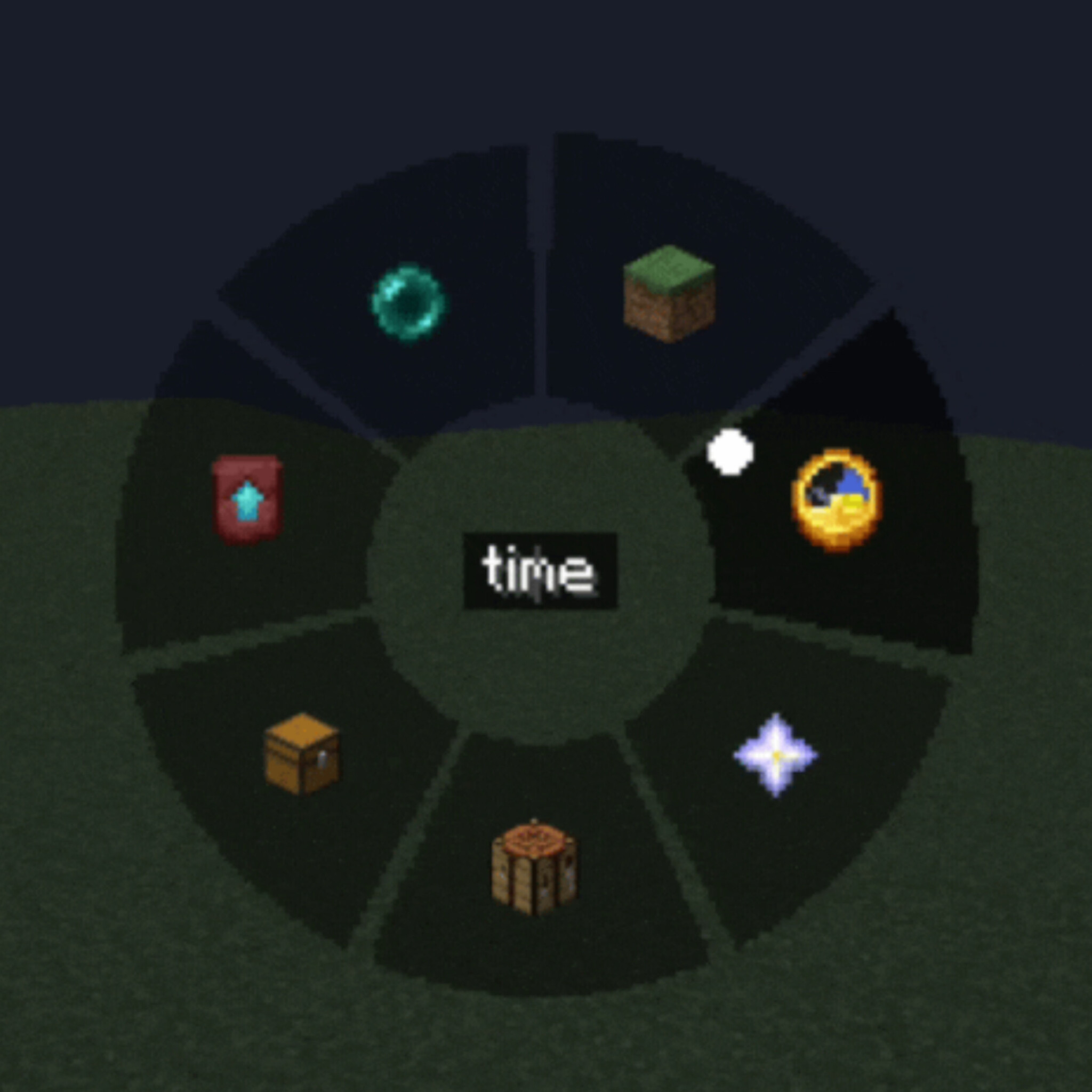
A lightweight client-side mod that adds a customizable radial command wheel to Minecraft — press a key to bring up a ring of up to 12 slots and trigger commands, chat messages, or hotkeys with a single click.
Features
Radial Quick Panel — hold or press a key to open a circular menu, hover a segment and click to execute
Three slot types
- Command — run one or several /commands (one per line, with configurable delay between them)
- Chat message — send preset text/messages instantly
- Hotkey — trigger a custom key combination
Fully customizable appearance
- Adjustable wheel size, outer/inner radius and dead zone
- Custom segment color, text color and transparency (normal and hover states)
- Icon picker — choose from built-in icons or any Minecraft item texture
Two independent keybinds — one to open the command wheel, one for a separate quick settings panel
In-game settings GUI — no config file editing needed, everything is configurable through tabs (Commands / Settings / Appearance)
Client-side only — works on any server, no server-side installation required
Localized in 13 languages: English, Russian, Ukrainian, German, French, Spanish, Polish, Turkish, Japanese, Korean, Chinese, Portuguese (BR), Kazakh
How it works
- Press the Quick Panel key to open the radial wheel
- Hover over a slot to see its tooltip
- Left-click to run it, right-click to delete/edit
- Use the Settings key to configure slots, appearance, and keybinds without leaving the game
Perfect for survival multiplayer, creative building, server administration, or just speeding up repetitive command/chat workflows.
Compatibility
Client-side mod — safe to use on vanilla servers, no server installation needed.
FAQ
How to install QuickCmds?
Install Fabric for your Minecraft version, download QuickCmds for the same version and loader, put the file into the mods folder and launch the game with the loader profile.
Which Minecraft versions does QuickCmds support?
QuickCmds has builds for Minecraft 1.21.6–1.21.8.
Is QuickCmds needed on the server?
Client only — no need to install it on the server


