
Re:Forge
This project seeks to Re:Forge the minecraft crafting system. Adding the forge station to create all tools above stone.
- Loaders
- NeoForge
- Downloads on Modrinth
- 283
- Followers on Modrinth
- 3
- version
- 1
- Updated
- May 21, 2026May 21
- Published
- in 2026
At a glance
Needed both in the game and on the server
Re:Forge completely rewrites the main tool and weapon progression. Maintaining a vanilla feel while making it more advanced. Redefining how weapons are made, aims to make crafting them feel more personal.
Forge Station
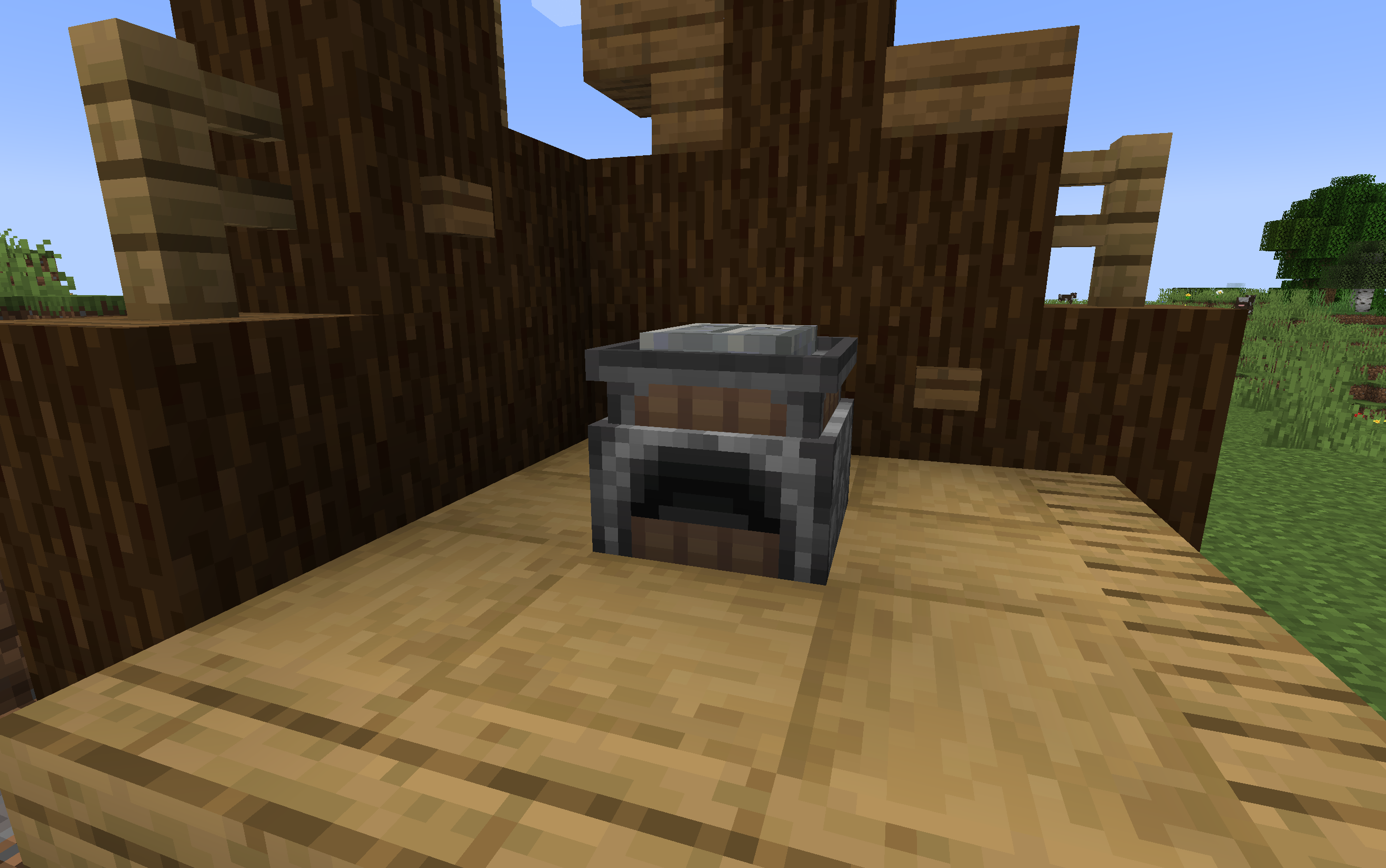 The Forge Station is the main addition to the mod. This station is used to create any tools above stone. THe player right clicks the forge with a crafted blank pattern to get started. You carve your pattern using a stone axe(or higher). Melt down your material through a pattern, in the table, and the player will recieve the tool head or sword blade. Shift right click the forge station to remove the pattern.
GUI/Gameplay
Tap to show/hide
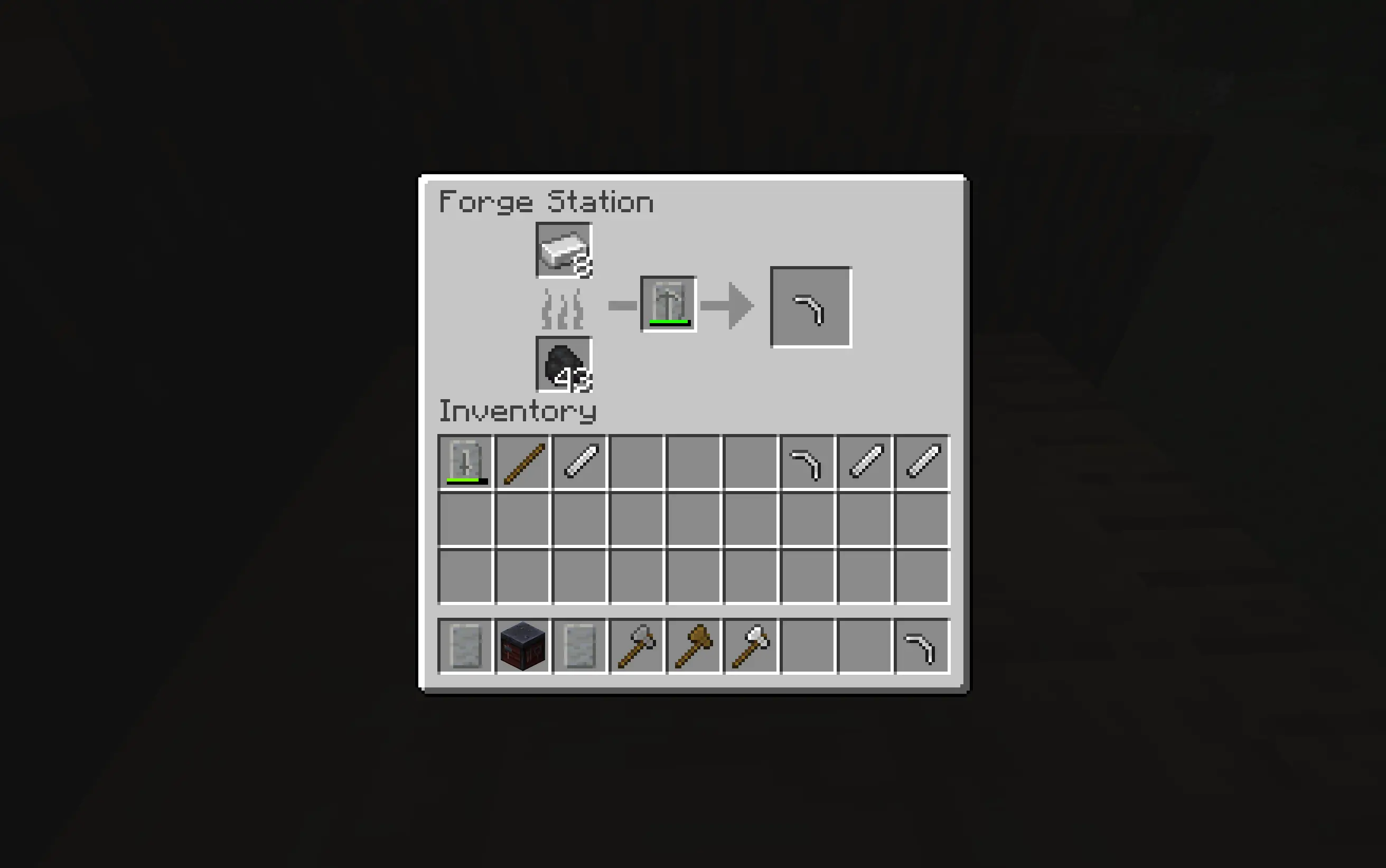
Smithing Table
Once you have the head or blade from your weapon you craft the desired tool in the smithing table combinig it with sticks and the matching pattern from the Forge Station now you have your tool or weapon.
Honing Blades
Tap to show/hide
Honing is for players that want to make there weapon feel a little more special. if you hold an amethyst shard in your off hand, holding your weapon in your main hand. interact with a Grindstone, and each time you do, it will add +0.5 damage to your sword to a total of +2. This is a Honed Blade
Mod Compatabilities
Tap to show/hide
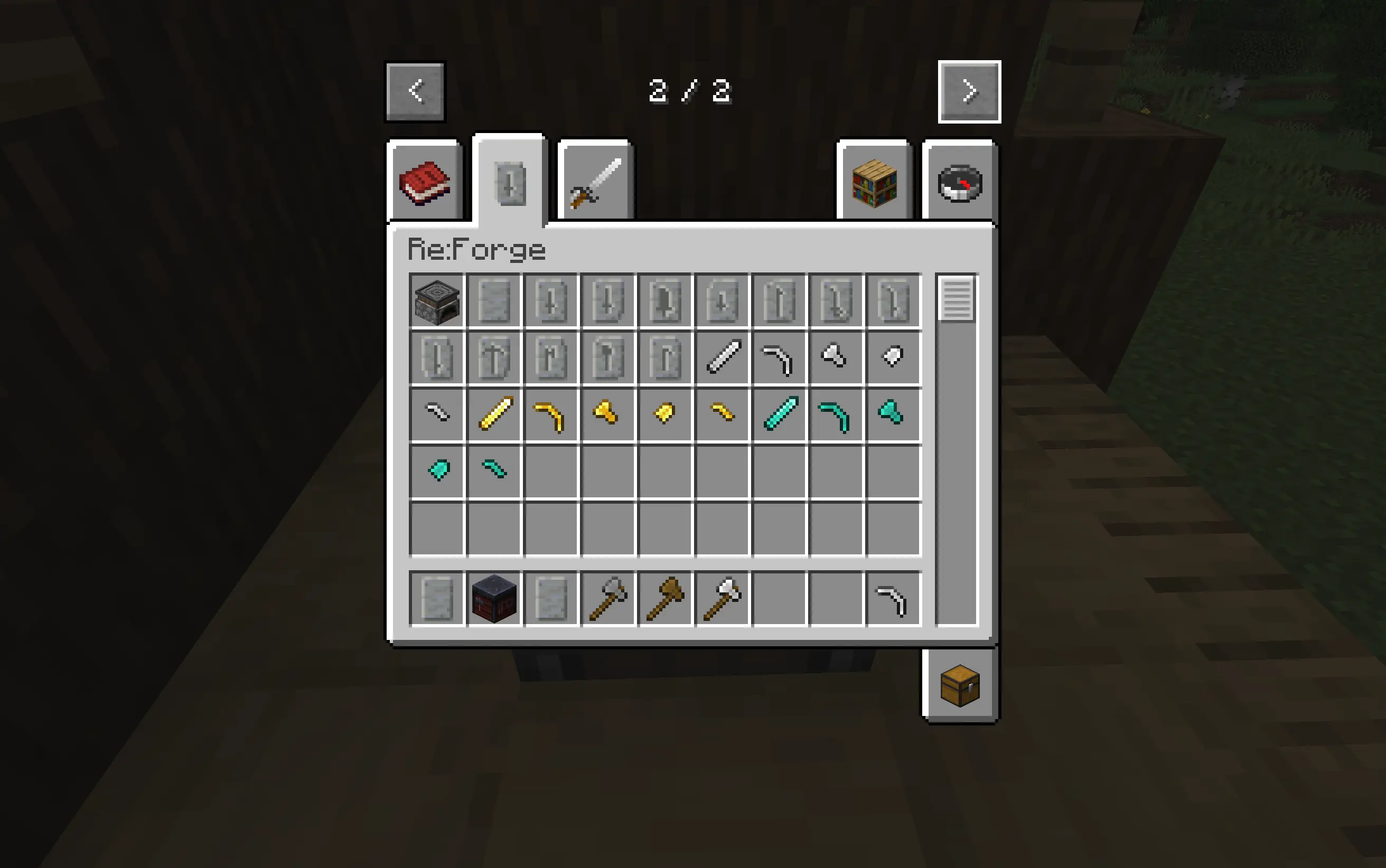
This mod was fully designed with compatability for:
FAQ
How to install Re:Forge?
Install NeoForge for your Minecraft version, download Re:Forge for the same version and loader, put the file into the mods folder and launch the game with the loader profile.
Which Minecraft versions does Re:Forge support?
Re:Forge has builds for Minecraft 1.21.1.
Is Re:Forge needed on the server?
Needed in the game and on the server


