
RealClockHUD
A simple client-side Fabric mod that shows the current time in-game. Fully configurable, works on any server.
- Loaders
- Fabric
- Downloads on Modrinth
- 1.1K
- Followers on Modrinth
- 9
- versions
- 4
- Updated
- June 28, 2026Jun 28
- Published
- in 2026
At a glance
Install in the game only; not needed on the server
RealClockHUD
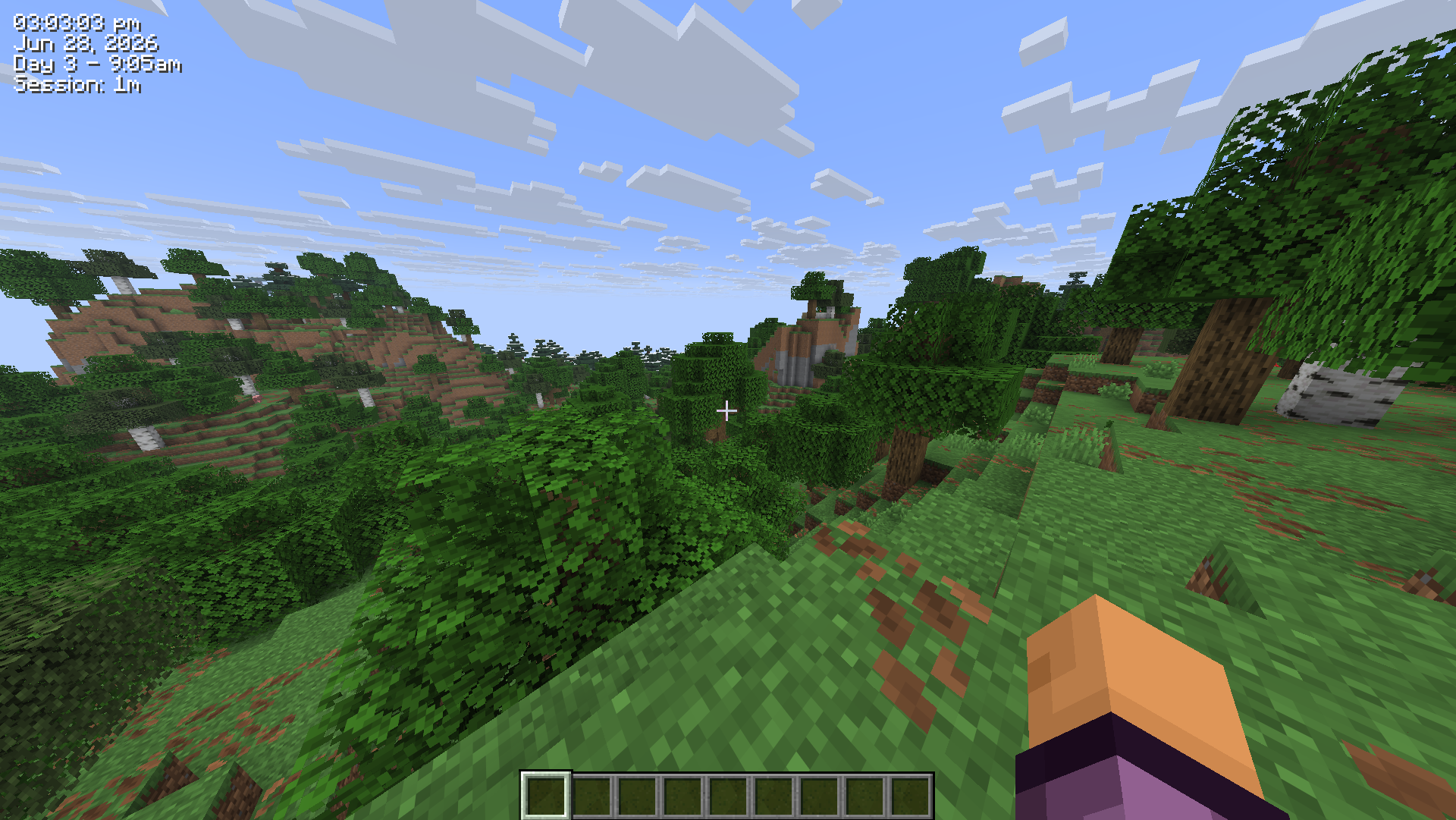
Displays the real-life system time as a HUD overlay in Minecraft.
Features
- Real-life clock displayed as an in-game HUD overlay
- 12-hour and 24-hour format toggle
- Optional seconds display
- Real-life date display (e.g.
Jun 28, 2026) - In-game time display (e.g.
Day 42 - 6:30am) - Session timer showing how long you've been playing (e.g.
Session: 1h 23m) - Configurable corner positioning (top-left, top-right, bottom-left, bottom-right)
- X/Y offset for fine-tuned placement
- Custom text color (hex)
- Optional background box
- Optional text shadow
- Keybind to toggle visibility (default:
K, rebindable in Controls) /realclockcommands for all settings- Self-healing config - invalid or missing values are corrected and re-saved automatically
- Hides during F1/F3 and screenshots
- Updated for 26.2
Settings/Commands
All settings are stored in .minecraft/config/realclock.json and can be edited manually. The config is self-healing - any invalid values will be reset to defaults automatically on next launch.
You can also change any setting using the /realclock command - no need to edit the config file directly. Changes take effect immediately and are saved automatically.
The clock can also be toggled with the K keybind (rebindable in Options > Controls).
| Setting | Command | Default | Description |
|---|---|---|---|
24h | /realclock 24h true | false | Use 24hr time format instead of 12hr |
background | /realclock background true | true | Show a dark box behind the clock |
color | /realclock color #FF0000 | #FFFFFF | Text color as a hex value |
corner | /realclock corner top-left | top-right | Clock position - top-left, top-right, bottom-left, bottom-right |
date | /realclock date true | false | Show the real-life date below the clock |
gametime | /realclock gametime true | false | Show the in-game day and time of day |
offsetx | /realclock offsetx 8 | 4 | Horizontal nudge in pixels from the corner |
offsety | /realclock offsety 8 | 4 | Vertical nudge in pixels from the corner |
scale | /realclock scale 1.5 | 1.0 | Text scale - 1.0 is normal, 2.0 is double size |
seconds | /realclock seconds true | false | Show seconds alongside the time |
sessiontimer | /realclock sessiontimer true | false | Show how long you've been in the current session |
shadow | /realclock shadow true | true | Render a drop shadow behind the text |
toggle | /realclock toggle | true | Whether the clock is currently visible |
Configuration
Config file is created automatically at .minecraft/config/realclock.json on first launch.
{
  "visible": true,
  "corner": "TOP_RIGHT",
  "use24Hour": false,
  "showSeconds": false,
  "color": 16777215,
  "scale": 1.0,
  "showDate": false,
  "showGameTime": false,
  "showSessionTimer": false,
  "showBackground": true,
  "textShadow": true,
  "offsetX": 4,
  "offsetY": 4
}
color is stored as a decimal integer. 16777215 = #FFFFFF (white).
FAQ
How to install RealClockHUD?
Install Fabric for your Minecraft version, download RealClockHUD for the same version and loader, put the file into the mods folder and launch the game with the loader profile.
Which Minecraft versions does RealClockHUD support?
RealClockHUD has builds for Minecraft 26.1–26.2.
Is RealClockHUD needed on the server?
Client only — no need to install it on the server
Similar mods
All utility mods →


Often needed together
 Fabric API↓ 278M