
- Loaders
- FabricForge
- Downloads on Modrinth
- 1.7K
- Followers on Modrinth
- 0
- versions
- 2
- Updated
- April 20, 2026Apr 20
- Published
- in 2026
Fabric 1.21.11 · swipe
At a glance
Runs on Fabric and Forge
For Minecraft 1.8.9, 1.21.11
Client only — no need to install it on the server
Latest version — 1.0.0 from April 20, 2026
Requires Fabric API
License MIT — free
Where it's neededGame versions1.8.9, 1.21.11
In gamerequiredOn servernot needed
Install in the game only; not needed on the server
Reconnect Button Mod
English
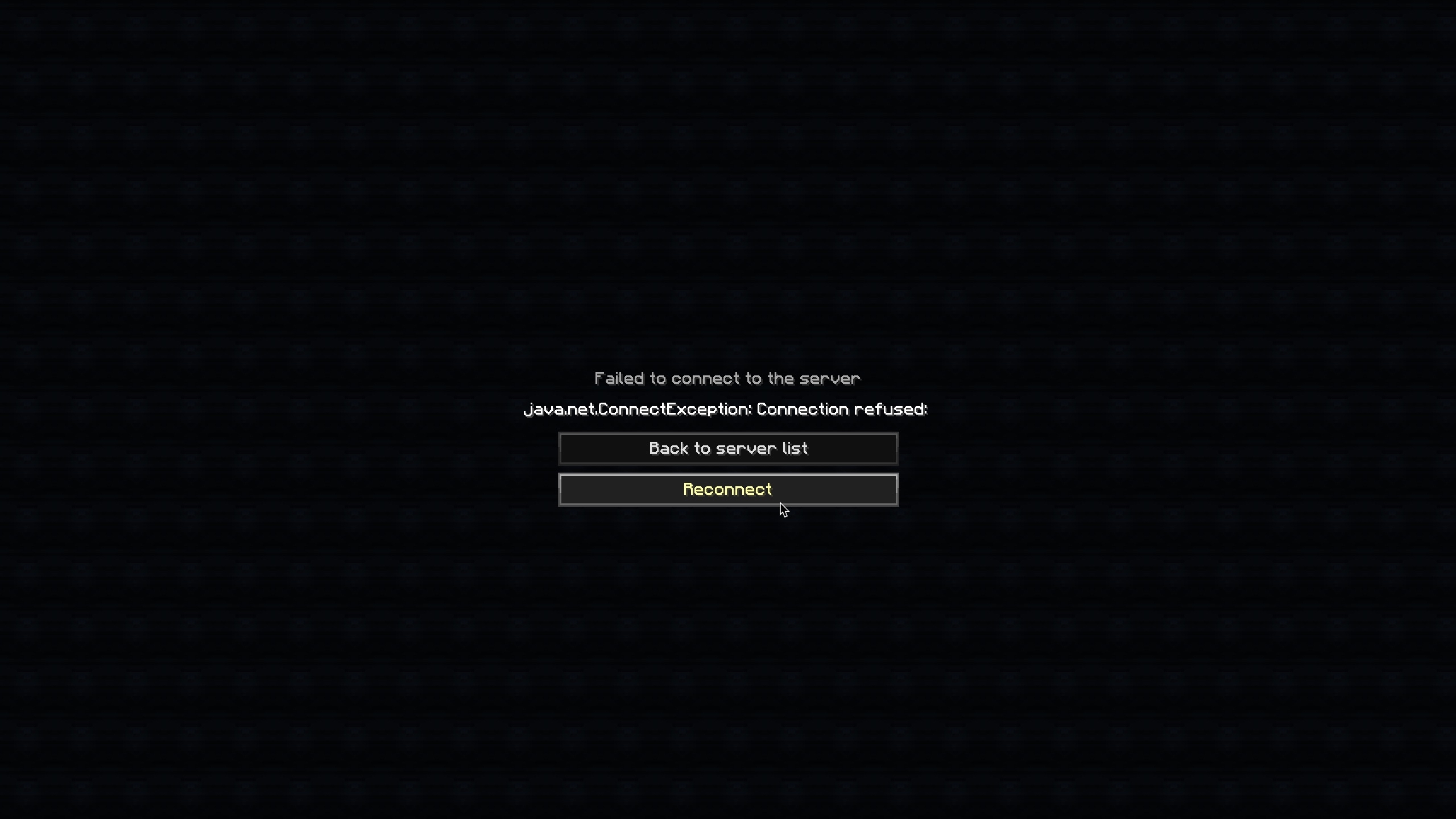
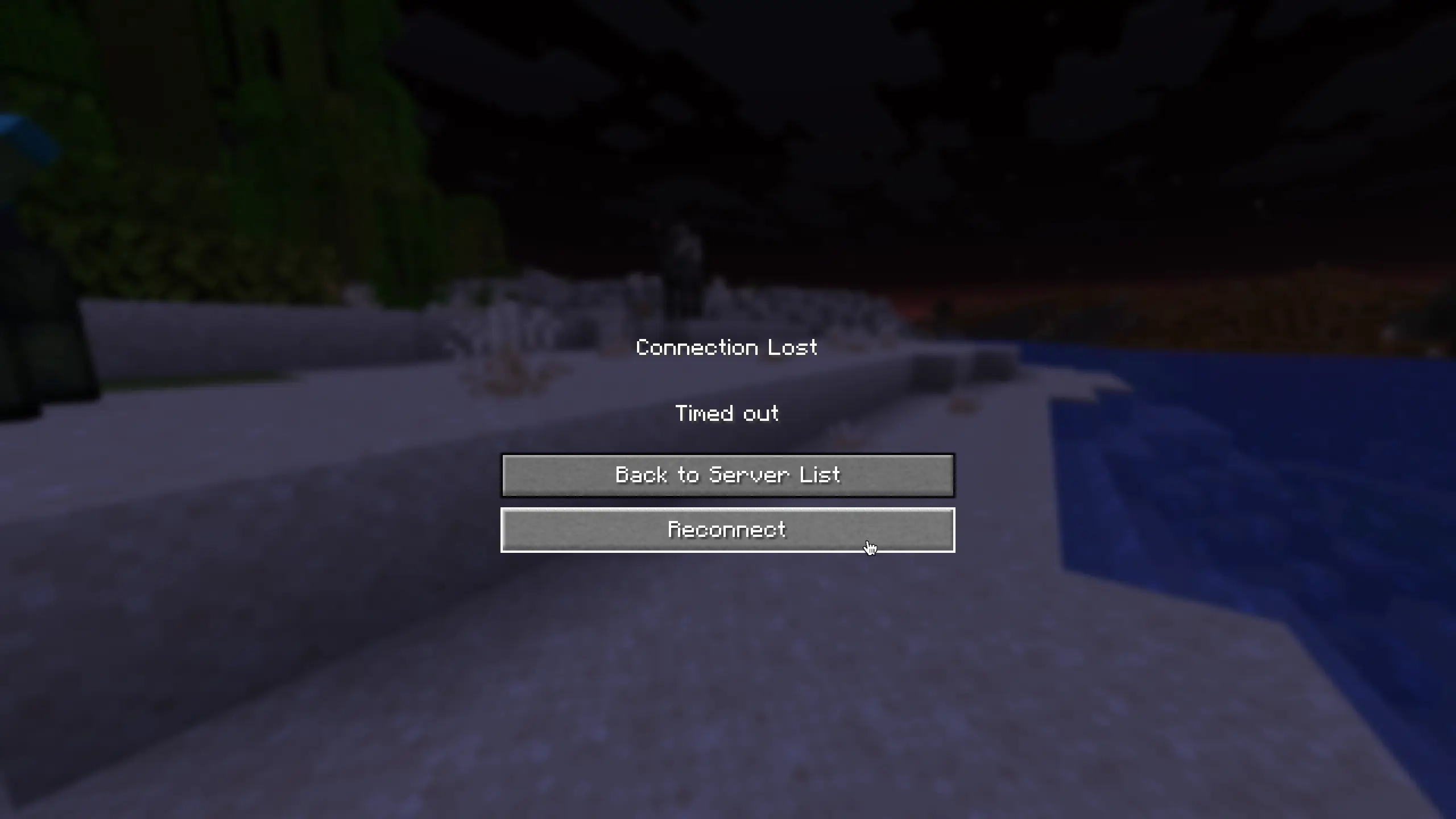
Adds a Reconnect button to the disconnect screen.
No more going back to the server list just to rejoin — simply click Reconnect!
Features
- Adds a Reconnect button below the "Back to server list" button on the disconnect screen
- Works on both the "Connection Lost" screen and the "Failed to connect to the server" screen
- Supports resource packs and custom translations
Supported Versions
| Version | Loader |
|---|---|
| 1.21.11 | Fabric |
| 1.8.9 | Forge |
Translations
Built-in languages:
- English (
en_us) - Japanese (
ja_jp)
Want to add your language? Contributions are welcome on GitHub!
日本語 (Japanese)
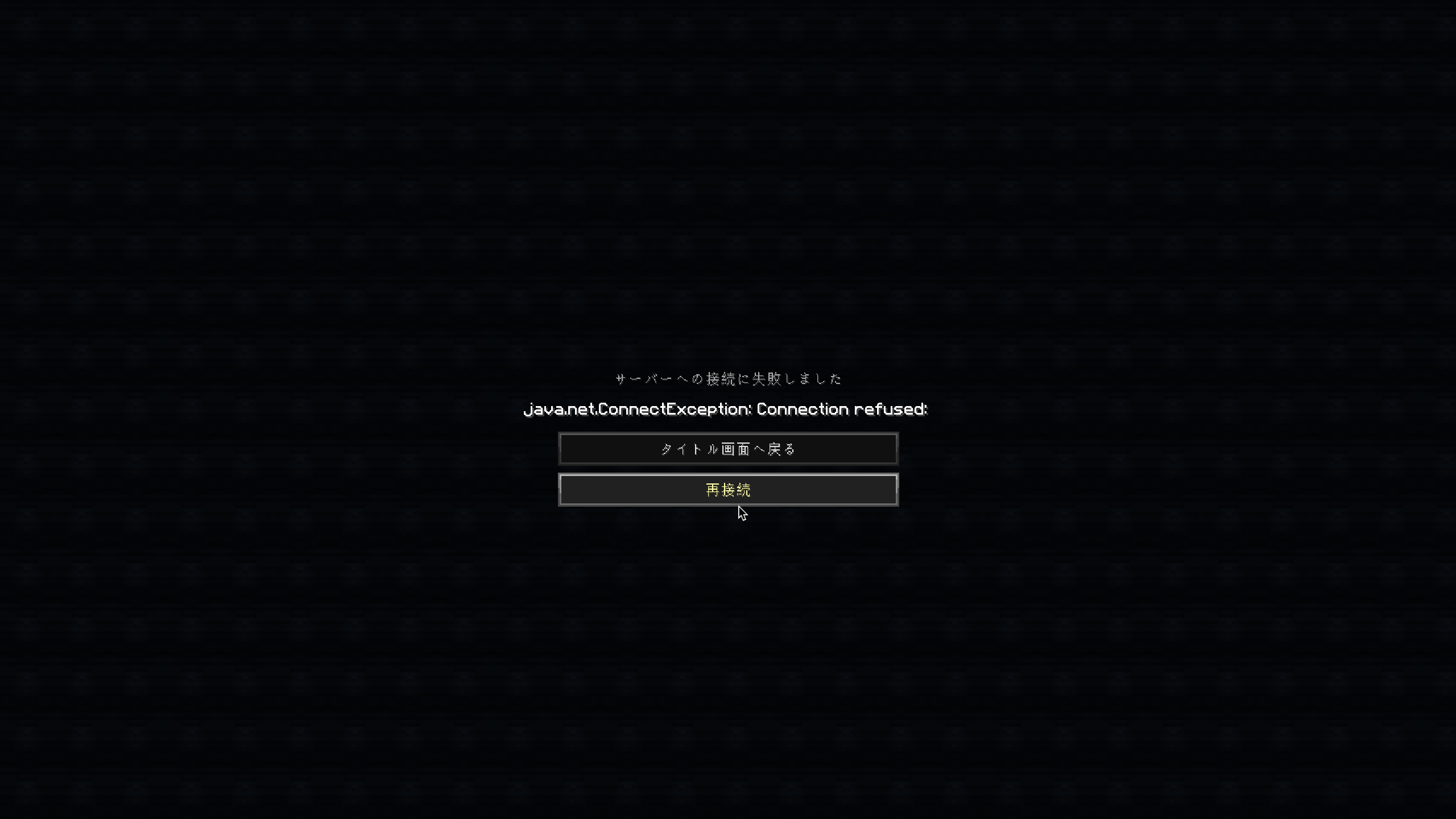
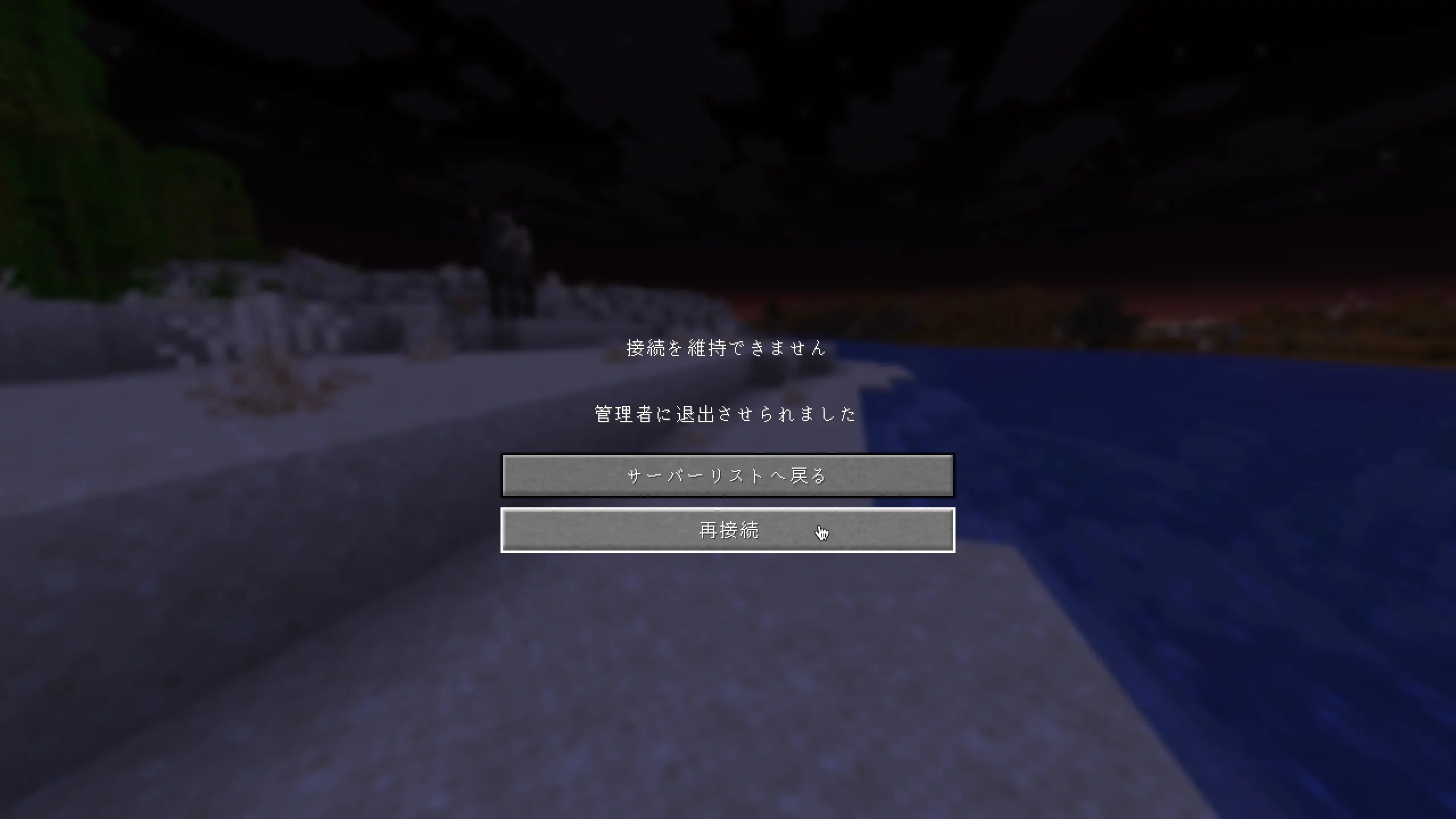
切断画面に「再接続」ボタンを追加します。
再接続するためだけにサーバーリスト画面に戻る必要はもうありません。「再接続」をクリックするだけでOKです!
機能
- 切断画面の「サーバーリストへ戻る」ボタンの下に「再接続」ボタンを追加しました。
- 「接続を維持できません」画面と「サーバーへの接続に失敗しました」画面の両方で機能します。
- リソースパックによるカスタム翻訳に対応しています。
サポートされているバージョン
| バージョン | ローダー |
|---|---|
| 1.21.11 | Fabric |
| 1.8.9 | Forge |
FAQ
How to install Reconnect Button Mod?
Install Fabric for your Minecraft version, download Reconnect Button Mod for the same version and loader, put the file into the mods folder and launch the game with the loader profile.
Which Minecraft versions does Reconnect Button Mod support?
Reconnect Button Mod has builds for Minecraft 1.8.9, 1.21.11.
Is Reconnect Button Mod needed on the server?
Client only — no need to install it on the server
License and source
MIT Licensefree to use and share with credit to the author
Similar mods
All utility mods →


Often needed together
 Fabric API↓ 287M