
RedstoneReboot
Advanced Multi-Platform Minecraft Server Restart Engine - Bukkit, Paper, Spigot, Folia, Fabric, Forge, NeoForge.
- Loaders
- FabricNeoForgeForgeQuilt
- Downloads on Modrinth
- 2.5K
- Followers on Modrinth
- 7
- versions
- 85
- Updated
- October 11, 2026Oct 11
- Published
- in 2026
At a glance
The author didn't say where the mod is needed

RedstoneReboot
Scheduled and health-based restarts for plugins and server-side mods
Features
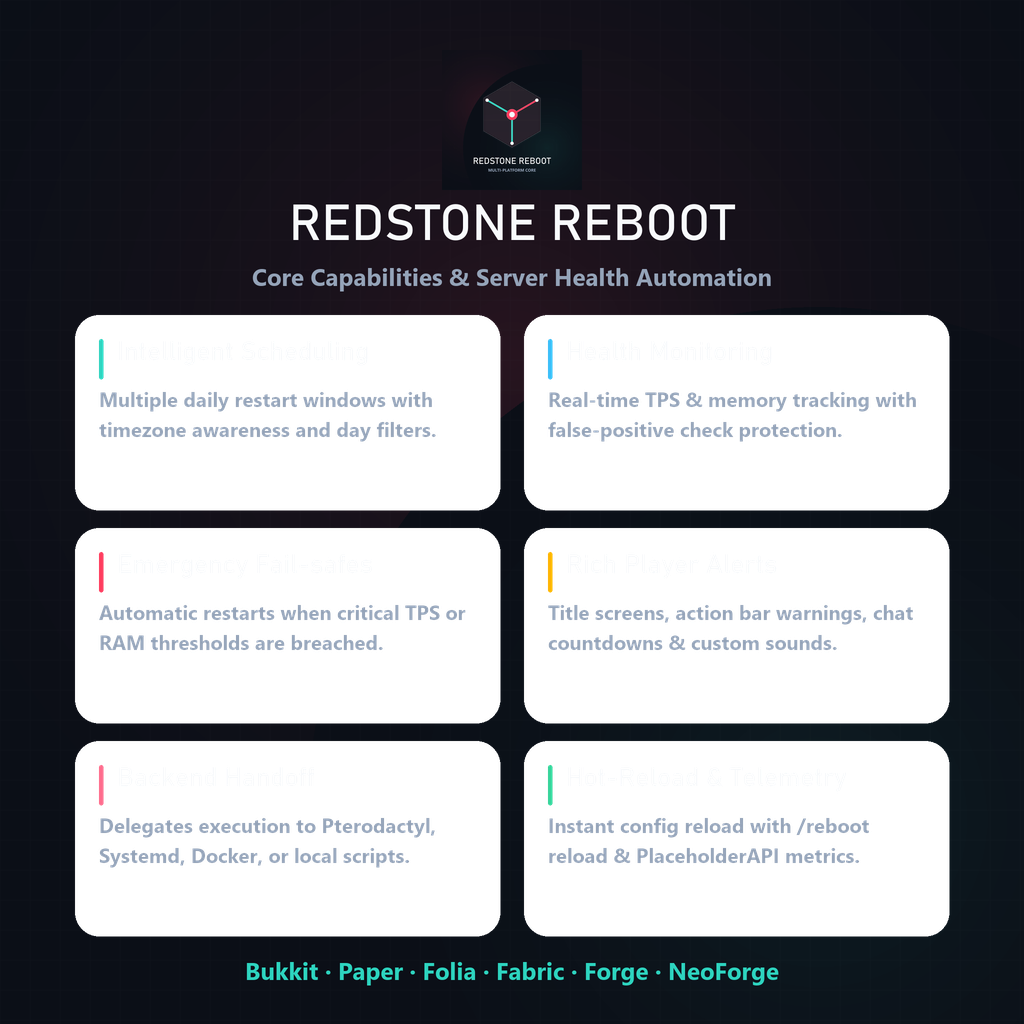
RedstoneReboot handles the part of server maintenance that is easy to forget until something goes wrong: planned restarts, warning countdowns, world saves, and a clean handoff to whatever starts the server process again. It can also watch TPS and memory and schedule an emergency restart after repeated unhealthy readings.
- Multiple daily restart times, timezones, and day-of-week filters
- TPS and memory checks with configurable thresholds and consecutive-check protection
- Emergency restart scheduling when the server stays unhealthy
- Countdown messages through chat, titles, the action bar, and sounds
- World-save delay before shutdown
- Restart handoff for host-managed servers, Pterodactyl, systemd, Docker, or a local script
- Configuration reloads through
/reboot reload - Eight PlaceholderAPI values on Bukkit-family and Folia servers
Backend System & Startup Loops
RedstoneReboot decides when a restart should happen, then passes the final action to the backend you choose:
- DEPEND_ON_HOST — Stops Minecraft cleanly and relies on your panel, container policy, service, or loop script to start it again
- LOCALSCRIPT — Uses a generated wrapper script for local process restarts
- SYSTEMD — Hands the restart to a Linux systemd service
- DOCKER — Works with a container restart policy
- PTERODACTYL — Sends a power action through the panel API
The default, DEPEND_ON_HOST, needs no API credentials. Use it when your host already restarts the process after a clean shutdown. Choose Pterodactyl or another explicit backend only when you want RedstoneReboot to make that handoff itself. /reboot doctor checks the selected backend before you rely on it.
File Selection
Choose the file that matches your server platform:
Platform Compatibility
- Bukkit / Spigot / Paper / Purpur: 1.9.x to 26.3+ (Java 17 minimum, or version required by server)
- Folia: 1.20.1+ to 26.3+ (dedicated region-threaded artifact)
- Fabric: 1.20.1+ to 26.3+ (requires Fabric API; Java 25 for 26.x)
- Forge: 1.20.4+ to 26.3+ (dedicated server-side mod build; Java 25 for 26.x)
- NeoForge: 1.21.1+ to 26.3+ (dedicated server-side mod build; Java 25 for 26.x)
| Platform | Distribution Type | File |
|---|---|---|
| Bukkit / Spigot / Paper / Purpur | Plugin | `RedstoneReboot-Bukkit-.jar` |
| Folia | Plugin | `RedstoneReboot-Folia-.jar` |
| Fabric | Mod | `RedstoneReboot-Fabric-.jar` |
| Forge | Mod | `RedstoneReboot-Forge-.jar` |
| NeoForge | Mod | `RedstoneReboot-NeoForge-.jar` |
Supported Versions
| Platform | Minecraft Versions | Notes |
|---|---|---|
| Bukkit-family servers | 1.9 through 26.3+ | Java 8+ (legacy), Java 17+ (modern), Java 25 (26.x+) |
| Folia | 1.20+ through 26.3+ | Dedicated region-threaded build |
| Fabric | 1.20.1 (Java 17) / 26.1 through 26.3+ (Java 25) | Requires Fabric API |
| Forge | 1.20.4 (Java 17) / 26.1 through 26.3+ (Java 25) | Dedicated server-side mod build |
| NeoForge | 1.21.1 (Java 21) / 26.1 through 26.3+ (Java 25) | Dedicated server-side mod build |
Installation
Plugin Install (Bukkit/Folia)
- Download the correct plugin file.
- Place it in
plugins/. - Start the server — config files are generated automatically.
- Configure
plugins/RedstoneReboot/config.ymlandrestart-backends.properties. - Run
/reboot reloadto apply.
Mod Install (Fabric/Forge/NeoForge)
- Download the correct mod file.
- Place it in
mods/(Fabric requires Fabric API). - Start the server.
- Configure
config/redstonereboot/redstonereboot.propertiesandconfig/redstonereboot/restart-backends.properties. - Run
/reboot reloadto apply.
Commands
| Command | Description |
|---|---|
/reboot | View status and help |
/reboot now [delay] | Trigger a restart countdown |
| `/reboot schedule ` | Schedule a future restart |
/reboot cancel | Cancel a pending restart |
/reboot status | Show restart schedule status |
/reboot info | Show health information |
/reboot doctor | Run backend & environment diagnostics |
/reboot reload | Hot-reload all configuration |
PlaceholderAPI (Bukkit Builds)
| Placeholder | Example Output |
|---|---|
%redstonereboot_next_restart% | 2026-04-15 06:00:00 Europe/London |
%redstonereboot_time_until% | 2h 30m |
%redstonereboot_status% | Normal operation |
%redstonereboot_reason% | Scheduled Restart |
%redstonereboot_tps% | 19.8 |
%redstonereboot_memory% | 62.4% |
%redstonereboot_version% | 1.6.3 |
%redstonereboot_timezone% | Europe/London |
MOTD compatible as of v1.3.3+.
Quick Links
Live Telemetry
Sponsored by Nexeu Hosting
Server hosting for this project is sponsored by Nexeu Hosting.
Made by DemonZ Development
FAQ
How to install RedstoneReboot?
Install Fabric for your Minecraft version, download RedstoneReboot for the same version and loader, put the file into the mods folder and launch the game with the loader profile.
Which Minecraft versions does RedstoneReboot support?
RedstoneReboot has builds for Minecraft 1.9–26.3.


