
Create: Schematic Void
A block that allows the Schematicannon to print air gaps without temporary blocks.
- Loaders
- NeoForge
- Downloads on Modrinth
- 411
- Followers on Modrinth
- 4
- version
- 1
- Updated
- June 5, 2026Jun 5
- Published
- in 2026
At a glance
Needed both in the game and on the server

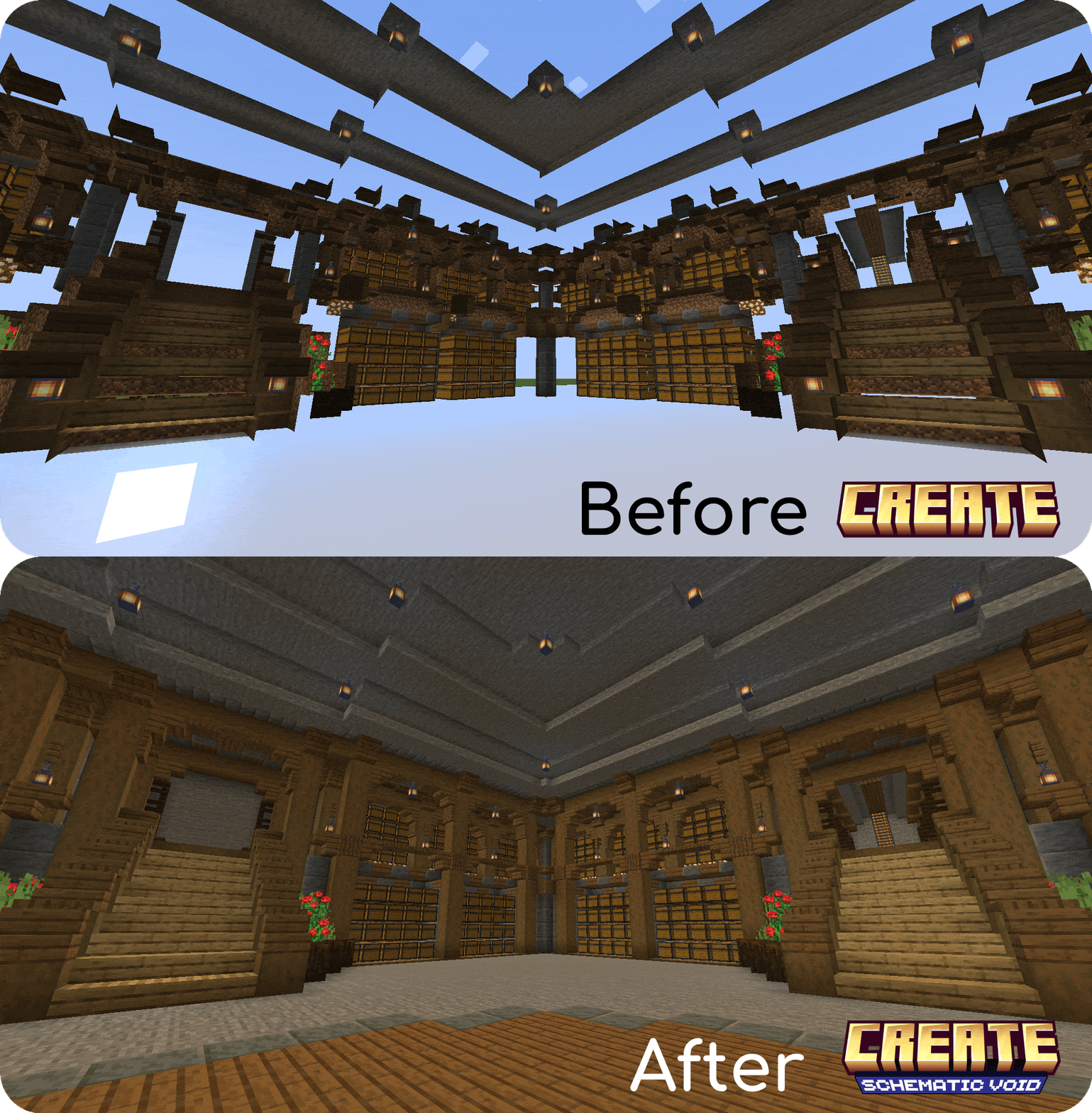
Have you ever tried to use the Schematicannon to print a schematic containing a lot of air blocks (such as an underground base or a custom cave), only to have to go back and dig out all of the temporary blocks you've placed?
Create: Schematic Void solves these issues by allowing you to craft a technical block that causes the Schematicannon to print Air exactly where you want it.
Features
Hollow Structures: It allows you to print hollow structures or underground spaces directly, without needing to use temporary blocks that you have to break later.
Multi-language Support: Create: Schematic Void has been translated into English (en_us) and Spanish (es_es).
Automatic Air Replacement: The Schematicannon will replace Schematic Voids with clean air automatically.
Smart Material Requirements: The Schematicannon won't ask you to put Schematic Voids inside its inventory to build the schematic.
Barrier-like Appearance: To keep your schematics clean, Schematic Voids are invisible and will only show their texture when you hold one in your hand.
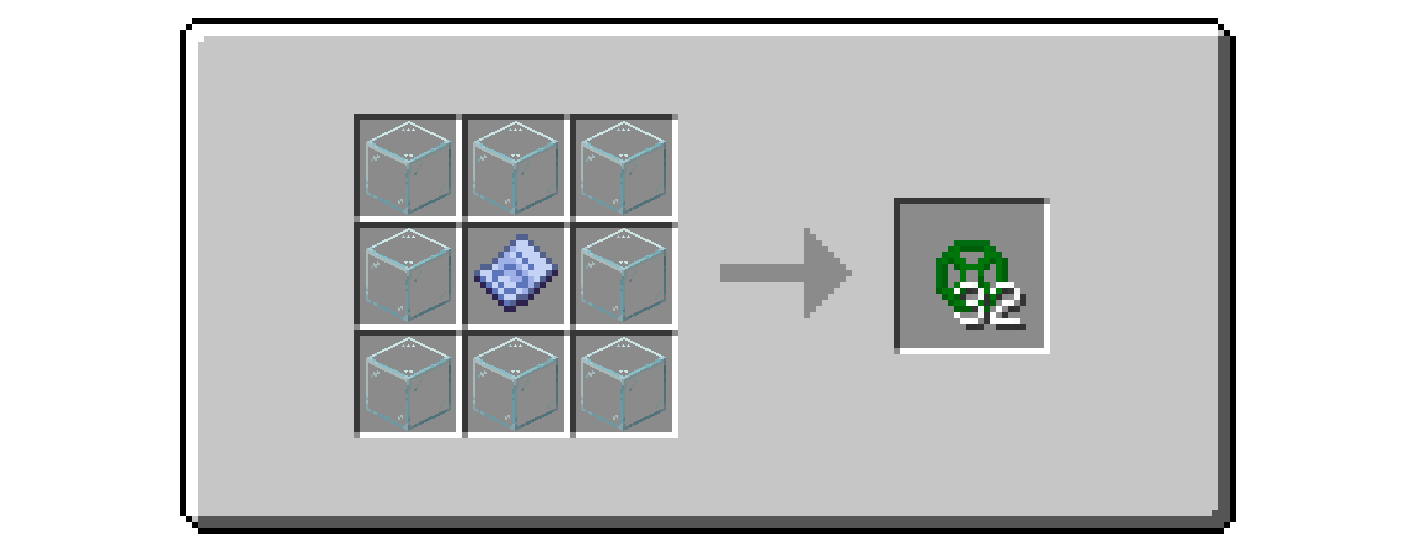
- Survival Friendly: The block is fully craftable in survival mode with this recipe:
How to Use
- Design your build and place the Schematic Void blocks in the areas you want to keep as Air.
- Save your Schematic.
Place the Schematicannon and ensure that you change the mode to "Replace Solid Blocks With Any":
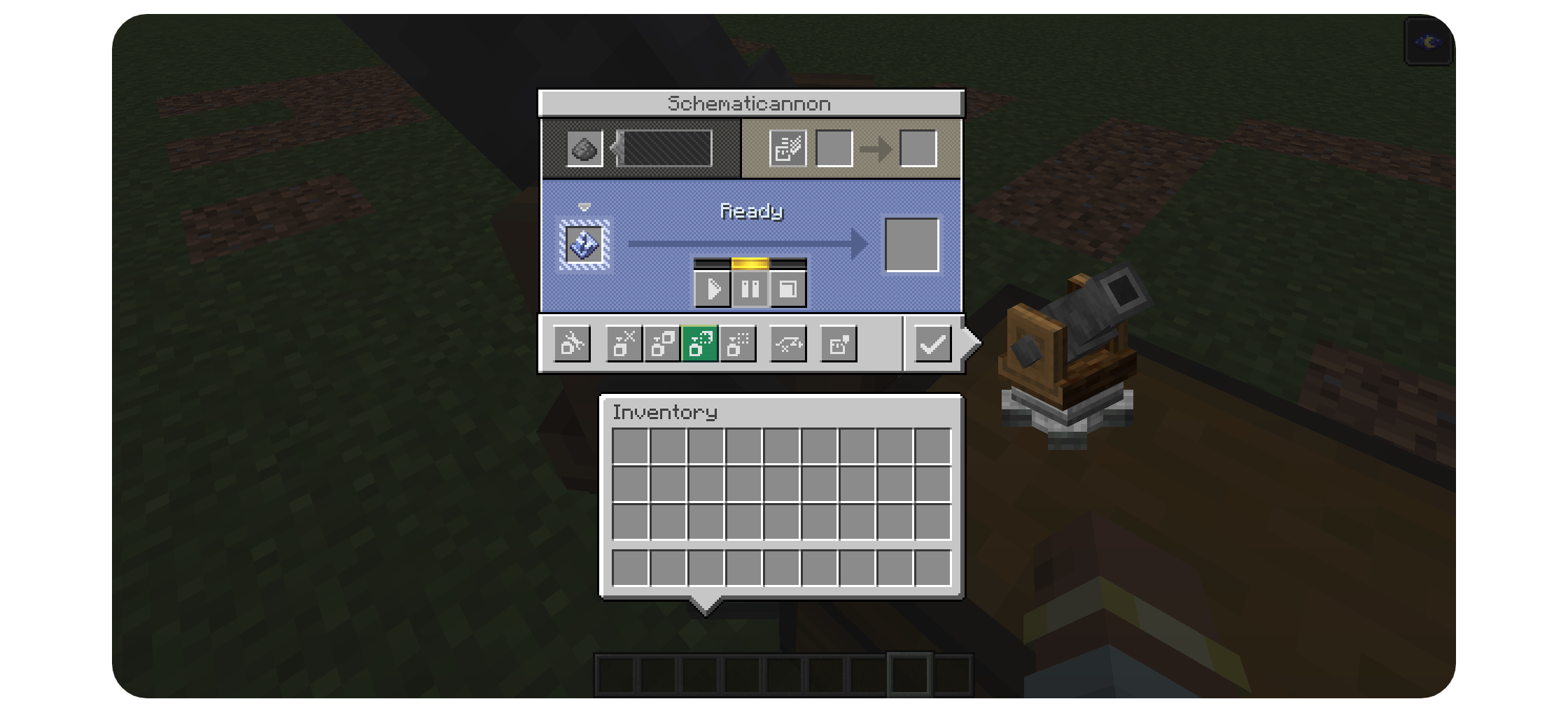
- Fire away! All of the Schematic Void blocks will be replaced with Air allowing you to create exact copies of your building.
FAQ
How to install Create: Schematic Void?
Install NeoForge for your Minecraft version, download Create: Schematic Void for the same version and loader, put the file into the mods folder and launch the game with the loader profile.
Which Minecraft versions does Create: Schematic Void support?
Create: Schematic Void has builds for Minecraft 1.21.1.
Is Create: Schematic Void needed on the server?
Needed in the game and on the server


