
ServerTabs (TMFS)
Organize your servers (& worlds) in tabs using tabs, thats it.
- Loaders
- Fabric
- Downloads on Modrinth
- 369
- Followers on Modrinth
- 3
- versions
- 6
- Updated
- July 8, 2026Jul 8
- Published
- in 2026
At a glance
Install in the game only; not needed on the server
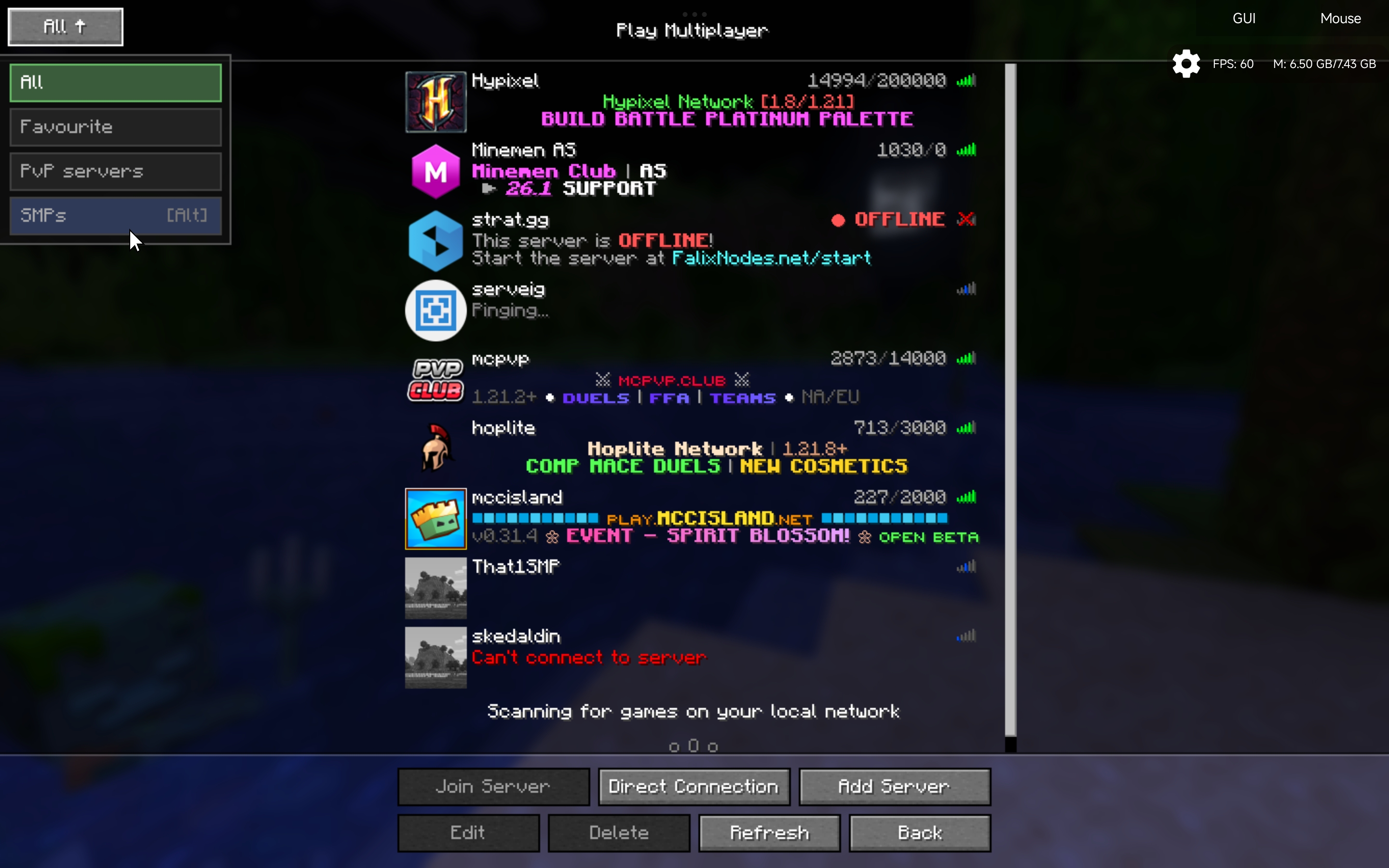
Servertabs
Too many flippin servers? Tired of scrolling to the bottom for finding a server? Organize your servers & worlds easily
Requires Fabric API
Multiplayer
Settings!

Custom Server Groups:
Create custom tabs to categorize your favorite SMPs, Minigame hubs, and Creative servers.
Quick Organization:
Hold ALT + Click on a tab to instantly move servers from the "All" list to your specific category.
Fast Navigation:
Cycle through your tabs instantly using ALT + W/S directly from the multiplayer menu, no clicking required.
Minecraftish UI:
Designed to feel like a native part of the Minecraft interface
WorldTabs
Made like a billion test worlds and now you cant find that one survival world? Well this will help with that too!
Why did i make this?
- Just wanted to created a mod to organize my servers in my style.
- And add anything i want so thats a win.
Tell me an bugs you face during your use of the mod in the github
FAQ
How to install ServerTabs (TMFS)?
Install Fabric for your Minecraft version, download ServerTabs (TMFS) for the same version and loader, put the file into the mods folder and launch the game with the loader profile.
Which Minecraft versions does ServerTabs (TMFS) support?
ServerTabs (TMFS) has builds for Minecraft 1.21.11–26.2.
Is ServerTabs (TMFS) needed on the server?
Client only — no need to install it on the server
Similar mods
All management mods →


More mods by this author
 KotlinMCUI-Backend (Port)↓ 116
Often needed together
 Fabric API↓ 289M