
Shulker Box Tooltip
View the contents of shulker boxes from your inventory
- Loaders
- FabricNeoForgeForge
- Downloads on Modrinth
- 42.2M
- Followers on Modrinth
- 10.8K
- versions
- 236
- Updated
- October 25, 2026Oct 25
- Published
- in 2022
At a glance
Needed in the game; optional on the server
This mod allows you to see a preview window of a shulker box contents when hovering above it in an inventory by pressing shift.
Supports both Fabric and Forge
On Fabric:
Fabric Loader and Fabric API are required
Mod Menu is recommended (but not required) for in-game configuration
Features:
Compact Preview
Press shift (by default) while hovering an item.
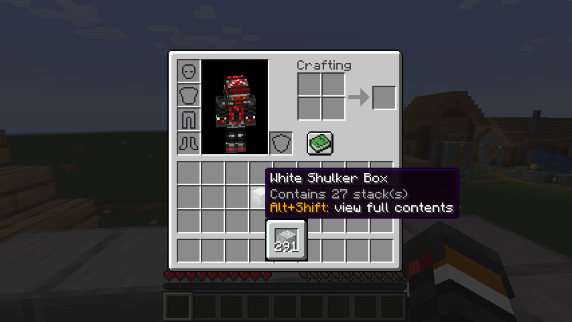
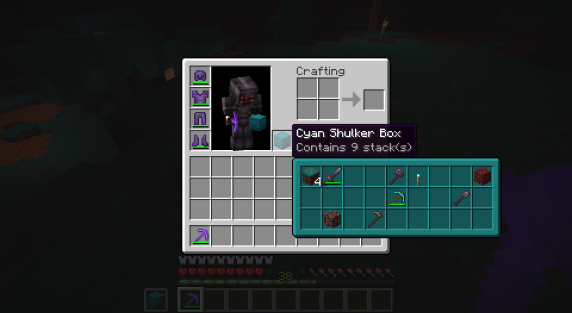
Full Preview
Press alt+shift (by default) while hovering an item to shows its full contents where each contained stack is displayed in the correct slot.
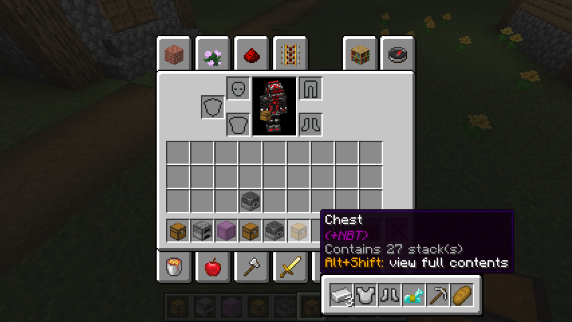
Other Containers
The preview also works with items obtained in creative mode using control + pick block such as chests, furnaces, barrels, etc...
Works with most modded containers as well.
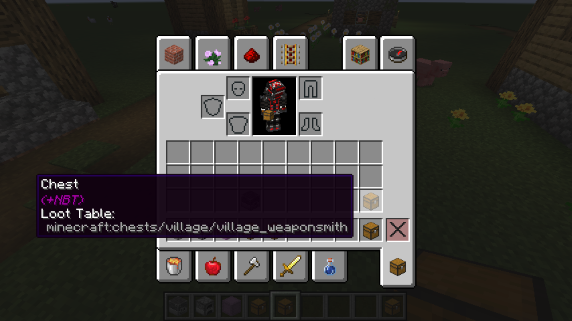
Loot Tables
The name of the loot table is displayed in the tooltip if the hovered item as one.
This option is disabled by default.
Configurability
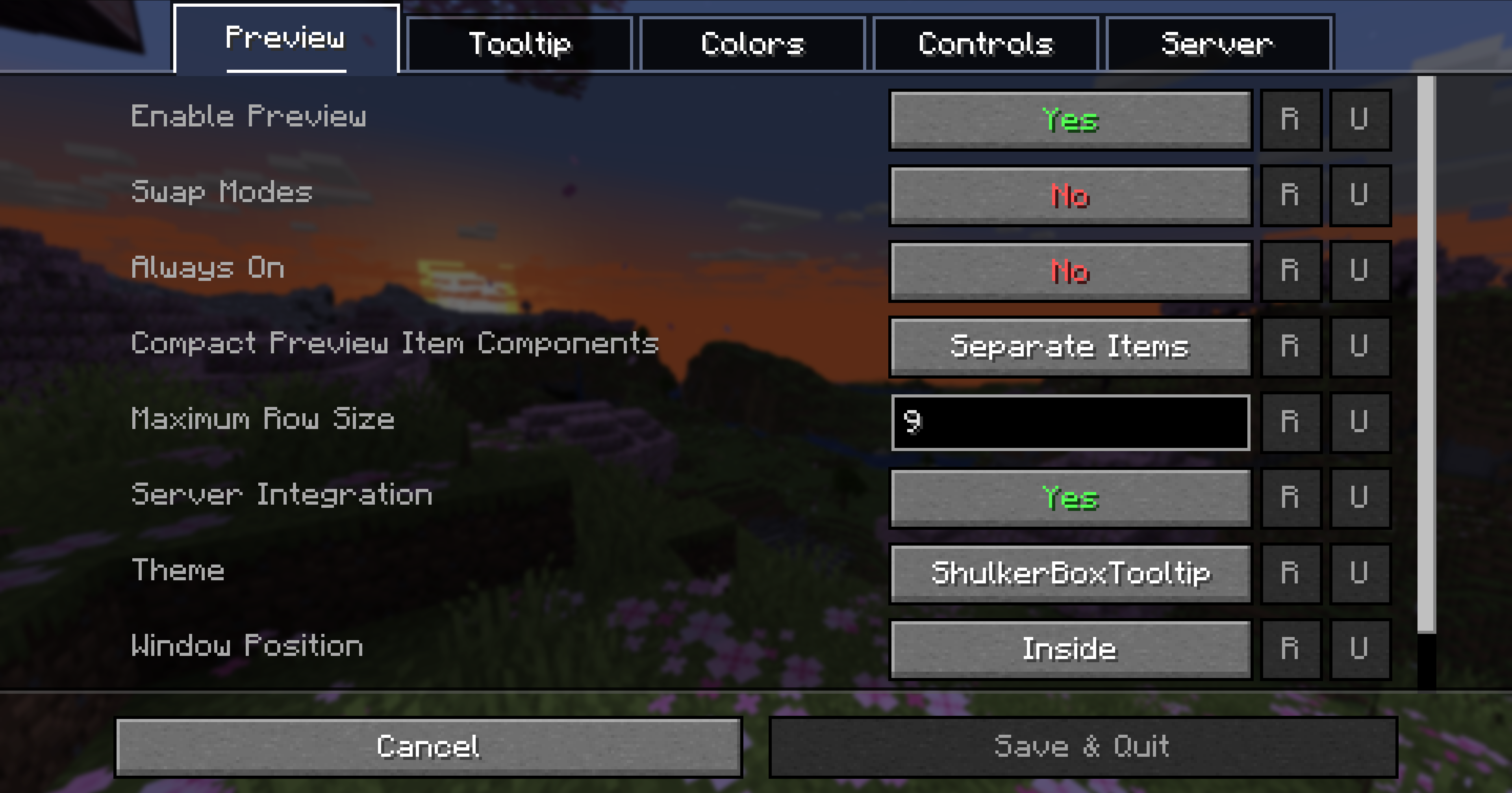
Most aspects of the mod can be configured through the config menu. To access it, in the mod menu select ShulkerBoxTooltip and then click on the gear icon.
See the in game documentation or the wiki for info about each option. The config file can be found at `/config/shulkerboxtooltip.json5`
Colors!
The color of the preview window changes depending on the color of the shulker box, you can disable it in config.
Server support
The mod can also be installed server-side (optional) to provide extra features such as ender chest preview.
FAQ
How to install Shulker Box Tooltip?
Install Fabric for your Minecraft version, download Shulker Box Tooltip for the same version and loader, put the file into the mods folder and launch the game with the loader profile.
Which Minecraft versions does Shulker Box Tooltip support?
Shulker Box Tooltip has builds for Minecraft 1.18.2–1.20.2, 1.20.4, 1.20.6–1.21.1, 1.21.3–26.3 ….
Is Shulker Box Tooltip needed on the server?
Needed in the game; optional on the server


