
- Loaders
- Fabric
- Downloads on Modrinth
- 298
- Followers on Modrinth
- 2
- version
- 1
- Updated
- March 28, 2026Mar 28
- Published
- in 2026
At a glance
Install in the game only; not needed on the server
Simple Fullbright

Simple Fullbright is a lightweight, client-side Minecraft mod that enhances visibility in dark environments by extending the in-game gamma limits.
It allows you to experience full brightness in caves, nighttime, and other low-light areas without requiring shaders or external tools.
Requirements


Features
- Full brightness in caves and nighttime
- Adjustable gamma controls
- Optional night vision toggle
- Smooth transition support
- Lightweight and performance-friendly
Toggle Night Vision
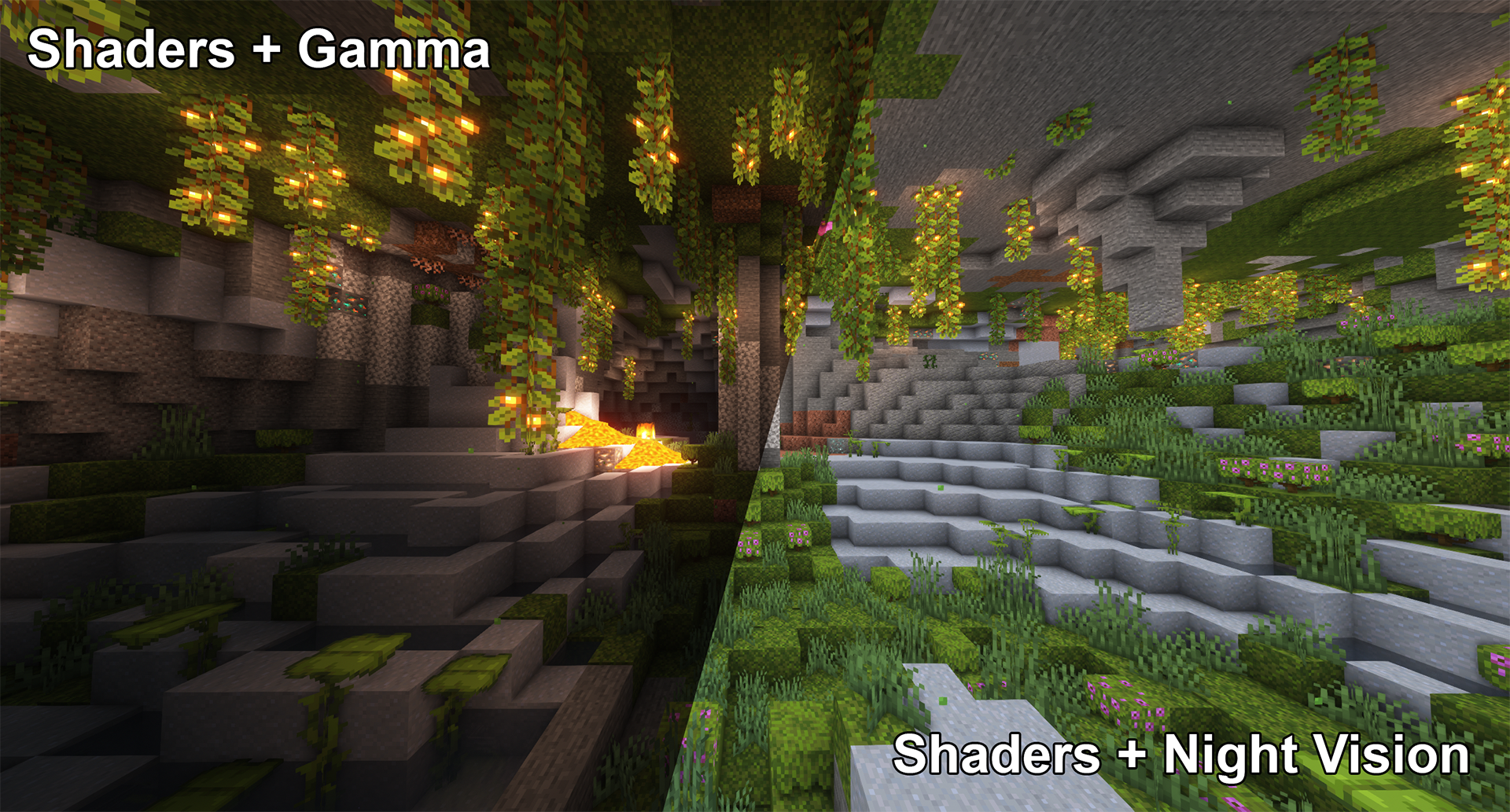
High gamma won't work in combination with shaders,
however, night vision will work with at least some shaders:
Smooth Transition
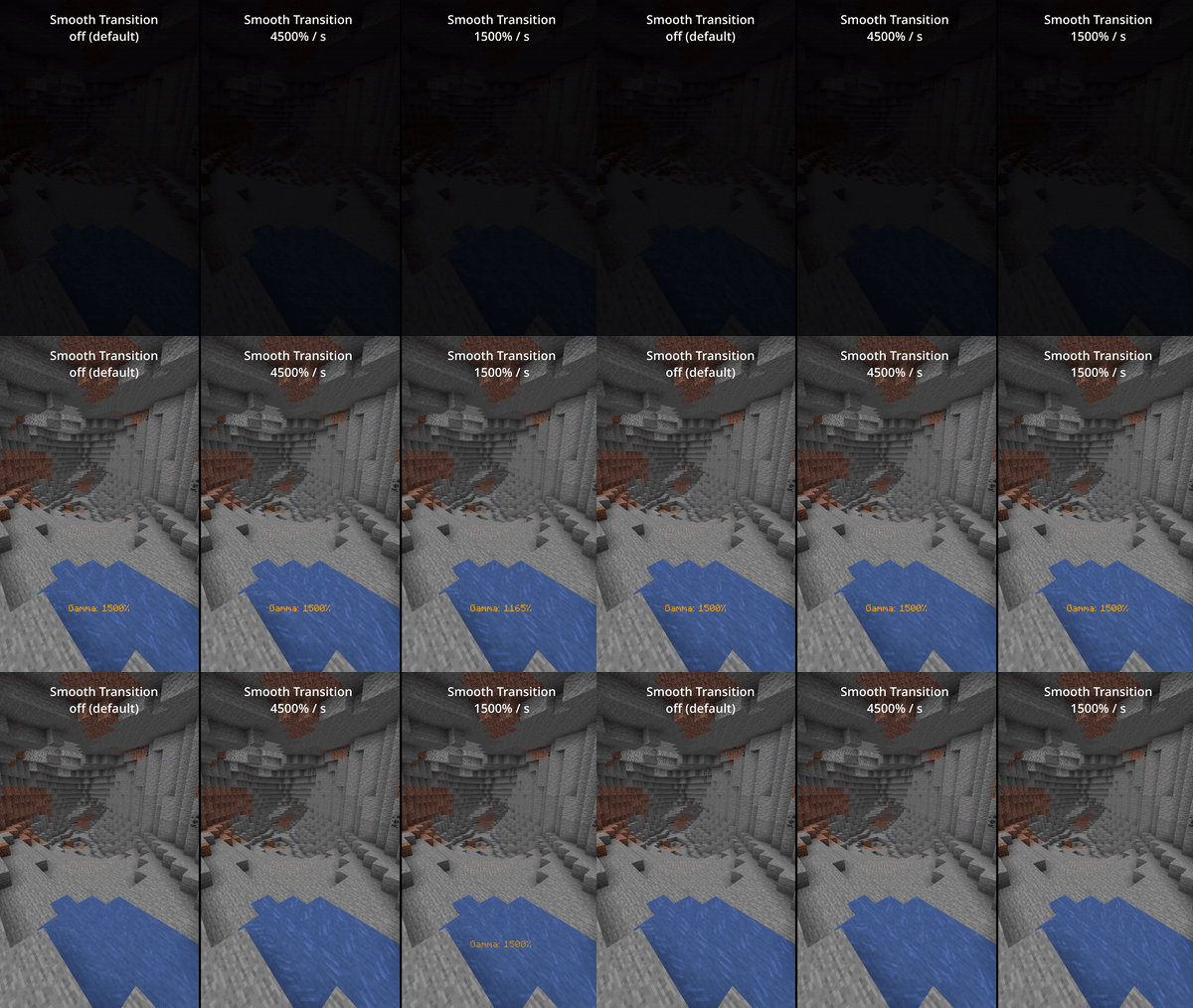
Enable smooth transition (off by default) for a less intense transition when toggling gamma:
Status Effects
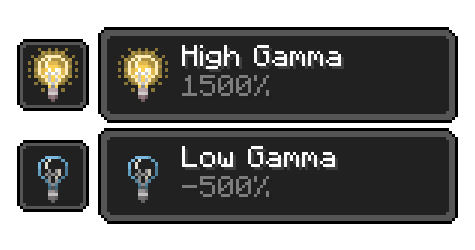
Enable fully client side status effects (off by default)
To keep you reminded that you've enabled gamma outside normal values:
All Functions
All functions and commands
Toggle Gamma
Usage: Keybind (default: G) or /gamma toggle Toggle between the default gamma percentage and the configured toggled percentage.
Increase Gamma
*Usage: Keybind (default: Arrow Up) or `/gamma increase `* Increase the gamma percentage by the configured step percentage or the given value.
Decrease Gamma
*Usage: Keybind (default: Arrow Down) or `/gamma decrease `* Decrease the gamma percentage by the configured step percentage or the given value.
Set Gamma
*Usage: `/gamma set `* Set the gamma to a specific percentage.
Min Gamma
Usage: Keybind or /gamma min Sets the gamma to the configured minimum limit.
Max Gamma
Usage: Keybind or /gamma max Sets the gamma to the configured maximum limit.
Toggle Night Vision
Usage: Keybind (default: H) or /gamma nightvision Toggle night vision on or off.
Configuration (File / Mod Menu)
All configuration options
Default Gamma Percentage
Default: 100% Gamma percentage for when the mod is toggled off.
Toggled Gamma Percentage
Default: 1500% Gamma percentage for when the mod is toggled on.
Update Toggle Value
Default: false Remembers the last non-default gamma value used.
Smooth Transition
Default: false Makes the transition when toggling gamma smoother.
Transition Speed
Default: 4500 Speed in gamma percentage per second.
Show Status Effect
Default: false Displays a status effect when gamma is outside normal range.
Limit Check
Default: true Enforces minimum and maximum gamma limits.
Minimum Gamma Limit
Default: -750% Minimum allowed gamma value.
Maximum Gamma Limit
Default: 1500% Maximum allowed gamma value.
Gamma Percentage Step
Default: 10% Change amount per increase/decrease.
Show Gamma Message
Default: true Displays a message when gamma changes.
Reset on Close
Default: false Resets gamma when Minecraft closes.
Notes
- Client-side only
- Requires Fabric Loader
- Cloth Config API required for configuration
- Mod Menu recommended for in-game settings
FAQ
How to install Simple Fullbright?
Install Fabric for your Minecraft version, download Simple Fullbright for the same version and loader, put the file into the mods folder and launch the game with the loader profile.
Which Minecraft versions does Simple Fullbright support?
Simple Fullbright has builds for Minecraft 26.1.
Is Simple Fullbright needed on the server?
Client only — no need to install it on the server
Similar mods
All utility mods →


Often needed together
 Fabric API↓ 290M
 Cloth Config API↓ 186M