
- Loaders
- Fabric
- Downloads on Modrinth
- 742K
- Followers on Modrinth
- 207
- versions
- 13
- Updated
- September 16, 2026Sep 16
- Published
- in 2024
At a glance
Install in the game only; not needed on the server
Fabric API is required.
Mod Menu and Cloth Config API are optional.
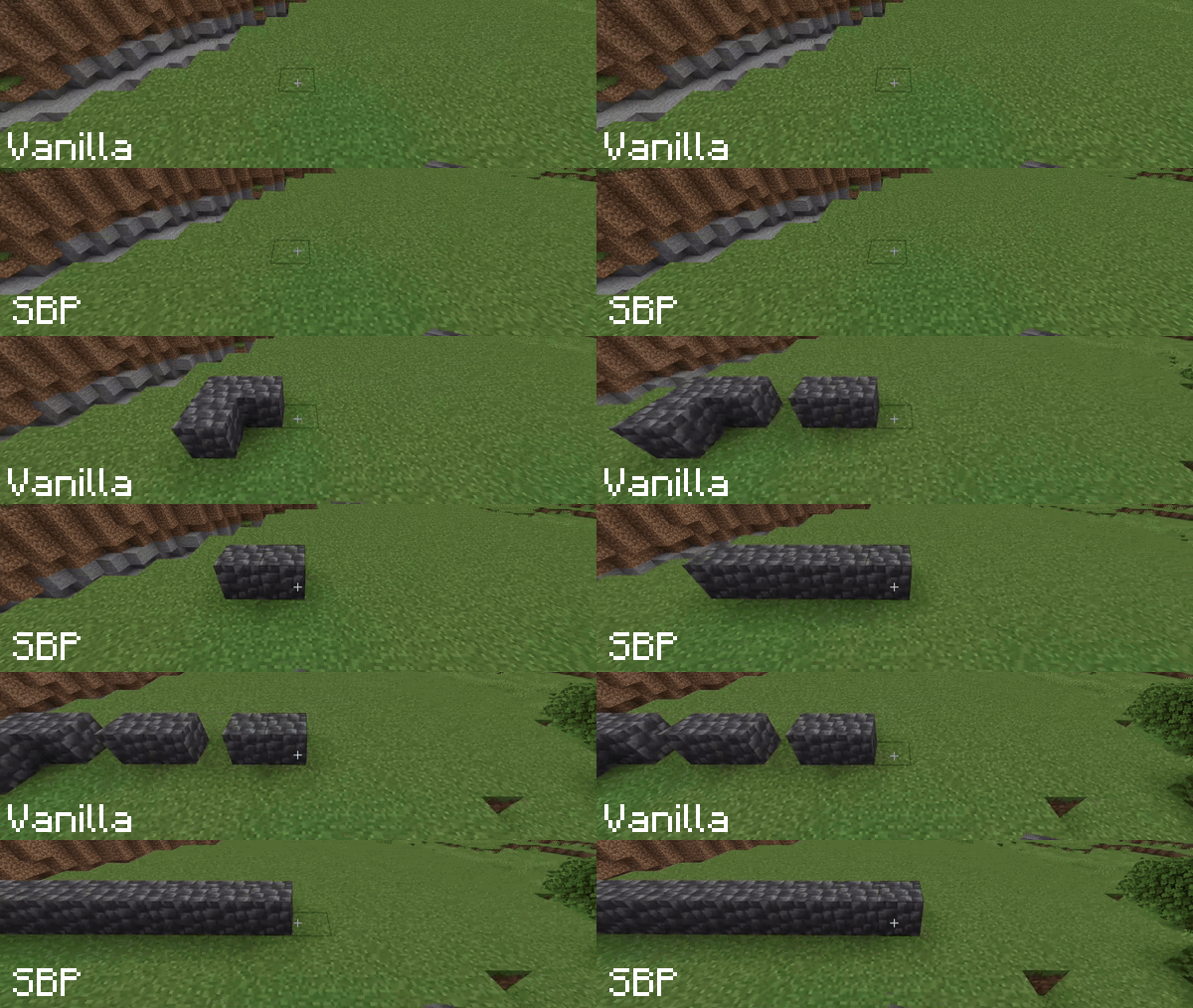
In vanilla Minecraft, holding the right mouse button to place blocks results in a slow placement speed due to animation delays. Smart Block Placement solves this problem.
With this mod, you can not only place blocks rapidly but also streamline your interactions by removing unnecessary delays.
Key Features:
- Fast Building – Place blocks as fast as you can click, bypassing the vanilla placement delay. Perfect for rapid construction and editing.
- Creative Mode Only – Toggle this option if you want to use the mod exclusively in Creative mode, ensuring fair play on Survival servers.
- Customizable Usage Delay – Control the vanilla delay for interacting with blocks and using items (levers, doors, food, etc.).
[WARNING] On multiplayer servers, some Anti-Cheat plugins may flag rapid block placement or reduced usage delays as suspicious. Use with caution and respect server rules.
P.S. If the mod doesn't seem to be working, please check your Controls settings to ensure the "Enable Smart Placement" key is bound.
FAQ
How to install Smart Block Placement?
Install Fabric for your Minecraft version, download Smart Block Placement for the same version and loader, put the file into the mods folder and launch the game with the loader profile.
Which Minecraft versions does Smart Block Placement support?
Smart Block Placement has builds for Minecraft 1.20.6–26.3.
Is Smart Block Placement needed on the server?
Client only — no need to install it on the server
Similar mods
All utility mods →


More mods by this author
 Smooth Mount↓ 4.8K
 Physics Swapping↓ 8K
Often needed together
 Fabric API↓ 291M