
SnakePlayer
MOD that allows the player to become a snake
- Loaders
- FabricNeoForgeForge
- Downloads on Modrinth
- 1.8K
- Followers on Modrinth
- 8
- versions
- 25
- Updated
- October 31, 2026Oct 31
- Published
- in 2026
At a glance
Needed both in the game and on the server
Snake Player
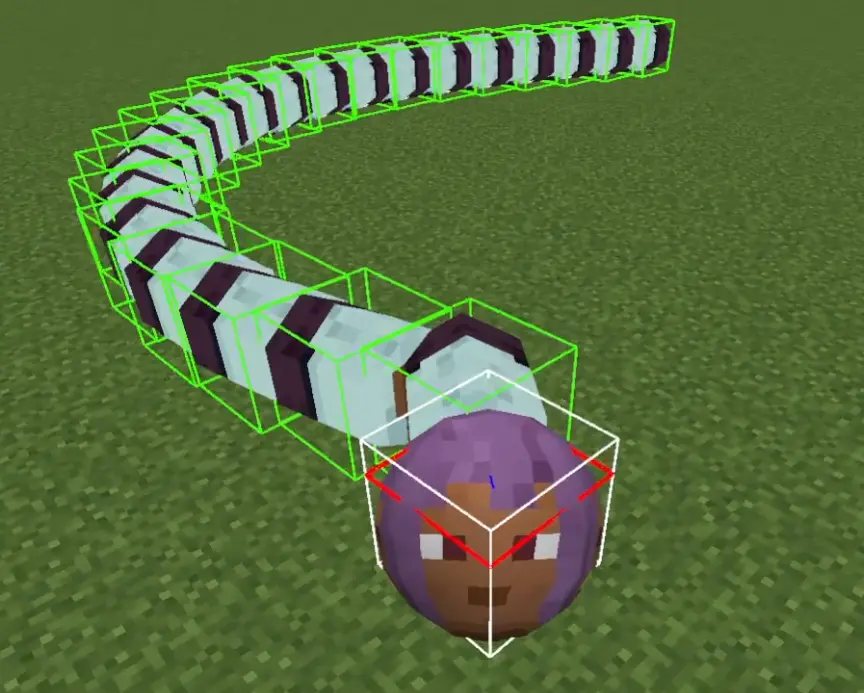
MOD that allows the player to become a snake.
The length of the player snake changes according to XpLevel.
The number of segments is XpLevel+1.
0. player NBT
| NBT Key | Type | Purpose |
|---|---|---|
IsSnake | Boolean | Indicates whether the player is in "snake mode." |
SnakeHeadSize | Float | Stores the size of the player's head in snake mode. |
SnakeBodySegmentSize | Float | Represents the size of the player's body segments in snake mode. |
SnakeDamage | Float | Damage an entity suffers when it comes into contact with a player segment |
SnakeSpeed | Float | Determines the automatic movement speed of the player in snake mode. |
1. Command
1.0. vanilla
You can use vanilla commands to modify the experience.
/experience set @s 100 levels
1.1. `/snake <dataparameter_key> `
targets: Specifies the player(s) to apply the command to.
DataParameter_key: Specifies which attribute to modify. The following keys are available:
isSnake: A boolean (true or false) that determines whether the targeted player(s) should be in "snake mode."
headSize: The size of the snake's head (float, range: 0.1 - 10.0).
bodySegmentSize: The size of each body segment (float, range: 0.1 - 10.0).
damage: The damage dealt by the snake's body segments (float, range: >= 0).
- speed: The movement speed of the snake (float, range: 0.0 - 0.75).
Effect: Adjusts the corresponding attribute for the targeted players.
Each attribute has specific valid ranges, and attempting to set a value outside these ranges will result in an error.
1.2.`/snake config [parameters]`
Configuration to allow players to respawn avoiding other player positions already present.
Find the respawn position by partitioning the rectangular region with one side L centered at cx and cz into a grid with size r.
set: Allows modifying configuration settings related to the snake system.
- spread <true|false>
Enables or disables the spread functionality.
true: Enables spreading.
false: Disables spreading (default spawning).
- spread_pos
Sets the spread position's center coordinates.
cx: X-coordinate (double)
cz: Z-coordinate (double)
- spread_Range Sets the maximum range within which the snake spreads.
L: (double, range: 0.1 - 10000.0)
- spread_minimum_distance Sets the minimum distance between spread entities.
r: (double, range: 0.1 - 100.0)
- segment_experience Sets the segment's experience orb.
segment_experience: (int : 0 -)
- get : Retrieves the current value of a configuration setting.
FAQ
How to install SnakePlayer?
Install Fabric for your Minecraft version, download SnakePlayer for the same version and loader, put the file into the mods folder and launch the game with the loader profile.
Which Minecraft versions does SnakePlayer support?
SnakePlayer has builds for Minecraft 1.21.1, 1.21.4, 1.21.11, 26.1.2–26.3 ….
Is SnakePlayer needed on the server?
Needed in the game and on the server


