
- Loaders
- FabricNeoForgeForge
- Downloads on Modrinth
- 9.7M
- Followers on Modrinth
- 776
- versions
- 67
- Updated
- September 24, 2026Sep 24
- Published
- in 2022
At a glance
Needed both in the game and on the server









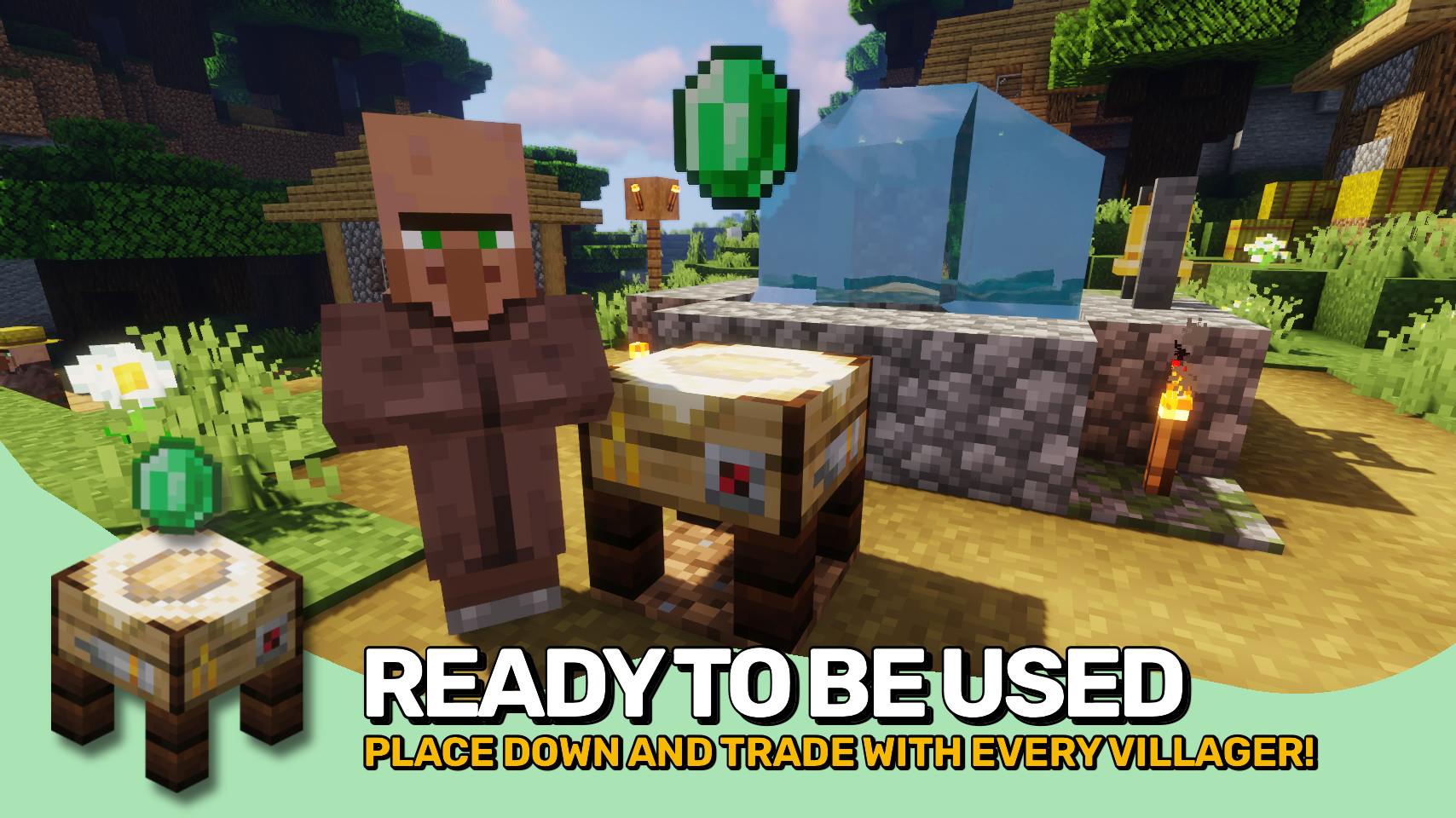
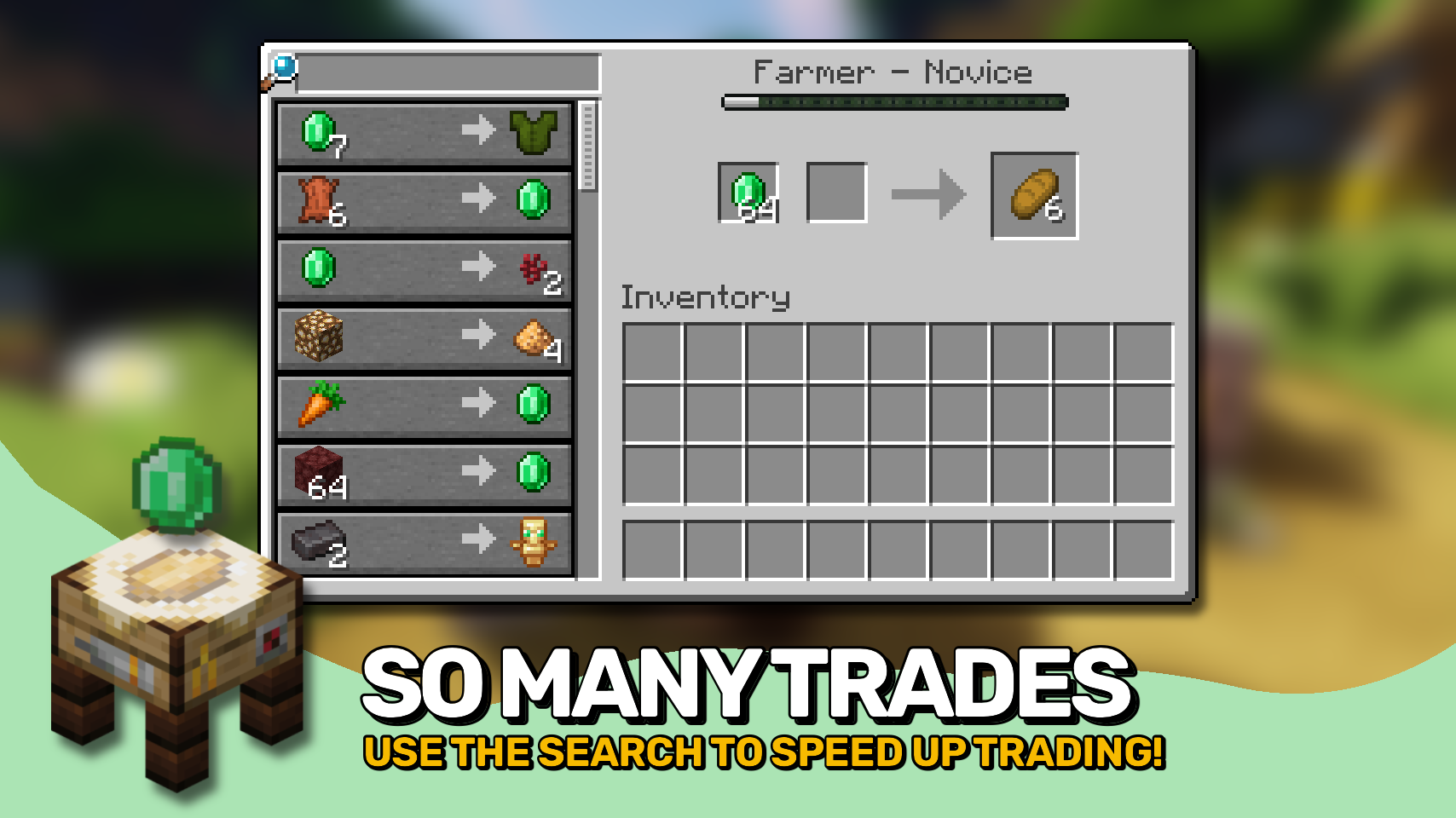
Trading Post adds a single new block that changes how trading works in your world. 🧾 Instead of searching for individual villagers, you can access all nearby trades in one clean interface within an area.
The block also features a unique model and a smooth animation when you approach it, making it feel right at home in any village. ✨


⏩ INSTALLATION REQUIRED ON CLIENT & REQUIRED ON SERVER
⏩ REQUIRES PUZZLES LIB TO BE INSTALLED (FABRIC & NEOFORGE)
⏩ REQUIRES FABRIC API TO BE INSTALLED (FABRIC)
⏩ REQUIRES FORGE CONFIG API PORT TO BE INSTALLED (FABRIC)

If available for a mod, configuration is possible directly from in-game using the mod menu (requires Mod Menu by Prospector to be installed on Fabric).
For manual configuration using an external text editor all files are found at .minecraft/config, named as MOD_ID-client.toml, MOD_ID-common.toml, or MOD_ID-server.toml, depending on the type of config. Not all types might exist for a mod, if any at all.

🌟 Thanks to RWTema for inspiring this mod from the trading post block found in old versions of their Extra Utilities mod.
🌟 Thanks to Vazkii for the floating emerald rendering code taken from the matrix enchanting table renderer in their Quark mod.
 |  | |
 |  | |
 |  | |
 |  | |
 |  |

© 2026 @heyitsfuzs. All rights reserved. This page was last edited on 11 September 2026, at 06:44 (UTC).
FAQ
How to install Trading Post?
Install Fabric for your Minecraft version, download Trading Post for the same version and loader, put the file into the mods folder and launch the game with the loader profile.
Which Minecraft versions does Trading Post support?
Trading Post has builds for Minecraft 1.19–1.20.1, 1.20.4, 1.21–1.21.1, 1.21.3–26.3.
Is Trading Post needed on the server?
Needed in the game and on the server
Similar mods
All utility mods →


More mods by this author
 Forge Config API Port↓ 72M
 Puzzles Lib↓ 67.2M
 Pick Up Notifier↓ 16.8M
Often needed together
 Fabric API↓ 290MForge Config API Port↓ 72MPuzzles Lib↓ 67.2M