
Transdimensional
Decouple your characters from your worlds.
- Loaders
- Fabric
- Downloads on Modrinth
- 54
- Followers on Modrinth
- 5
- version
- 1
- Updated
- July 22, 2026Jul 22
- Published
- in 2026
At a glance
Works both in the game and on the server — install where you need it
Trandsimensional is a Minecraft mod that decouples character data from the worlds they inhabit. Ever found two cool seeds before? Now you can build a base on both of them! Perhaps you wanted to use a different skin for a short while, but didn't want to update your account skin so that it wouldn't appear in online databases like NameMC. You can do that too! You can even use higher resolution skins, like 128x128 or 256x256, if you so desire.
NOTE: This mod changes how player data is stored. It is recommended to put your items in a chest somewhere or create a backup of your world if installing onto a pre-existing world, or else you may lose data. If you know how, you may move your player .dat file into a character's directory (`transdimensional/characters//) in order to manually transfer over your data (note that it must be renamed to playerdata.dat`).
Does it support multiplayer?
Yes! This mod supports multiplayer servers.
Does it support other mods?
Any mod that saves its data to the player's NBT file is supported.
The character select screen: 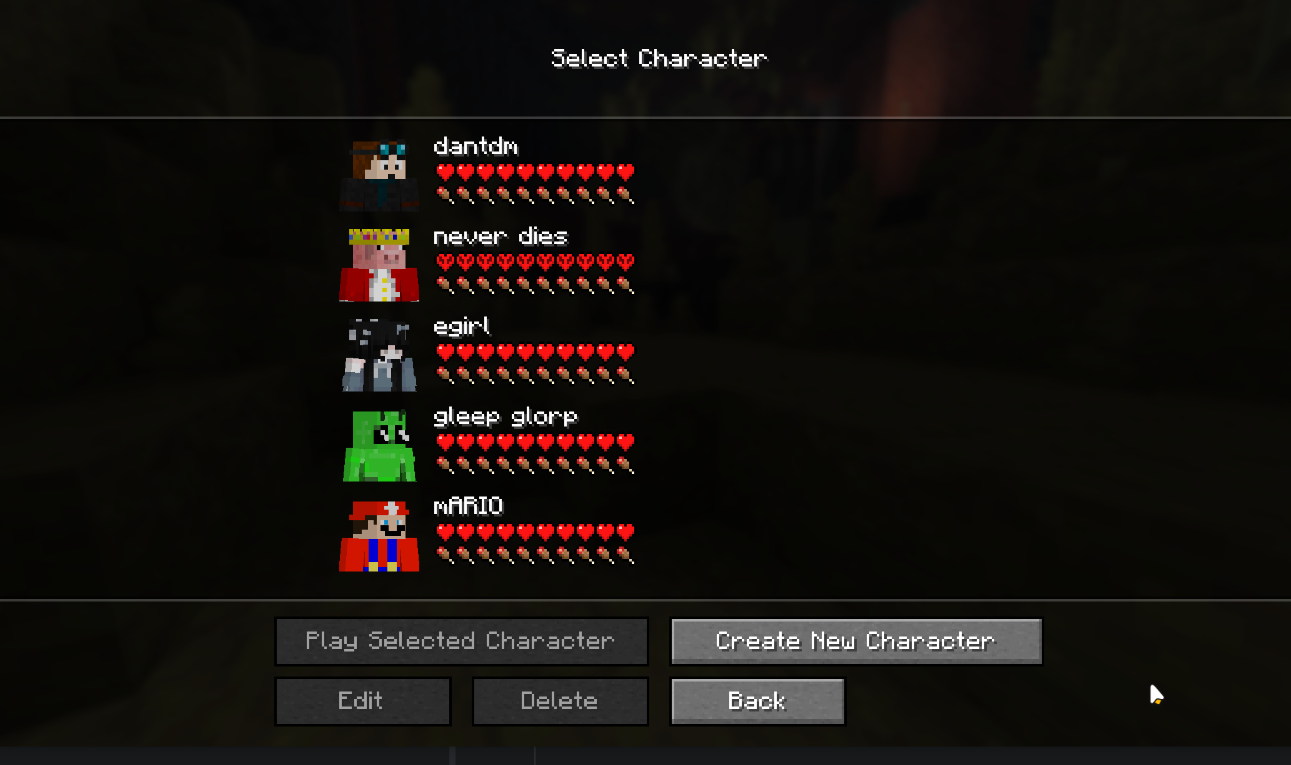
Config Options
allowWorldHardcoreMode re-enables the abillity to make Hardcore worlds. If you want the vanilla Hardcore experience, enable this config option and make both a Hardcore character and world. preventCreativeMismatch forbids you from joining Survival worlds with a Creative character, and vice versa. spawnMethod has three possible values:
SAVE_POSITION, which saves your position per world and restores you to that position when rejoining it.GLOBAL_POSITION, which places you at your last known coordinates when joining a world (regardless of if those coordinates were from another world or not).AT_RESPAWN, which puts you at your respawn point when joining a world.
The server config, transdimensional-server.json, has just a single field: characterMode. This can be either:
FORCE_OWN_CHARACTER, which forces connecting clients to create a new character that is owned by the server (generally the best option)CLIENT_CHOICE, which allows clients to use any of their own characters to play on your server with. Note that clients may use cheats or edit their player data to gain access to things like creative-mode if this option is enabled. This option should really only be used on private servers with people you trust.
FAQ
How to install Transdimensional?
Install Fabric for your Minecraft version, download Transdimensional for the same version and loader, put the file into the mods folder and launch the game with the loader profile.
Which Minecraft versions does Transdimensional support?
Transdimensional has builds for Minecraft 26.2.
Is Transdimensional needed on the server?
Works on either side — install it in the game, on the server, or both
Similar mods
All adventure mods →


More mods by this author
 Armor Cosmetics↓ 5.6K
 Player Skins↓ 1.8K
 Better than First Person↓ 860
Often needed together
 Fabric API↓ 280M