
View Model Customizer (Animations)
A minimalist Open Source Fabric mod for Minecraft 1.21.4+ that gives you complete control over your first-person viewmodel.
- Loaders
- Fabric
- Downloads on Modrinth
- 7.7K
- Followers on Modrinth
- 3
- versions
- 5
- Updated
- July 13, 2026Jul 13
- Published
- in 2025
At a glance
Install in the game only; not needed on the server
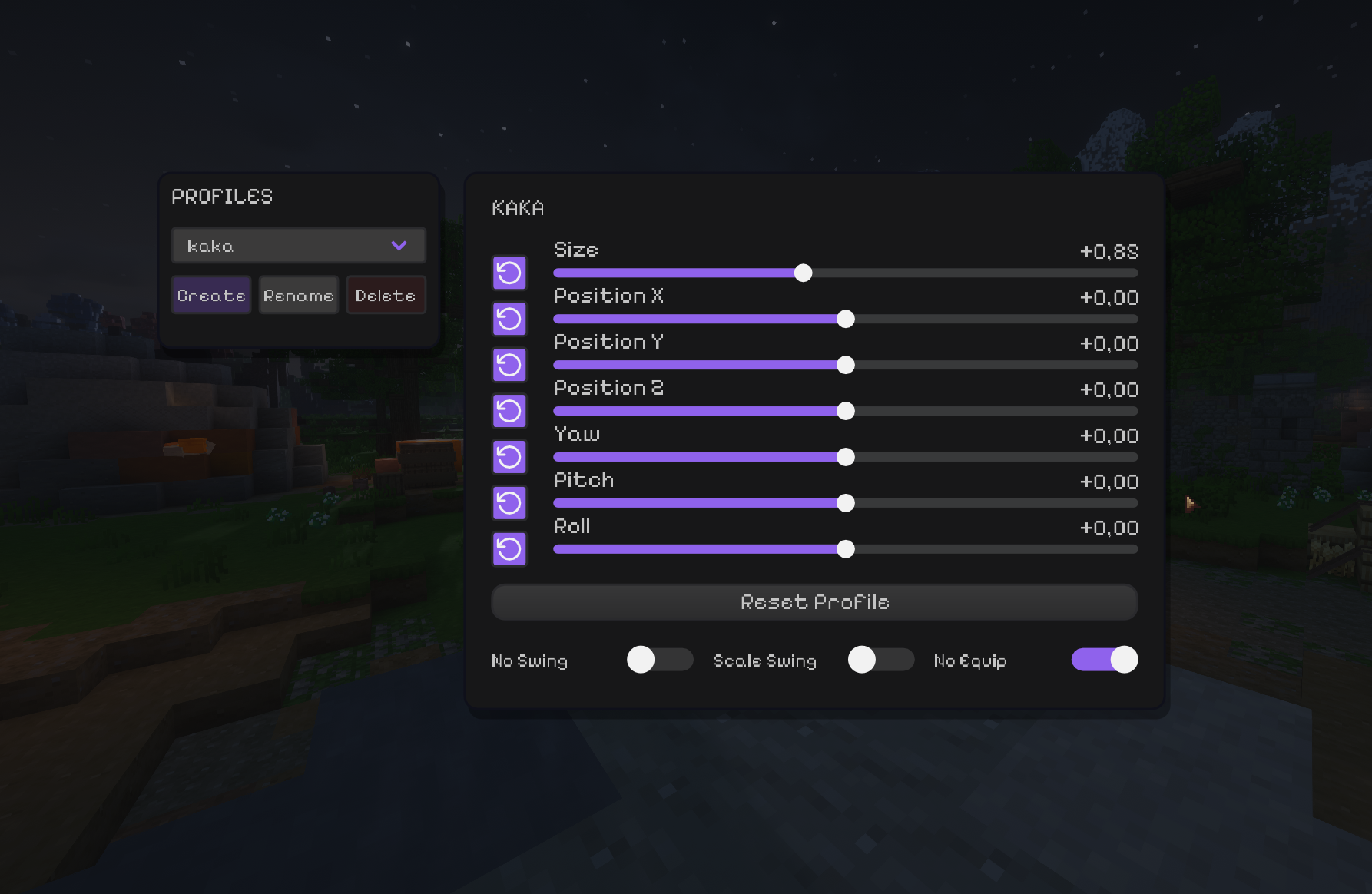
View Model Customizer




Fine-tune the way your held items look in first person.
Move, rotate and scale the viewmodel, save profiles, and control swing/equip animations - all client-side.
🖥️ Client-side only. Install it for yourself; the server does not need the mod.
✨ What you can tweak
| Control | What it does |
|---|---|
| 📏 Size | Changes the held-item scale. |
| ↔️ Position X / Y / Z | Moves the item with a range from -100 to 100. |
| 🔄 Yaw / Pitch / Roll | Rotates the item around its own axis — no flying across the screen. |
| ↩️ Reset controls | Reset one setting or restore the active profile's defaults. |
| 📁 Profiles | Create, rename, delete and instantly switch setups. Everything saves automatically. |
| ⚔️ No Swing | Removes swing side movement while keeping item rotation. |
| 📐 Scale Swing | Makes the swing animation respect your item scale. |
| 🚫 No Equip | Disables the draw/equip animation when switching items. |
🚀 Installation
- Install Fabric Loader and Fabric API for your Minecraft version.
Download the matching jar:
View Model Customizer-mc1.21.11-3.3.jarfor Minecraft 1.21.11;View Model Customizer-mc26.1.2-3.3.jarfor Minecraft 26.1.2.
🎮 Usage
Press V to open the editor. The keybind can be changed in Minecraft's controls.
Create a profile for each setup, tune its position/rotation, and the changes are saved automatically. Empty hands keep their normal vanilla animation instead of inheriting an item offset.
📄 License
FAQ
How to install View Model Customizer (Animations)?
Install Fabric for your Minecraft version, download View Model Customizer (Animations) for the same version and loader, put the file into the mods folder and launch the game with the loader profile.
Which Minecraft versions does View Model Customizer (Animations) support?
View Model Customizer (Animations) has builds for Minecraft 1.21.4, 1.21.11–26.1.2.
Is View Model Customizer (Animations) needed on the server?
Client only — no need to install it on the server


