
- Loaders
- Fabric
- Downloads on Modrinth
- 2.2K
- Followers on Modrinth
- 13
- versions
- 8
- Updated
- February 4, 2026Feb 4
- Published
- in 2023
At a glance
Install in the game only; not needed on the server
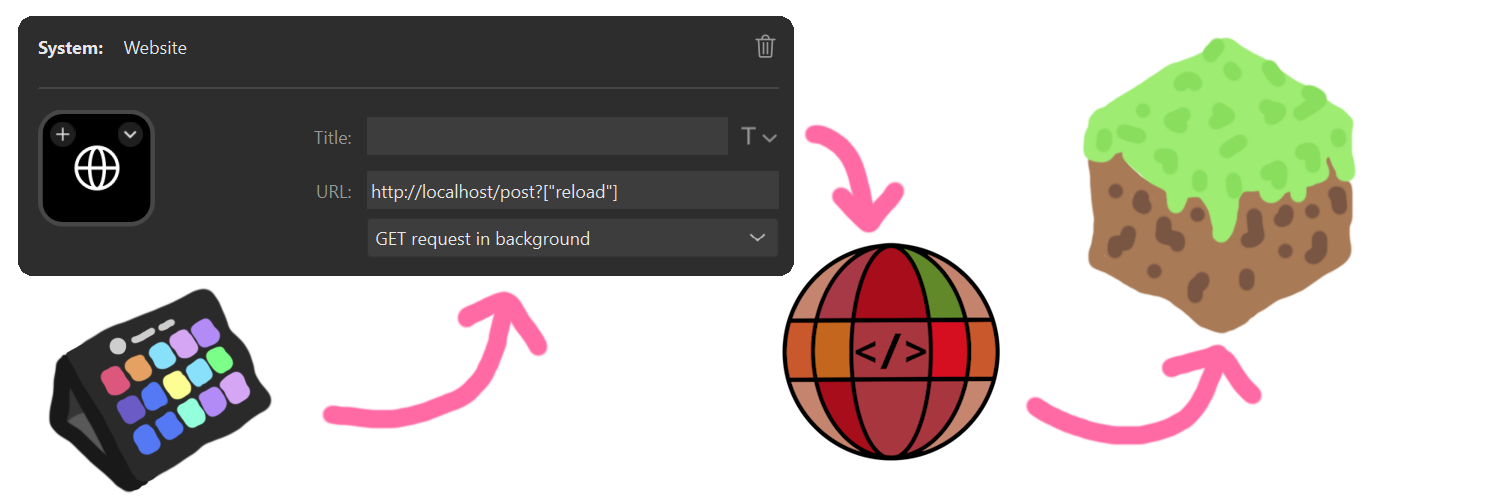
You can send commands and messages with a GET request.
With that, there are many use cases; some examples:
- Executing commands from an Elgato Stream Deck (using the "Website" button with "Get Request in the Background" enabled)
- Making lists of commands to execute and running them (automation)
- External apps can interact with the game You can specify the port in the pause menu (default: 80).
With a new web UI, that allows you to generate the link to execute the command or send the chat message. The new webpage also includes the Spyglass command completion and syntax highlighting. This allows for easier debugging.
With the newest version, you can also receive the command result. On the webpage, you can just execute one command and instantly get the result. When you execute the command with the GET request, you can also get the unformatted data.
Sample return from the command /list from visiting http://localhost/get?"/list"
{
"commandResult":"translation{key='commands.list.players', args=[1, 8, literal{BlauToad}[style={clickEvent=class_10610[command=/tell BlauToad ],hoverEvent=class_10611[entity=net.minecraft.class_2568$class_5248@e5c10f33],insertion=BlauToad}]]}",
"commandResultText":"There are 1 of a max of 8 players online: BlauToad",
"debug":0
}
FAQ
How to install Webcommands?
Install Fabric for your Minecraft version, download Webcommands for the same version and loader, put the file into the mods folder and launch the game with the loader profile.
Which Minecraft versions does Webcommands support?
Webcommands has builds for Minecraft 1.20.1–26.3.
Is Webcommands needed on the server?
Client only — no need to install it on the server
Similar mods
All utility mods →


Often needed together
 Fabric API↓ 279M