
- Loaders
- FabricQuilt
- Downloads on Modrinth
- 30.5K
- Followers on Modrinth
- 38
- versions
- 8
- Updated
- August 8, 2026Aug 8
- Published
- in 2023
At a glance
Install in the game only; not needed on the server
ChatUtils - The simple, yet essential chat utility mod
ChatUtils is a very lightweight mod that focuses on simplicity and on including only what's essential for chat users, and a little more.
It's got all you need, and more.
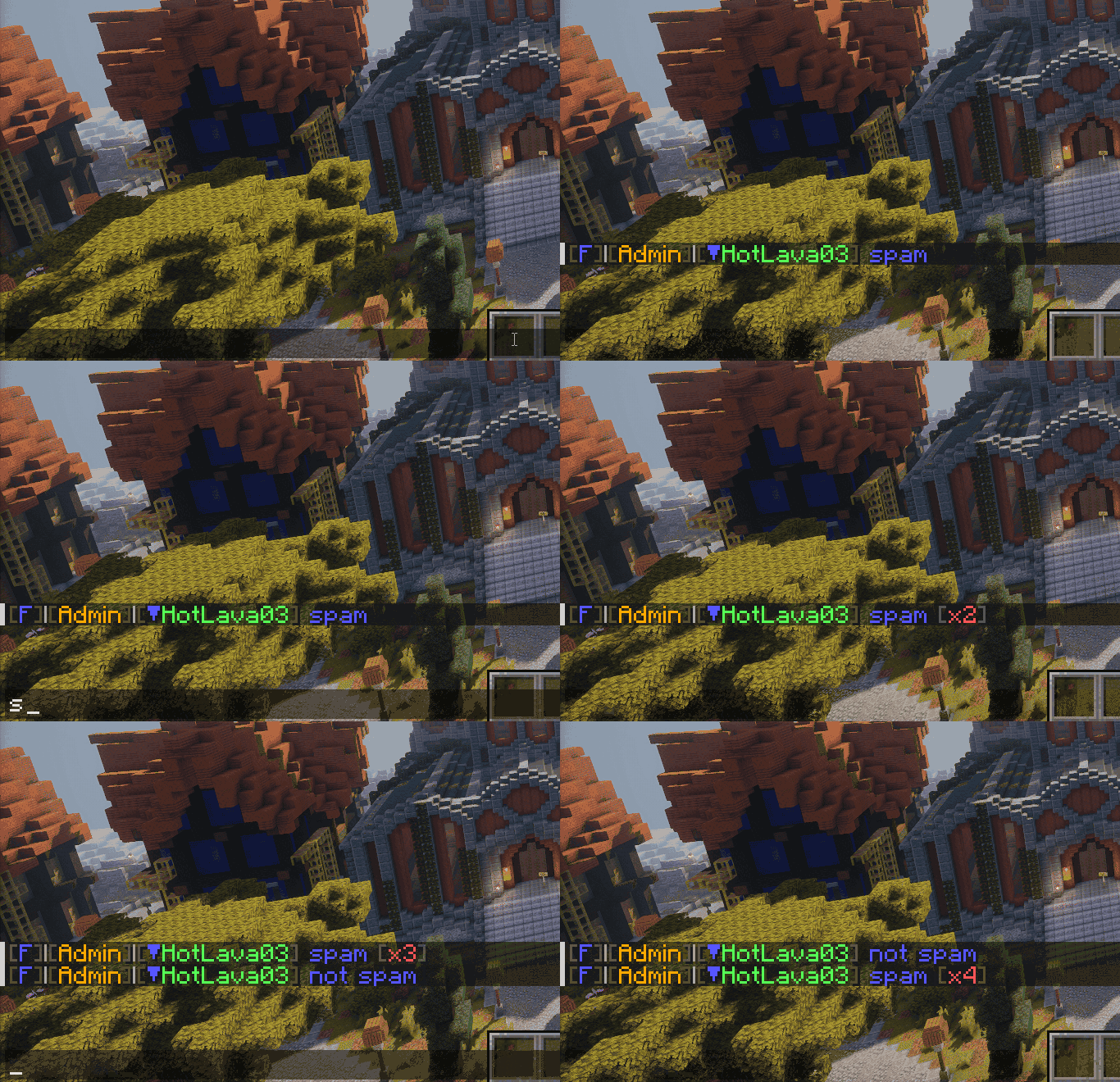
Chat anti-spam/repeated message collapsing
Copy messages to clipboard
To copy a message to clipboard, hold Ctrl (or Cmd on Mac) and click the message.

Keep chat/commands on server rejoin
If you leave a server or get disconnected, oftentimes you want to keep your chat or commands. ChatUtils will automatically store those for you.

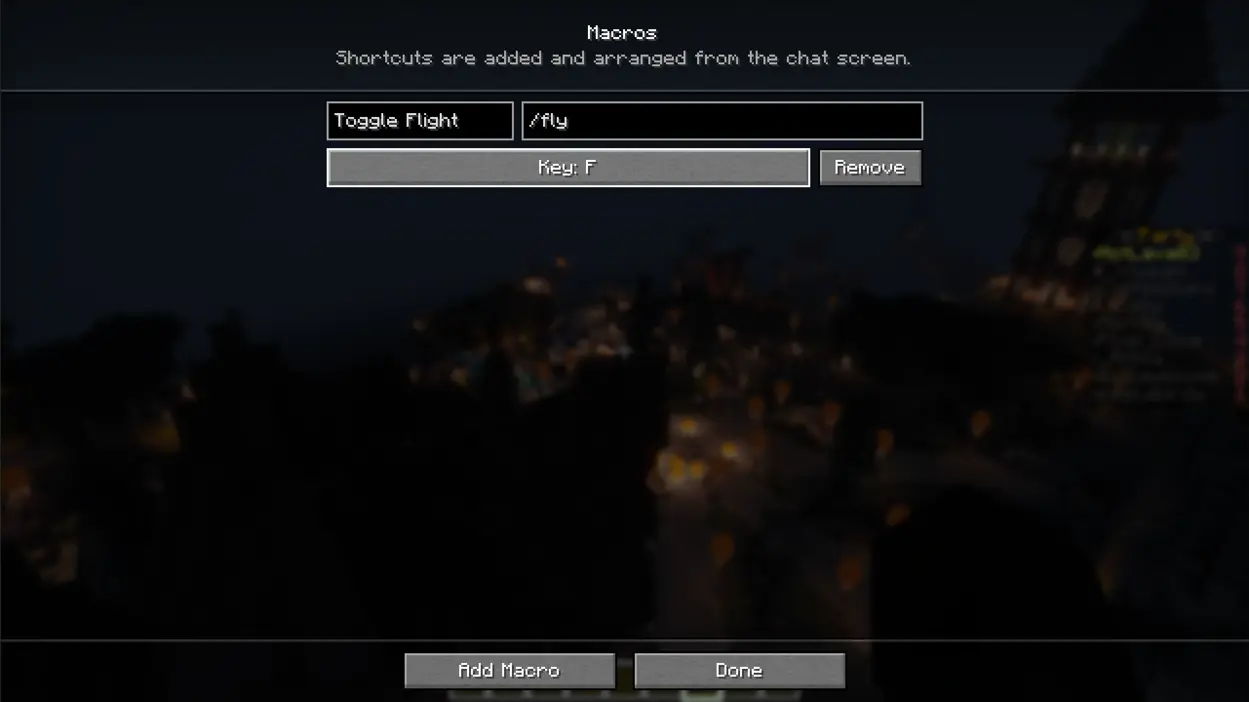
Keybind macros to send messages/commands
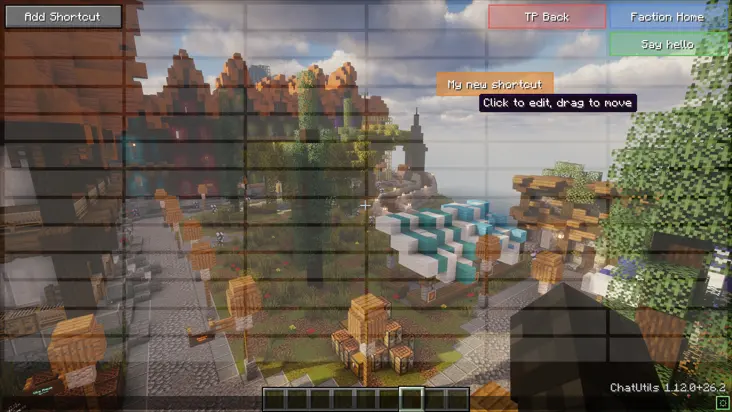
Customizable chat overlay buttons to send messages/commands
Chat filter that keeps specific patterns out of your chat
You can filter chat messages with or without regex, by exact match and/or with or without case sensitivity. These aren't totally lost, and can be viewed in the log through the config, as shown below.
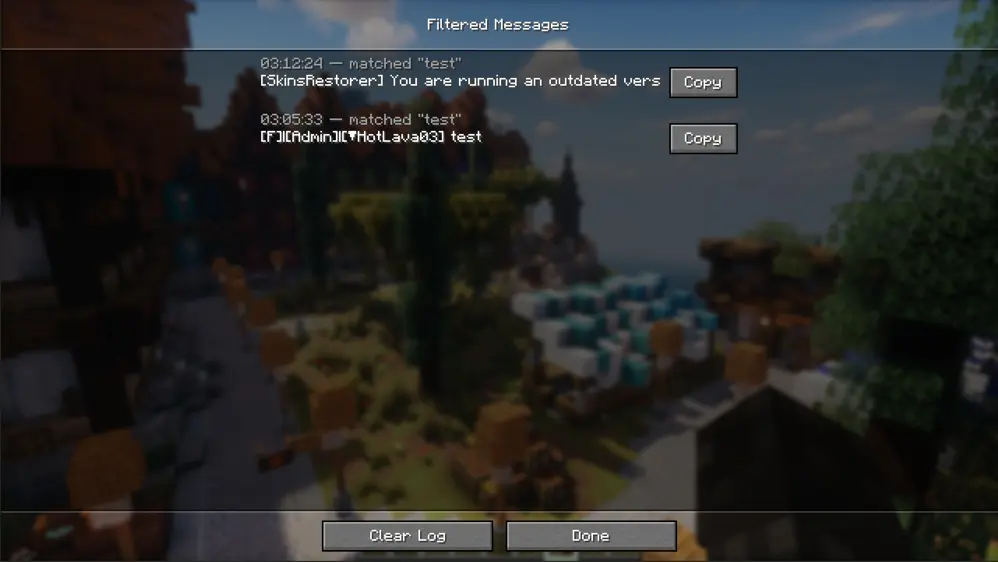
It's fully configurable.
ChatUtils keeps all features optional. This means you can toggle off any feature you don't need, or if it's too intrusive for you.
Explore the config menu and you'll likely find what you're searching for. If not, you can always open an Issue for a feature request. Same for any bugs or issues you find as you use the mod.
Version support
The latest version supports 26.2. In the near future, I will backport to previous versions and try to keep the mod updated more often. Feel free to open an issue or contact me directly to request an update or a backport.
Regarding support for other loaders (like NeoForge), I have thought of writing a port, but it's still relatively low priority.
FAQ
How to install ChatUtils?
Install Fabric for your Minecraft version, download ChatUtils for the same version and loader, put the file into the mods folder and launch the game with the loader profile.
Which Minecraft versions does ChatUtils support?
ChatUtils has builds for Minecraft 1.19.4–1.20.2, 1.20.4, 26.2.
Is ChatUtils needed on the server?
Client only — no need to install it on the server


