
Custom Level Colour
Simple mod that allows you to customize the colour of your experience level.
Fabric
- Loaders
- Fabric
- Downloads on Modrinth
- 4.4K
- Followers on Modrinth
- 19
- versions
- 6
- Updated
- June 21, 2026Jun 21
- Published
- in 2024
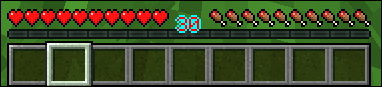
Example — The XP bar text with the text colour set to red and the outline colour set to blue. · swipe
At a glance
Runs on Fabric
For Minecraft 1.20.1–1.21.5, 26.2
Client only — no need to install it on the server
Latest version — 1.0.1+26.2 from June 21, 2026
License Unlicense — free
Where it's neededGame versions1.20.1–1.21.5, 26.2
In gamerequiredOn servernot needed
Install in the game only; not needed on the server
FAQ
How to install Custom Level Colour?
Install Fabric for your Minecraft version, download Custom Level Colour for the same version and loader, put the file into the mods folder and launch the game with the loader profile.
Which Minecraft versions does Custom Level Colour support?
Custom Level Colour has builds for Minecraft 1.20.1–1.21.5, 26.2.
Is Custom Level Colour needed on the server?
Client only — no need to install it on the server
License and source
The Unlicensefree to use and share with credit to the author
Similar mods
All decoration mods →


More mods by this author
 Frank↓ 8.7K
 Stealing and Sharing↓ 210