
- Loaders
- FabricQuilt
- Downloads on Modrinth
- 4.7M
- Followers on Modrinth
- 1.8K
- versions
- 12
- Updated
- September 11, 2026Sep 11
- Published
- in 2022
After 1.16 · swipe
At a glance
Runs on Fabric and Quilt
For Minecraft 1.14–26.3
Client only — no need to install it on the server
Latest version — 1.6.20 from September 11, 2026
License LGPL-3.0-only — free
Where it's neededGame versions1.14–26.3
In gamerequiredOn servernot needed
Install in the game only; not needed on the server
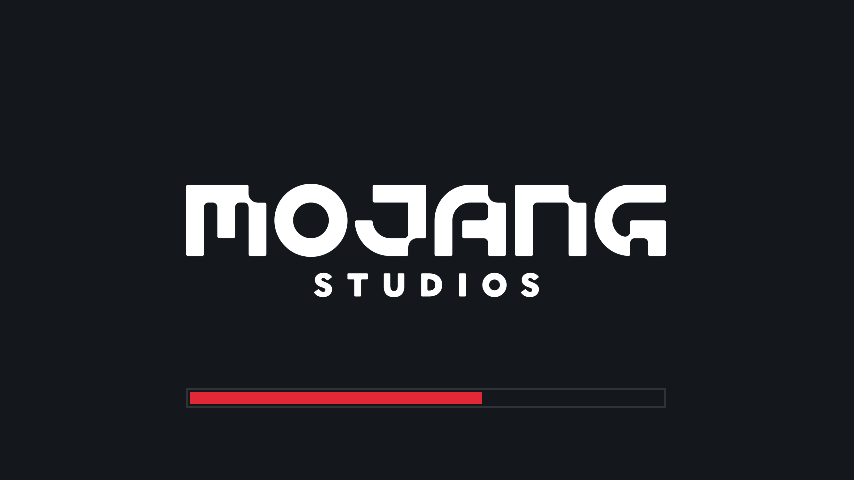
A simple Fabric mod to make the loading screen darker.
A changelog is available here.
Color configuration
Colors can be modified in-game if both Mod Menu and Cloth Config are installed.
Manual configuration
Create or edit .minecraft/config/dark-loading-screen.json, the default config is
{
    "background": "14181c",
    "bar": "e22837",
    "barBackground": "14181c",
    "border": "303336",
    "logo": "ffffff",
    "fadeIn": 1.0,
    "fadeOut": 2.0
}
Manual changes are only visible after restarting the game.
Credits
- Config screen made using shedaniel's Cloth Config
- Logo coloring suggested by Minenash
- Bar background coloring suggested by Chrisblox
bg_bgtranslation by natee22de_detranslation by Der_Anderl and moritz-htkes_xxtranslations by Haseckit_ittranslations by Ocizukoko_krtranslation by gyularpl_pltranslation by DarkKnightComes and goodideagiverpt_brtranslation by FITFCru_rutranslation by Felix14-v2sv_setranslation by Luracasmustr_trtranslation by Mid0ariauk_uatranslation by BurrConniezh_cntranslation by GodGun968, Hambaka, w5860363, Q2297045667
Links: CurseForge · GitHub · Modrinth
FAQ
How to install Dark Loading Screen?
Install Fabric for your Minecraft version, download Dark Loading Screen for the same version and loader, put the file into the mods folder and launch the game with the loader profile.
Which Minecraft versions does Dark Loading Screen support?
Dark Loading Screen has builds for Minecraft 1.14–26.3.
Is Dark Loading Screen needed on the server?
Client only — no need to install it on the server
License and source
GNU Lesser General Public License v3.0 onlyfree to use and share; changes to the mod itself must be published under the same license


