
- Loaders
- Fabric
- Downloads on Modrinth
- 175
- Followers on Modrinth
- 0
- versions
- 2
- Updated
- August 27, 2026Aug 27
- Published
- in 2026
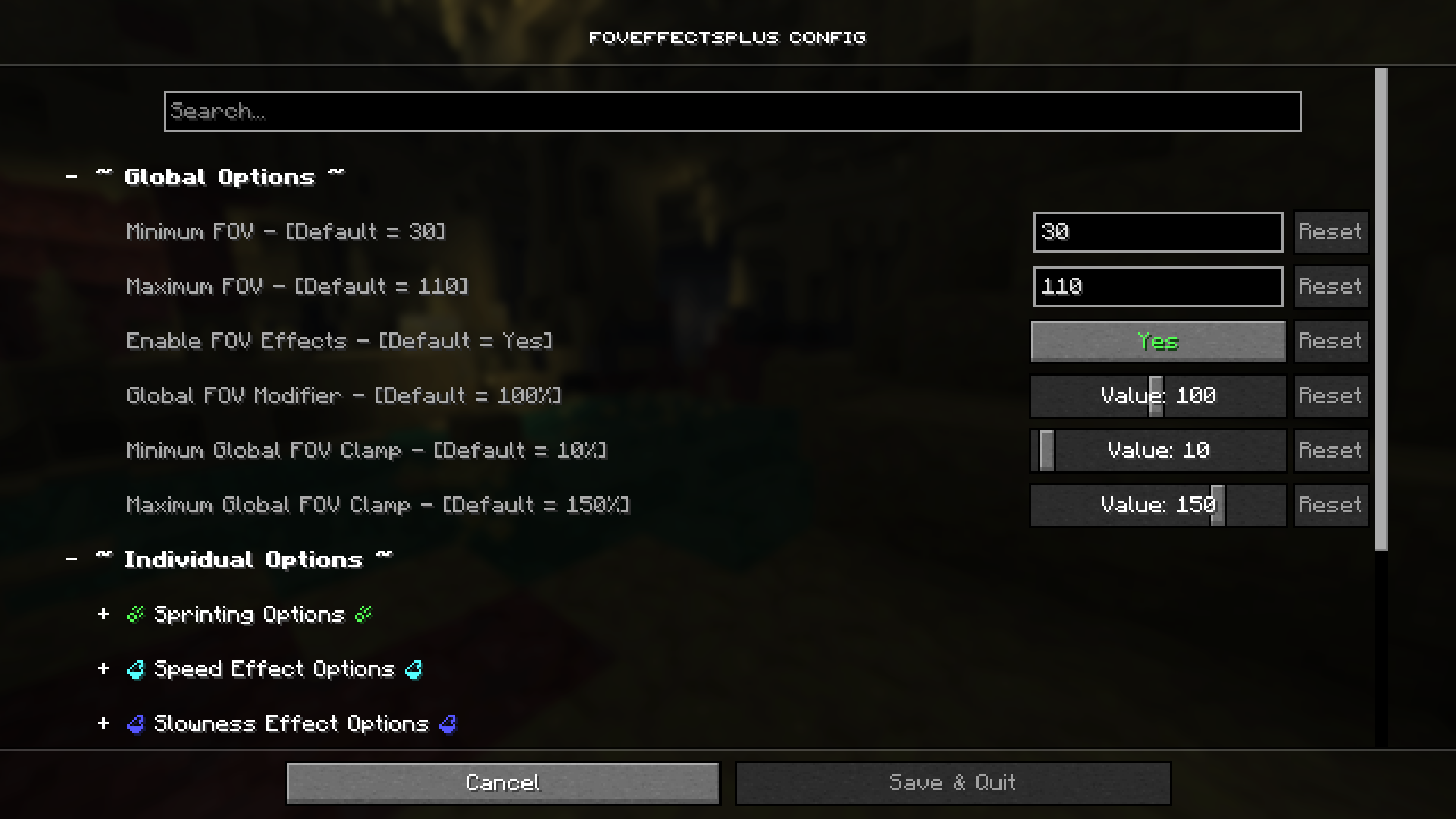
FOVEffects+ Config — This is what the default config screen looks like upon opening in Mod Menu. · swipe
At a glance
Runs on Fabric
For Minecraft 26.1–26.2
Client only — no need to install it on the server
Latest version — 1.0.0 from August 27, 2026
Requires Cloth Config API and Mod Menu
License MIT — free
Where it's neededGame versions26.1–26.2
In gamerequiredOn servernot needed
Install in the game only; not needed on the server
FOVEffects+
FOVEffects+ is a mod that gives you full and extensive control over your FOV and FOV Effects!
What are FOV Effects?
FOV Effects are modifiers added to your FOV when specific actions are taken.
The current list of all supported FOV Effects are:
- ☄️ Sprinting ☄️
- ⚗️ Speed Potion Effect ⚗️
- ⚗️ Slowness Potion Effect ⚗️
- 🌟 Flying 🌟
- 🏹 Bow Aiming 🏹
- ❄️ Powdered Snow ❄️
- 👣 Soul Speed 👣
- 🌊 Submerged in Water/Lava 🌊
How do I use the mod?
To use the mod, simply open the Mods menu, find the FOVEffects+ mod, hover over the icon, and click to change the config.
FAQ
How to install FOVEffects+?
Install Fabric for your Minecraft version, download FOVEffects+ for the same version and loader, put the file into the mods folder and launch the game with the loader profile.
Which Minecraft versions does FOVEffects+ support?
FOVEffects+ has builds for Minecraft 26.1–26.2.
Is FOVEffects+ needed on the server?
Client only — no need to install it on the server
License and source
MIT Licensefree to use and share with credit to the author


