
- Loaders
- Fabric
- Downloads on Modrinth
- 301
- Followers on Modrinth
- 1
- versions
- 3
- Updated
- June 26, 2026Jun 26
- Published
- in 2026
At a glance
Install in the game only; not needed on the server
Custom instance Icon


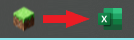
What does this mod do?
Custom Logo replaces the default Minecraft window icon — the one shown in your taskbar and title bar — with your own custom image.
No config files. No commands. Just drop a logo.png in your .minecraft folder and launch the game.
How it works
This mod uses a Mixin that intercepts Minecraft's internal Window.setIcon() method before the vanilla icon is applied.
At startup, the mod:
- Looks for
logo.pngin your.minecraft/directory (or insidemods/as a fallback) - Decodes the image using STBImage (already bundled with Minecraft via LWJGL — no extra dependencies)
- Passes the image to GLFW to set the OS window icon
- Cancels the vanilla icon so only your custom one is shown
Installation
- Download the
.jarand place it in yourmods/folder - Place
logo.pngdirectly in your.minecraft/folder
.minecraft/
├── mods/
│   └── custom-logo-x.x.x.jar
├── logo.png        <- here!
├── saves/
└── options.txt
Tip: You can also place
logo.pnginside themods/folder itself as an alternative.
Image requirements
| Property | Recommendation |
|---|---|
| Format | PNG with transparency (RGBA) |
| Size | 32×32 or 64×64 px |
| Name | Must be exactly logo.png |
Windows uses 16×16 and 32×32 for taskbar icons. A 32×32 or 64×64 image will be scaled automatically.
Requirements
- Minecraft 1.21.1
- Fabric Loader 0.16.9+
- Fabric API
Made by IamSboby
FAQ
How to install icon modifier?
Install Fabric for your Minecraft version, download icon modifier for the same version and loader, put the file into the mods folder and launch the game with the loader profile.
Which Minecraft versions does icon modifier support?
icon modifier has builds for Minecraft 1.21.1–1.21.11.
Is icon modifier needed on the server?
Client only — no need to install it on the server
Similar mods
All social mods →


Often needed together
 Fabric API↓ 277M