
Intelibuild
Intelibuild is a Fabric client-side mod focused on utilities for builders and developers.
- Loaders
- Fabric
- Downloads on Modrinth
- 114
- Followers on Modrinth
- 0
- versions
- 3
- Updated
- October 1, 2026Oct 1
- Published
- in 2026
At a glance
Install in the game only; not needed on the server
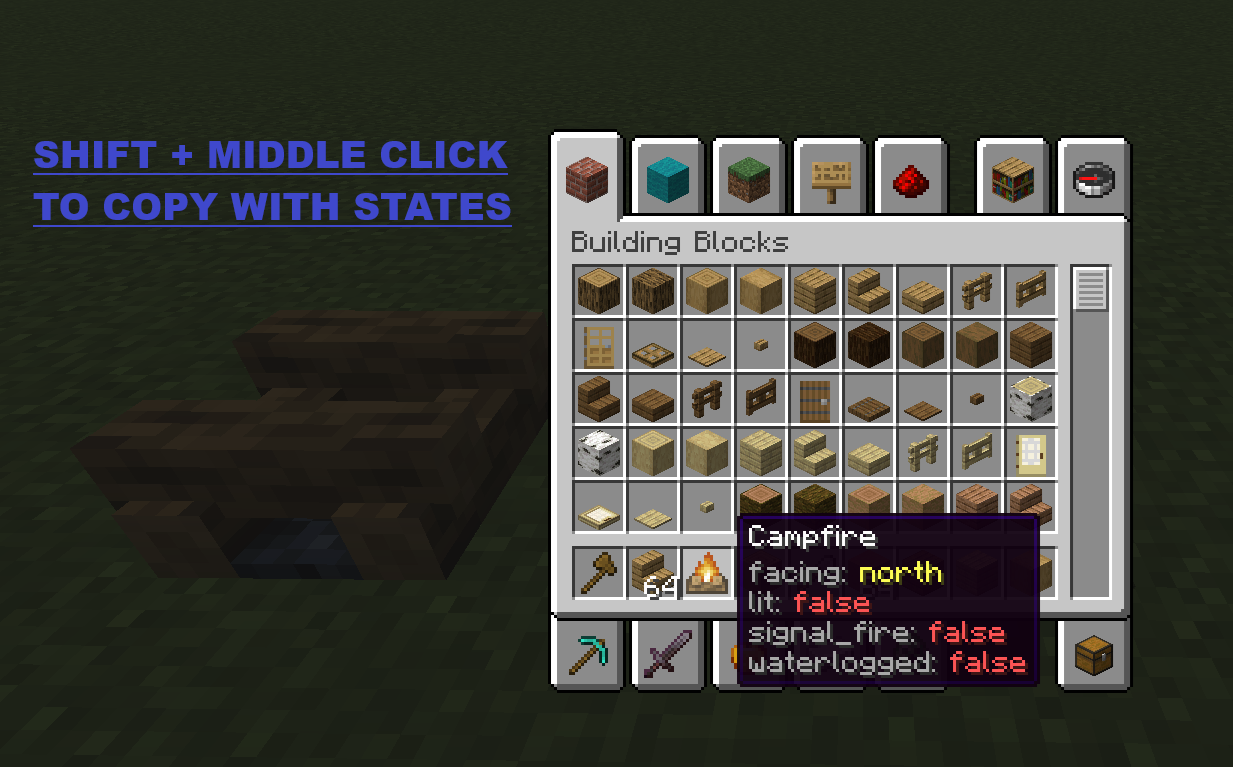
Copy Block States
Hold Left Ctrl + middle-click on a block in Creative mode to copy it with all its state properties (facing, waterlogged, axis, half, etc.).
Properties are displayed as colored lore on the copied item:
| Color | Meaning |
|---|---|
| Light gray | Property name |
| Aqua | true value |
| Light red | false value |
| Yellow | Non-boolean value |
Block ID Panel
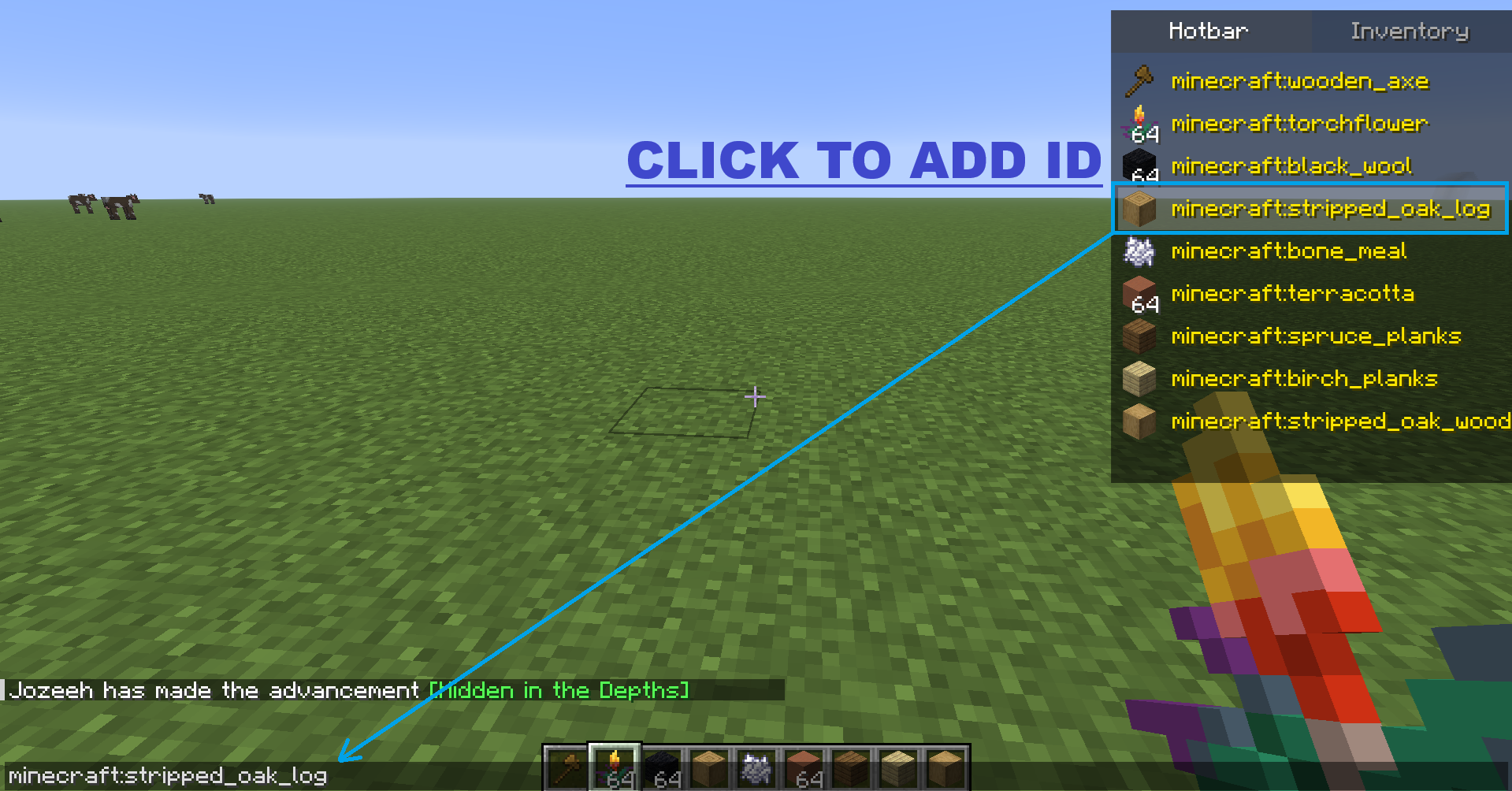
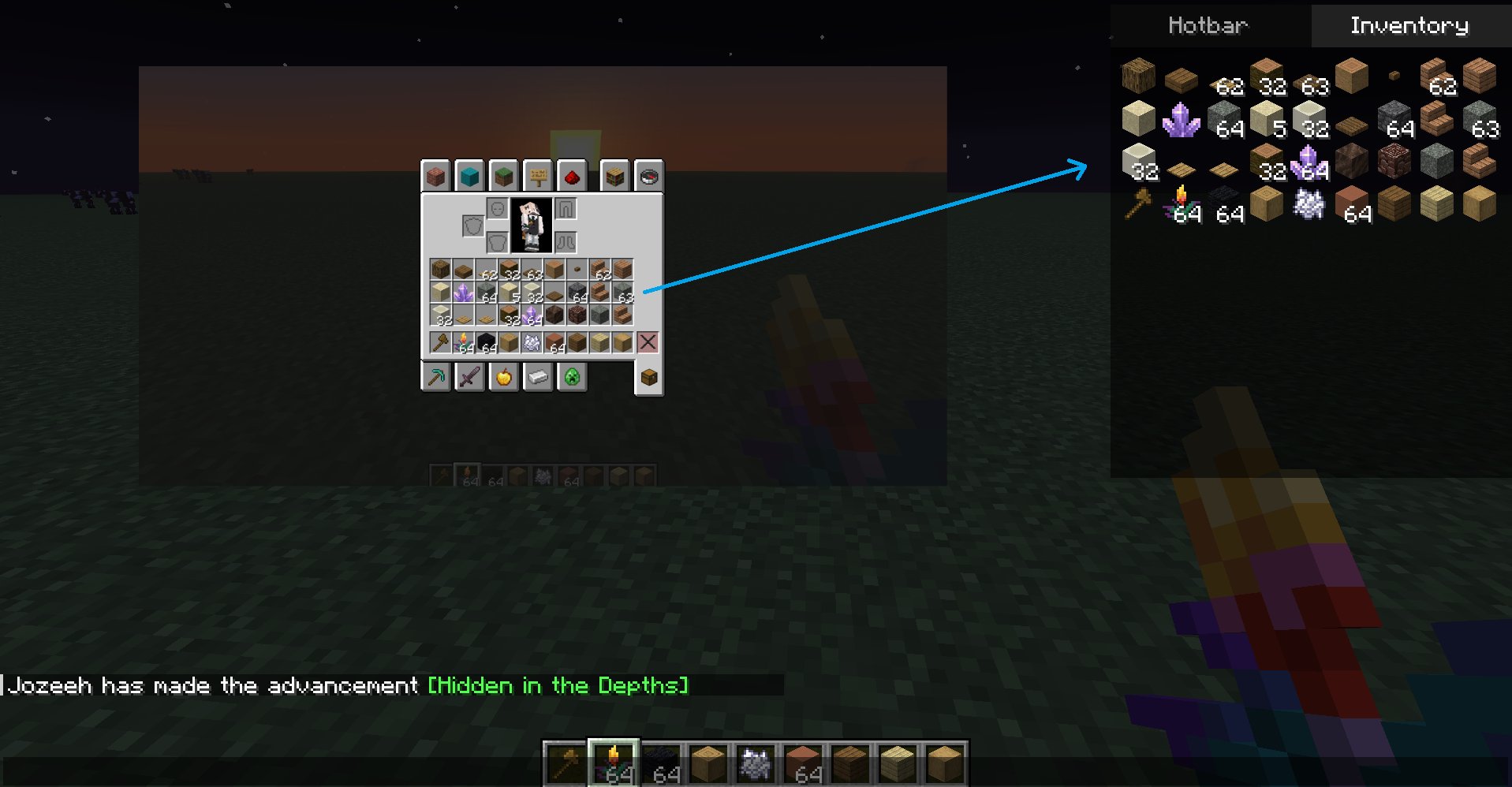
When you open chat (T), a panel appears at the top-right corner with two tabs:
| Tab | Content |
|---|---|
| Hotbar | Icon + full item ID (e.g. minecraft:stone) in yellow text |
| Inventory | 4x9 grid showing every item in your inventory |
Click any item in the panel to insert its full namespaced ID into the chat input.
- F6 — Toggles panel visibility.
- The key is rebindable from Minecraft controls → Intelibuild category.
FAQ
How to install Intelibuild?
Install Fabric for your Minecraft version, download Intelibuild for the same version and loader, put the file into the mods folder and launch the game with the loader profile.
Which Minecraft versions does Intelibuild support?
Intelibuild has builds for Minecraft 1.21.11–26.2.
Is Intelibuild needed on the server?
Client only — no need to install it on the server


