
- Loaders
- Fabric
- Downloads on Modrinth
- 687
- Followers on Modrinth
- 2
- versions
- 2
- Updated
- September 22, 2026Sep 22
- Published
- in 2026
At a glance
Install in the game only; not needed on the server
ModDeck
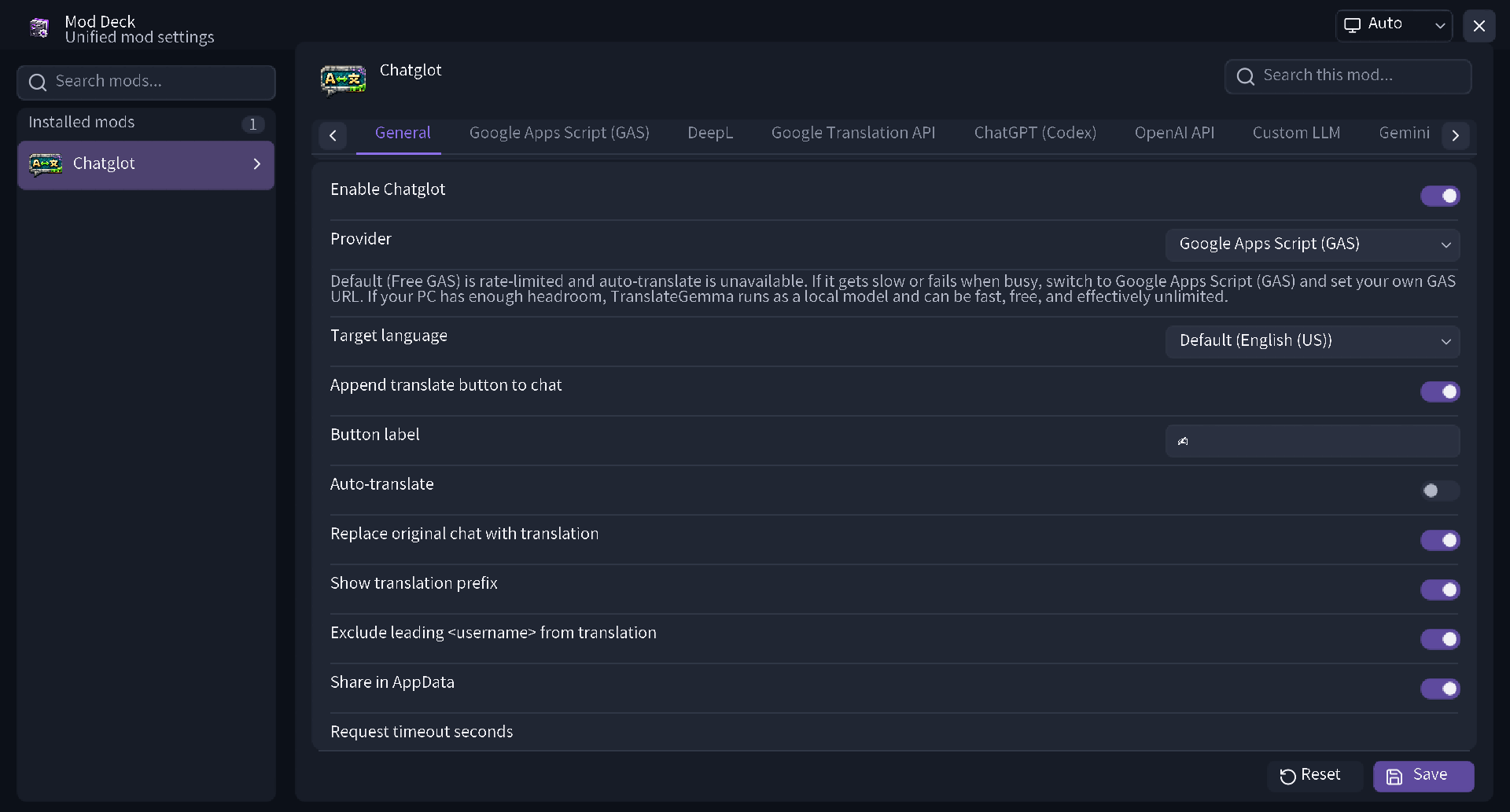
ModDeck is a client-side mod and library that centrally manages settings for supported installed mods.
With a unified, modern UI, you can intuitively check, toggle, and search through settings for each mod.
Key Features
1. Comfortable Search and Management
You can perform incremental searches across not only mod names but also detailed setting item names. With tabbed category displays, you can access your desired settings without getting lost, even for mods with a large number of items.
2. Reliable Save and Reset Functions
Setting changes are not applied until you click Save. A confirmation dialog also appears if you try to close the screen without saving, preventing unintended setting changes. It also features a reset function to restore default values either per item or per mod.
3. Theme Switching and Excellent Visibility
In addition to automatic switching based on system settings, you can manually select light or dark themes. Icons for each mod are displayed on lists and setting screens, offering exceptional visibility.
Main Features for Players
- Integrates settings screens for supported mods into one
- Incremental search for mod names and setting items
- Easy category navigation via tabs
- Prevention of misoperation through manual saving (with a warning dialog for unsaved changes)
- Setting resets per item or per mod
- One-click application of presets provided by mods
- Theme switching (Auto / Light / Dark)
- Supports opening the screen from Mod Menu, keybinds, and commands
Included Setting Components
ModDeck comes standard with a wide variety of UI parts necessary for mod settings.
- On/off switches
- Sliders (supporting integers and decimals)
- Text input fields
- Dropdown and Enum selection lists
- Color pickers
- Keybind settings
- Sortable and editable list formats
- Expansion and collapse of subcategories
- Real-time input validation and error display
Features for Developers
You can easily incorporate a sophisticated settings screen into your own mod.
- Intuitive API: Declaratively write settings screens and hierarchical structures simply using the Java API
- AutoConfig Support: Automatically generate settings screens just by adding annotations
- Flexible Control: Supports conditional display and enabling of items, validation, and the definition of custom themes and presets
- Storage Flexibility: In addition to standard built-in JSON storage, it supports saving to custom storage
- Seamless Integration: Easily implement processes to open your mod's settings screen directly from external screens or custom keybinds
FAQ
How to install Mod Deck?
Install Fabric for your Minecraft version, download Mod Deck for the same version and loader, put the file into the mods folder and launch the game with the loader profile.
Which Minecraft versions does Mod Deck support?
Mod Deck has builds for Minecraft 26.2–26.3.
Is Mod Deck needed on the server?
Client only — no need to install it on the server
Similar mods
All library mods →


More mods by this author
 Chatglot - Chat Translation↓ 5.1K
 OBS Recording Monitor↓ 2K
 Universal Config↓ 597
Often needed together
 Fabric API↓ 281MChatglot - Chat Translation↓ 5.1K